




 猜您喜欢
猜您喜欢







腾讯文档最新版软件特色
多人实时编辑:支持多人同时在线编辑,修改痕迹实时显示,沟通零延迟。
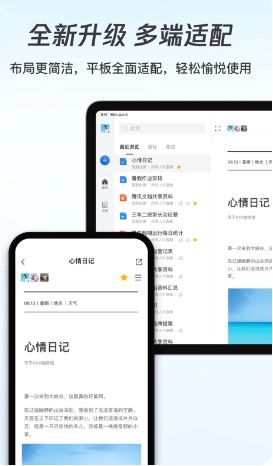
多端同步:支持iOS、iPad、Android、小程序、Mac、Windows、Linux版本,内容实时同步。
文档分享:可生成链接或长图,分享给QQ/微信好友、微博及朋友圈。
腾讯文档最新版软件亮点
写作助手:一句话生成文档、表格、幻灯片等全品类文档,支持文章润色、扩写、续写。
Reading Assistant: Quickly read academic papers, industry reports and other content with one click.
Data Assistant: Supports AI to write functions, make charts, generate data reports, etc.
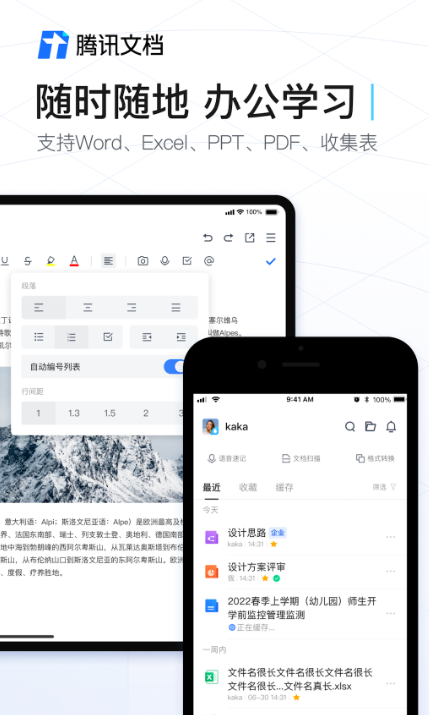
Tencent documentation latest versionSoftware function
Online documentation
It supports professional graphic creation and provides complete editing capabilities. You can set text styles and paragraph formats, and insert pictures, links, tables, attachments and other content.
Perfectly compatible with Office document formats, supports multi-terminal collaborative creation, and real-time cloud storage synchronization.
Online form
Efficiently process data, support editing Office tables, and provide functions such as regional permissions, data verification, conditional formatting, filtering and sorting.
It has more than 200 built-in functions and commonly used charts to meet complex data processing needs.
Online slideshow
Compatible with mainstream Office slide formats, it supports multiple people collaborating on the same presentation.
Provides remote playback function to facilitate remote presentation and discussion by the team.
Online PDF
Supports complete cross-platform presentation of document formats and content, allowing seamless viewing on mobile phones, computers, and tablets.
collection sheet
It can quickly collect millions of pieces of information, the results are automatically summarized into tables, and the data is synchronized in real time.
It provides single-choice, multiple-choice, picture, temperature, location and other question types to reduce the difficulty of construction.
Tencent Document FAQ
When sharing a document link, it prompts that it cannot be shared or the link is invalid.
Solution: Confirm whether the document has been deleted or moved, and check whether the link has expired or been modified by someone else. If the link is valid but cannot be shared, try regenerating the link or contact Tencent customer service.
Document collaboration issues, such as conflicts when multiple people are editing at the same time
Solution: Tencent documents support simultaneous editing by multiple people, but conflicts may be encountered during the editing process. It is recommended to save the document regularly or use the conflict resolution feature in collaborative editing to handle editing conflicts.
How to edit Tencent documents online
Log in to the Tencent Document official website (https://docs.qq.com) or open the APP, click "New" to select the document type (such as Word, Excel), and enter the editing interface to enter content in real time. It supports inserting elements such as pictures, tables, links, etc. When multiple people collaborate, you can use the "Share" button to generate links to invite others to edit simultaneously, and the modified content is saved in the cloud in real time.
How to set permissions on Tencent documents so that others can only modify the parts they edited
Currently, Tencent Documents does not support modifying areas by user restrictions, but similar effects can be achieved in the following ways:
Protect specific areas (form applies):
Select the cells or columns that need to be protected, click the "lock" icon on the menu bar → "Protect selected range" → set "Specified people can edit" and check the users who are allowed to edit. Other users cannot modify this area.
Collaboration in chunks (applicable to text documents):
Split the document content into chapters, and assign editing rights to designated chapters to different users through "Share" (such as through the "Add editable designated members" setting) to avoid cross-modifications.
Version history trace:
Click "File" → "Version History" in the upper right corner to view the modification records of all users. If an error is found, you can restore to the previous version with one click.
How to export files from Tencent Documents
General export:
Click the "three horizontal lines" in the upper right corner of the document → "Export as", select the format (such as Word, PDF, Excel), set the file name and save it locally.
Batch export (form applicable):
Enter the table page, click "Three Horizontal Lines" → "Export As" → "Local Excel Table" to support batch downloading of multiple worksheet data.
How to save Tencent documents
Auto save:
No manual operations are required during the editing process. The system automatically synchronizes the content to the cloud every few seconds. After the network is restored, offline modified content will also be automatically uploaded.
Save manually:
Click "File" → "Save" in the upper right corner to instantly update the current version; if you need a backup, select "Save As" to create a copy.
Version management:
All historical versions are automatically retained and can be viewed and restored to any point in time through "Version History", which supports comparison of differences between different versions.
Tencent documentation latest versionSoftware update log
Sweep the bug out and carry it out to the end
Optimize user feedback issues and improve detailed experience
Huajun editor recommends:
After continuous official iterations, the latest version of Tencent Documents has become very stable and powerful, meeting all your needs. The editor has also prepared for youCreate a new TXT document,Gmail(Google mailbox),flying fish crm,i car dealer,professional ability





















Your comment needs to be reviewed before it can be displayed