





 You may like





Yiqi + Highlights
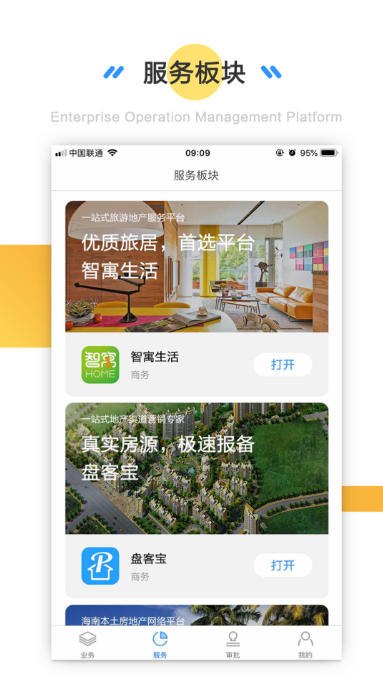
Intelligence and transparency:
Introduce GIS technology to realize intelligent and transparent enterprise management, optimal allocation of people, finances and materials, and full monitoring of project progress.
It provides the concept of “one picture” so that operation and management personnel can clearly grasp the project status at a glance at all times.
One-stop office solution:
It integrates project management, team collaboration, task allocation, file sharing, scheduling and other functions to provide enterprises with a comprehensive and convenient office experience.
Yiqi + Features
Data security and security:
Data is stored uniformly on Alibaba Cloud servers, and multiple security protection measures are taken to ensure data security.
It provides free public cloud experience, and also provides private solutions for VIP services to meet more personalized service needs.
Convenient and easy to use:
The interface design is simple and intuitive, and the operation is convenient, making it easy for users to get started.
Provide novice tutorials and learning resources to facilitate users to quickly master how to use it.
Yiqi + function
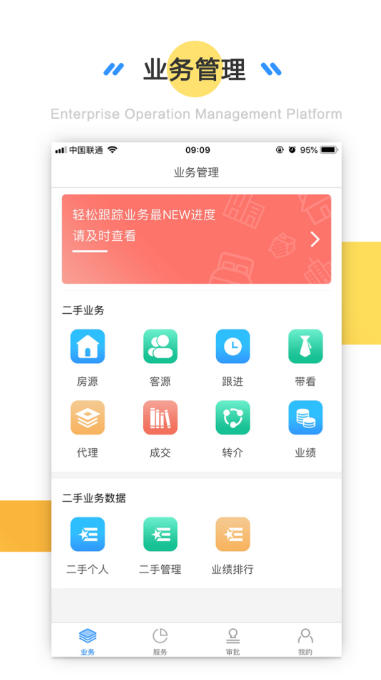
Project management:
Focusing on the core of "project management", we solve the problems in project management such as "the cost cannot be understood in a timely manner, the human input cannot be known, the use of equipment cannot be tracked, and the progress and quality lack control".
Achieve real-time follow-up of relevant data, transparency and control, and real-time viewing of project dynamics, including information such as project leader, actual project amount, project type, total number of project invoices issued, total revenue, latest progress, latest manpower input, etc.
Supports functions such as project budgeting, expense reimbursement, real-time reimbursement, and invoicing to monitor project expenses.
Teamwork:
Provides instant messaging capabilities so team members can collaborate seamlessly no matter where they are.
Supports file sharing, meeting arrangement and other functions to simplify work process and enhance team cohesion.
Personnel and financial management:
Integrating personnel attendance and salary management, it has a built-in salary management database system that supports various salary payment forms such as cash, salary points, and enterprise points.
Provide financial management functions, including related financial reports, fund return inquiries, etc., and instantly analyze the income and expenditure of designated financial funds such as bidding deposits, performance bonds, and reserve funds.
Equipment and vehicle management:
Introducing a QR code scanning system, the loan, return, damage and loss of project equipment can be checked through the backend.
Follow up on vehicle maintenance, refueling, violation handling, etc. in real time, and count the mileage of each vehicle in real time.
Data analysis and report output:
Integrated inspection and analysis of enterprises, real-time output of company, department, project, personal finance, equipment usage, vehicle usage, attendance, project progress and other reports within a specified time period.
Relying on the thinking of database management, it massively stores project, financial, fixed assets, attendance, project progress, quality assessment, settlement and other data, and automatically checks the rationality of the data's logical structure to ensure the authenticity of the data.

Yiqi + FAQ
How to create a new project?
Open the APP, click "Project" on the bottom navigation bar → "+" sign → fill in the project name, budget, time and other information → the project will be generated after submission.
How to update project progress?
Enter the project details page → click the "Progress" tab → select the current stage (such as "Under Design" and "Construction in Progress") → After saving, the system will automatically synchronize to the team.
How to assign tasks to team members?
Click "Task" → "Add Task" on the project details page → fill in the task content, person in charge, and deadline → members will receive a notification after saving.
What formats are supported for file sharing?
Supports common formats such as PDF, Word, Excel, PPT, pictures (JPG/PNG), videos (MP4), etc. The size of a single file does not exceed 50MB.
Yiqi+ update log:
1. Optimize content
2. The details are more outstanding and bugs are gone.
Huajun editor recommends:
This site also prepares a variety of related software for you, such as:Create a new TXT document,Gmail(Google mailbox),flying fish crm,i car dealer,professional abilityWait, you need to go to the editor of Huajun Software Park to satisfy you!






























Your comment needs to be reviewed before it can be displayed