




WPS mailbox can set avatars for emails. Why can other types of personal communication tools allow you to change personalized avatars at will, but not emails? We are surprised that so many email client vendors turn a blind eye to this obviously unreasonable phenomenon. Not only can you modify your own avatar in the WPS mailbox, we also automatically match appropriate avatars for common e-commerce and advertising emails.
WPS mailbox is the most suitable way to display email conversations on desktop operating systems. Deepmail users all know the importance of integrating incoming and outgoing emails on the same topic into a conversation list. When designing this function, we explored countless possible presentation methods, fully considering the mutual influence of many factors such as vision, interaction, screen space, etc., and finally determined this set of solutions specially built for desktop computer monitors and operating methods.
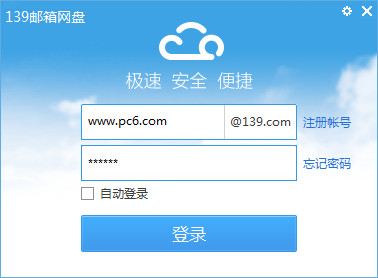
Configuring email has never been so easy. Most of the time, you only need to enter your email address and password to log in to your email with one click. There is no need to perform various complicated server configurations. This is not some magical high-tech. We spent a lot of time quietly preparing tens of thousands of commonly used email server configuration data, just to make logging in easier.
WPS mailbox is specially designed for you who advocate simplicity. We don't want to show our power by stacking complex functions. The real challenge is to solve complex problems with simple methods. The secret of aesthetics is to simplify the complex and you will be surprised: it turns out that a desktop email client can also look so good.
wps mailbox supports Microsoft Exchange server using Microsoft Exchange Web Services protocol,
WPS mailbox can log in to most versions of Exchange servers on the market without any hindrance.
Features of wps mailbox:
Simple design
We don’t want to show our strength by stacking complex functions. The real challenge is to use simple methods to solve complex problems. The secret of aesthetics is to simplify the complex and you will be surprised: it turns out that a desktop email client can also look so good.
Easy configuration
Most of the time, you can log in to your mailbox with just one click by entering your email address and password, and there is no need to perform various complicated server configurations. This is not some magical high-tech. We spent a lot of time quietly preparing tens of thousands of commonly used email server configuration data, just to make logging in easier.
Easy to use
Deepin Mail users all know the importance of integrating incoming and outgoing emails on the same topic into a conversation list. When designing this feature, we explored countless possible presentation methods, fully considering the mutual influence of many factors such as vision, interaction, screen space, etc., and finally settled on this solution specifically designed for desktop computer monitors and operating methods.
Personalization
Why can other types of personal communication tools allow you to change your personalized avatar at will, but not email? We are surprised that so many email client vendors turn a blind eye to this obviously unreasonable phenomenon. Not only can you modify your own avatar in the WPS mailbox, we also automatically match appropriate avatars for common e-commerce and advertising emails.













Useful
Useful
Useful