





Qianniu function introduction
1. Data panel
Provides a comprehensive data panel for the store, updates store transaction trends in real time, and makes store operations clear at a glance.
2. Business information
Provides rich and authoritative e-commerce knowledge, timely synchronization of Alibaba trends and industry information, helping merchants to quickly grasp industry trends and gain business experience.
3. Financial services
贷款0抵押,最快3秒到账;-键理财,货款变收益,随存随取,全程在线操作更方便。
4. Procurement of goods
海量源头好货,原图原厂,一键铺淘宝,48小时发货,优选品牌正品,专属优惠价,增票保障更放心。
5. Service outsourcing
Providing a full range of services for online store operations such as decoration, photography, customer service, operation and promotion, etc., making store operations lighter, faster and more efficient.
6. Voice message
不在电脑旁(出差/会议/旅行/长假等),依然可接单,便捷的聊天及消息提醒,不再错过任何商机。
Qianniu software features
1. Super performance optimization, safety and security
: Optimize three aspects of login speed, memory consumption and account security, so you don’t have to worry about the software’s endurance during peak sales periods.
2. Simple login interface
Users do not need to manually match the account type, the system will automatically match. And you can log in to multiple accounts at the same time, making it easier to manage your store.
3. The new Wangwang function makes communication easier
Integrate Ali Want Want into Qianniu software. Using this software, you can also chat with Want Want users and take orders.
4. The toolbar content is richer
It includes Wangwang, messages, plug-ins, markets, etc., which is more conducive to sellers’ management and can be hidden on the side.
5. Rich plug-ins
? You can also check various store conditions through the plug-in?
Qianniu plug-in classification
1. Basic categories: rapid product release, supply management, order management, integrity communication;;
2. Data category: business consultant, precision marketing
3. Marketing: Wangshubao, Alibaba Tuike, Service Market, Store Red Envelope, Marketing+, Tao Factory, Gaode Liangbiao;
4. Customer service tools: automatic reply, team knowledge base, task center;
5. Services: business school, business experience, growth center, service center, and girls.
Qianniu plug-in usage scenarios
1. New product launch: Enter the "Quick Product Release" plug-in to easily solve the problem of new product launch.
2. Resend the offer: Enter "Offer Management" and resend all information with one click.
3. Order transaction: Enter "Order Management", change the price, confirm delivery, and get all the logistics information.
4. Store updates: Enter the "Business Advisor" to see all the store data that must be seen every day; when a visitor comes, the "Precision Marketing" plug-in message will remind you in real time, so that you will not miss any buyer reception.
Qianniu installation steps
1. Download the Qianniu software from Huajun Software Park, extract it to the current folder, and click the qianniu_(7.19.02N).exe application.

2. Enter the installation wizard interface, click I agree, and then click Custom Installation.

3. Select the installation location of the software. Huajun editor recommends users to install it in the D drive, and then click Install Now.
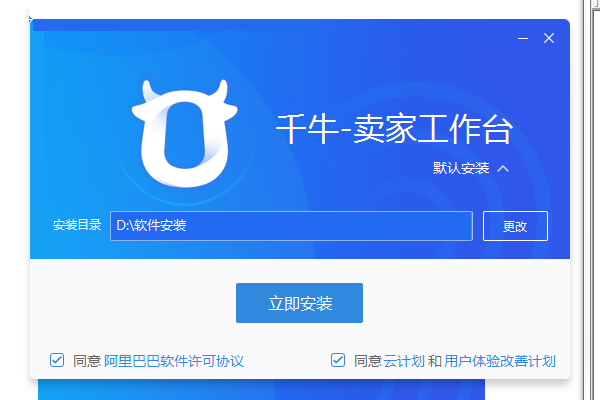
4. Qianniu software is being installed, users are waiting patiently for the progress bar to be full.

5. The Qianniu software is installed and can be used after logging in.
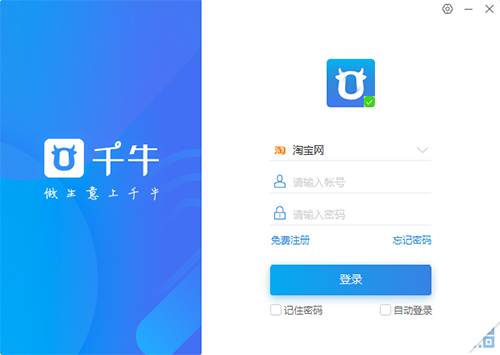
How to use Qianniu
1. Lower left corner: Click "My Applications" to see all plug-ins. You can edit and sort the positions of plug-ins according to your own priorities; recently used plug-ins will be displayed on the left by default.

2. Upper right: You can also search directly through "Search for more plug-ins" on the workbench.
Cancel the plug-in:

Qianniu FAQ
Question: After switching to Qianniu, all the contact information is gone?
Answer: Please check whether your Qianniu Workbench login account and settings are correct?
(1) If you are logged in to the Want Want mode of Qianniu seller workbench, click the "Settings" button at the bottom of Qianniu, select "Basic Settings" - "Network" - "Other Settings" to check whether the Want Want site is selected by Alibaba China Station"; If you are logged in to the workbench mode of Qianniu Seller Workbench, click the "Settings" button in the upper right corner of the workbench, select "Basic Settings" - "Network" - "Other Settings" to check whether "Alibaba China Station" is selected for the Want Want site
(2) Please check whether the account you are logged in with is from the 1688 China site. If the member login name of your China site is the same as that of Taobao, please modify any member login name and log in again.
Question: After Aliwangwang updates Qianniu, how can it be reissued every day?
Answer: You can click on "My Ali" through the "Common Entry" on the Qianniu workbench, select "Supply Products" - "Products on Sale", select all the product information you have previously published, and click to resend.
Qianniu update log
1. Recovery of bad reviews: merchants are open to invite reviews;
2. The customer service reception contact search function is optimized;
3. Multi-terminal floating window supports single message closing
Huajun editor recommends:
Qianniu is a high-performance software that meets everyone's requirements. The software is free and non-toxic. It has absolutely positive reviews. Our Huajun Software Park has the most authoritative software, which is green and free, officially authorized, and similar.360 browser, I hope everyone will come to download it!











Useful
Useful
Useful