






Little black notepadSoftware features
Comprehensive functions: Users praise Xiaohei Notepad for its rich functions, ease of use, and ability to meet word processing needs in different scenarios.
Friendly interface: The simple interface with fresh icons gives people a comfortable visual effect, and the operation is smooth and easy to use.
Continuous optimization: As a free domestic software, Xiaohei Notepad continues to optimize the user experience. The installation package size is kept at about 12.2MB and does not occupy too many system resources.
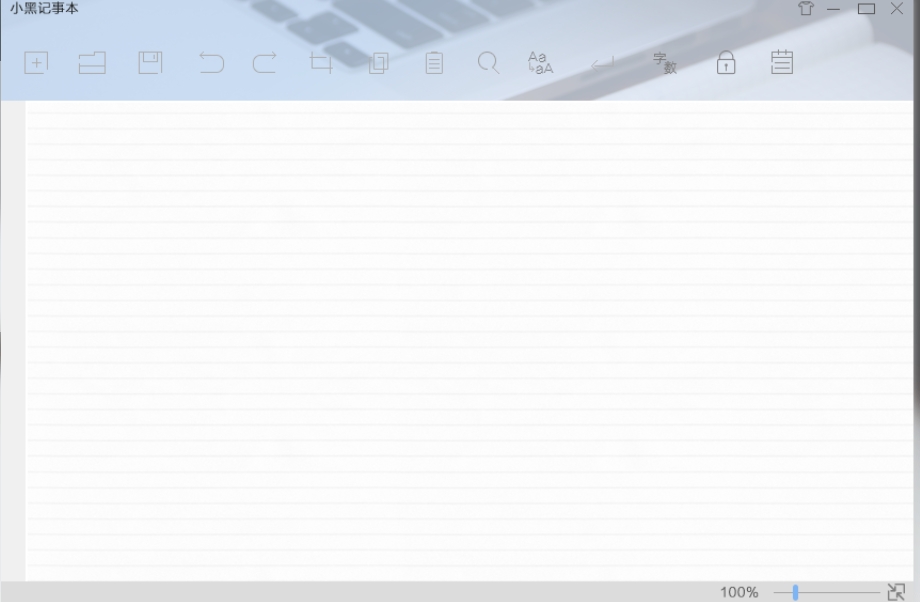
Xiaohei Notepad software functions
Text processing enhancements
Any text block operation: supports flexible operations such as copying, pasting, and moving text to improve editing efficiency.
Page zoom: Provides a zoom ratio of 50% to 400% to adapt to different screen resolutions and reading needs.
Smart file association: Automatically associate related file types to quickly open and edit documents.
Visual customization
Variety of shading settings: Provides a variety of preset shadings that users can choose according to their mood or scene to make recording more interesting.
Translucent mode: A unique translucent editing interface makes it easy to refer to the contents of other windows during multitasking.
Skin replacement: Supports changing software skin to create an exclusive visual style.
Fonts and Typography
Multi-font support: Perfectly compatible with Chinese and built-in multiple fonts, users can change text fonts at will to meet personalized needs.
Code highlighting: Supports syntax highlighting for more than 200 programming languages, making it easier for developers to write and debug code.
Utility integration
Baidu search box: Built-in Baidu search box to facilitate users to quickly find information.
Script support: Allows users to automate operations through scripts and improve work efficiency.
FAQ
Coding problem handling
When saving the file, select "UTF-8 without BOM" encoding to avoid garbled characters.
After opening the file with Notepad++, fix the encoding format through "Encoding → Convert to UTF-8".
Compatibility mode
Right-click the Black Notepad shortcut and select "Properties → Compatibility".
Check "Run this program as administrator" and try compatibility mode.
Xiaohei Notepad software update log
1. Fixed other bugs;
2. Optimized software compatibility.
Huajun editor recommends:
Xiaohei Notepad, as a note management software that is continuously updated and iterated, has been transformed in version updates again and again to better meet user needs and bring users a very high experience. The editor of Huajun Software Park recommends everyone to download and use it. In addition, there areChenhe family accounting software,memo,L-Vision,Thinking schedule and notes,Meijie Desktop NotesRelated software is also pretty good and can be downloaded and used.




Useful
Useful
Useful