






How to use Migu Music
How to add local audio to Migu Music?
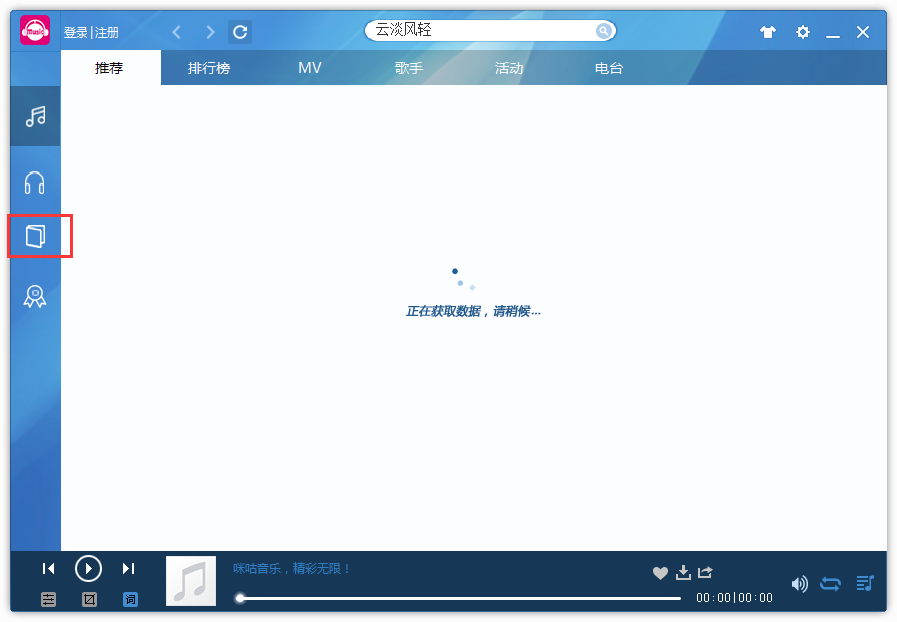
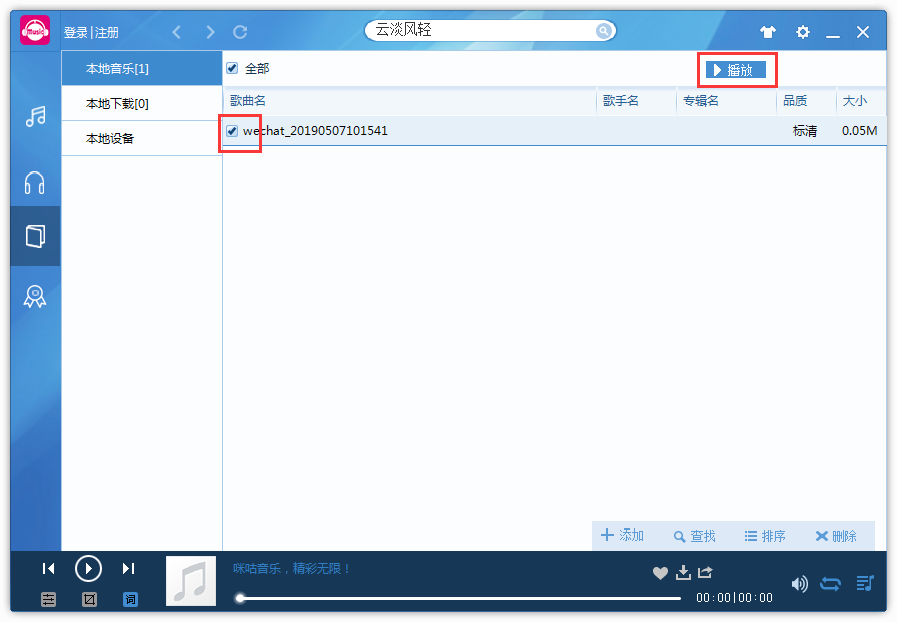
1. Run the software and click the icon button
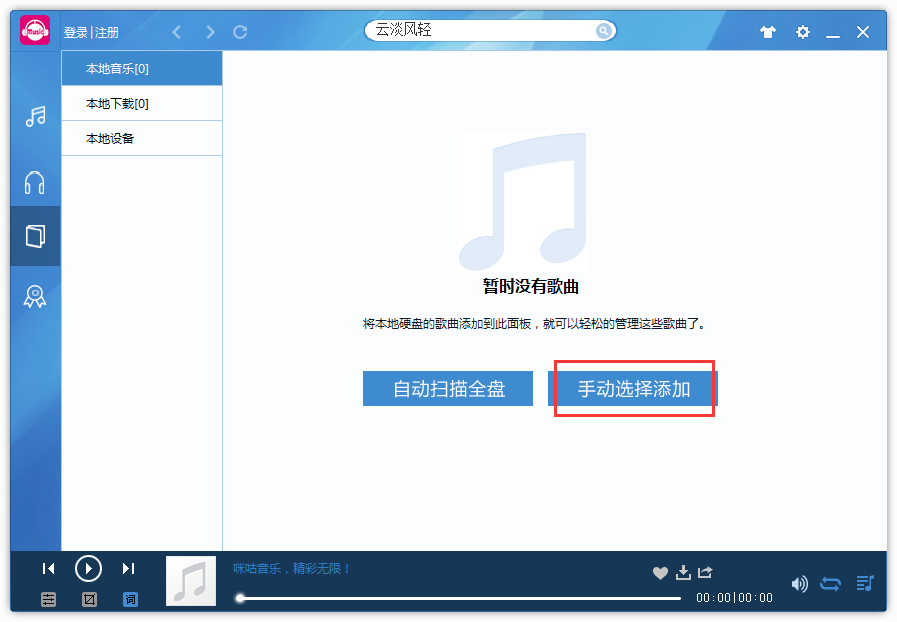
2. Click "Manually select to add"
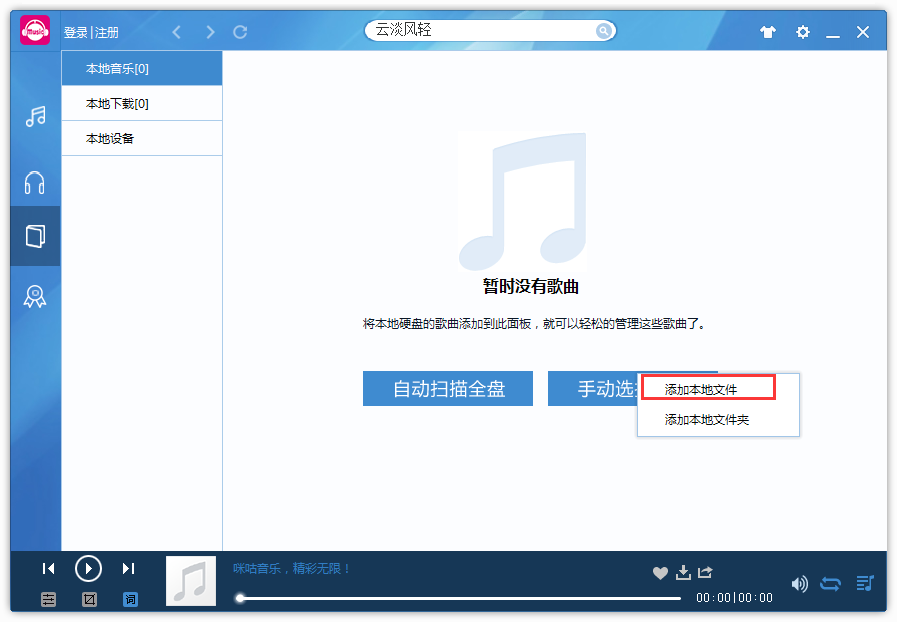
3. Click "Add local files"
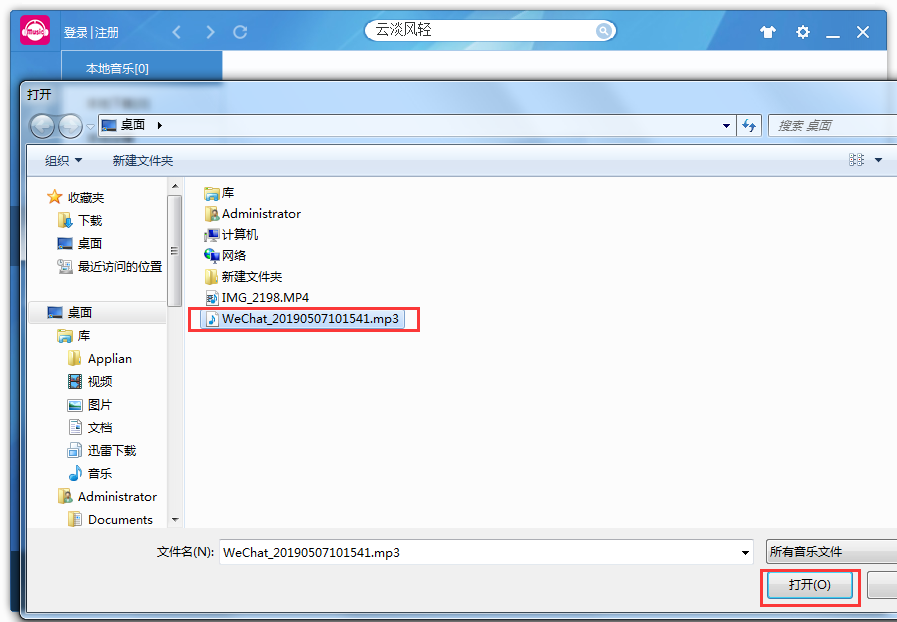
4. Select the audio file on your computer and click "Open"
5. Check the added audio files and click to play.
Migu music software features
Millions of genuine music library
Migu Music has a large library of 3 million genuine songs. You can choose the hottest and latest music and listen to it whenever you want.
Share good music anytime
Songs and playlists can be shared anytime, anywhereWeibo, circle of friends and space to let more people feel the charm of music
Exclusive music space
Create playlists, collect music, pay special attention to your favorite singers, and build your own exclusive music space
More fun features
Share lyrics screenshots, create playlists, radio song loops, and more fun music surprises are waiting for you to discover

Introduction to Migu Music Functions
1. Massive genuine high-quality music library
Migu Music contains millions of genuine high-definition, lossless high-quality music. High-quality Dolby HD brings you a shocking audio-visual enjoyment.
2. Exclusive release of music resources
The latest music resources are exclusively available online for the first time. Listen to wireless music first and hear the hottest songs first.
3. Sharing all kinds of music
Rich and colorful radio categories, novel and rich chart songs, allowing you to swim in the ocean of music and enjoy your favorite tunes
4. One-stop experience of ringing and ringing
Choose the latest ringtones and ringtones to tell the world your favorite sounds. Choose your own ringtone and be at the forefront of trends
5. Simple and considerate management services
简单易学的操作方式、贴心的音乐管理服务,下载管理歌曲轻松方便
6. Music interaction, celebrities face to face
咪咕音乐专属活动,和你喜欢的爱豆面对面交流,还有机会拥有演唱会、签名CD等奖品
Migu music tips
What is provided this time isMiguThe music computer version is a 2014 beta version. There is no official version on the official website and it has been stopped for maintenance.
Currently, the account login and online music library of the computer version are unavailable. However, if there are music files in the computer, you can use the local playback function of the Migu Music computer version to directly open the local music files.
Migu music installation steps
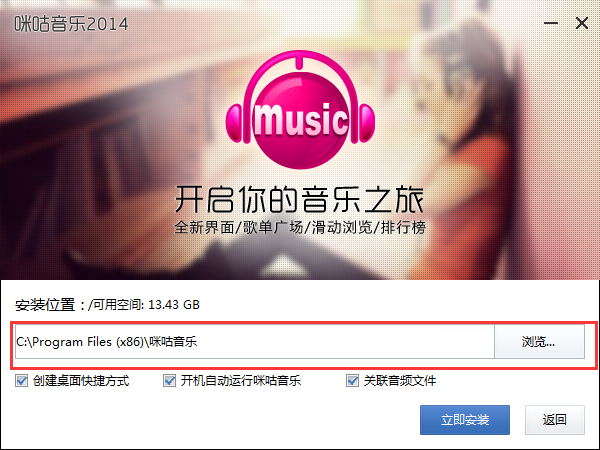
1. Download the compressed package of Migu Music official computer version software from Huajun Software Park. After decompressing, double-click the exe file to enter the installation interface and click Custom Settings

2. Click Browse to change the default installation location on drive C. It is recommended that you install on drive D.
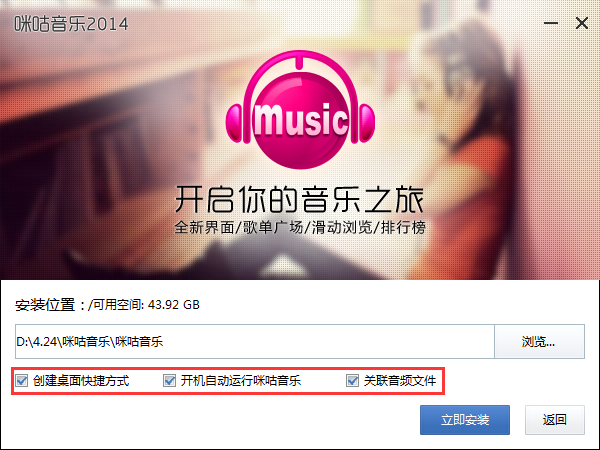
3. Choose to create desktop shortcuts, enable startup, and associate audio files according to your needs, and click Install Now
4. Migu Music official computer version software is being installed, we are waiting patiently

5. The software is installed successfully. Click to experience it now to use the software.

Comparison of similar software
NetEase Cloud Music is a music product focused on discovery and sharing. It relies on professional musicians, DJs, friend recommendations and social functions to create a new music life for users. Features Compared with other music products on the market, NetEase Cloud Music features four functions: playlists, social networking, big-name recommendations, and music fingerprint technology. Its main features include: users can create, collect, and share playlists according to their own preferences. The application uses the playlists created by users as basic clues.
Through Migu Music Player, users can fully realize online listening, searching and downloading of the massive high-quality genuine music resources provided by China Mobile, fully meeting users' music needs such as ordering ring tones, managing ring tones, downloading ringtones, and downloading full songs., and also provides users with powerful local music management and playback functions.
Migu Music official PC version update log
1. Added album sorting function;
2. Optimized the ranking page;
3. Optimized the member rights page;
4. Fixed some other bugs;
Huajun editor recommends:
The editor has been using software like Migu Music for many years, but this software is still the best.NetEase Cloud MusicIt is also a good software and is recommended for students to download and use.















Useful
Useful
Useful