





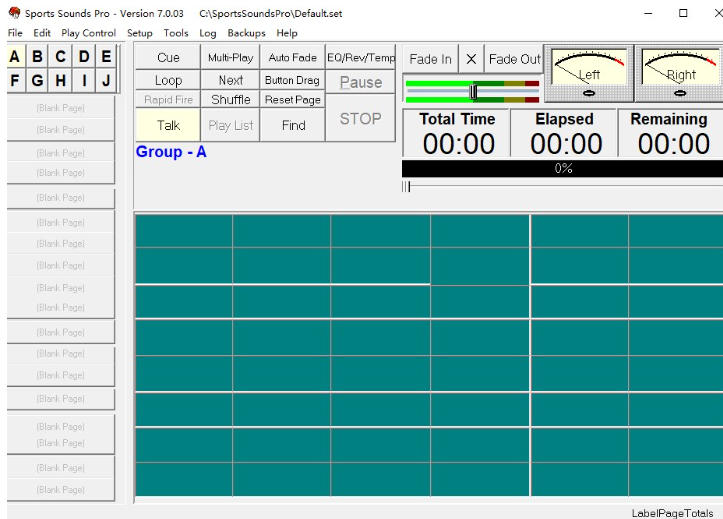
Software features
Multi-scenario adaptability
Designed specifically for sports events (basketball, football, tennis, etc.) and performance activities (stage plays, concerts, annual meetings), it supports full-process management from opening music to real-time interactive sound effects.
For example: in basketball games, sound effects such as "goal celebration" and "foul warning" can be preset and quickly triggered through shortcut keys.
Highly customizable
Supports custom shortcut keys, audio parameters (such as pitch, speed, fade), and playlist categories (such as pre-match, half-time, victory).
Users can adjust the interface layout according to their needs and even implement complex automated operations through scripts.
Real-time interactive function
Voice ducking: When the host speaks, the background music automatically reduces the volume (triggered by the Shift key by default), and returns to the original volume after the speech ends.
Scheduled playback: You can set a fixed time to automatically play specific audio (such as the opening song) without manual intervention.
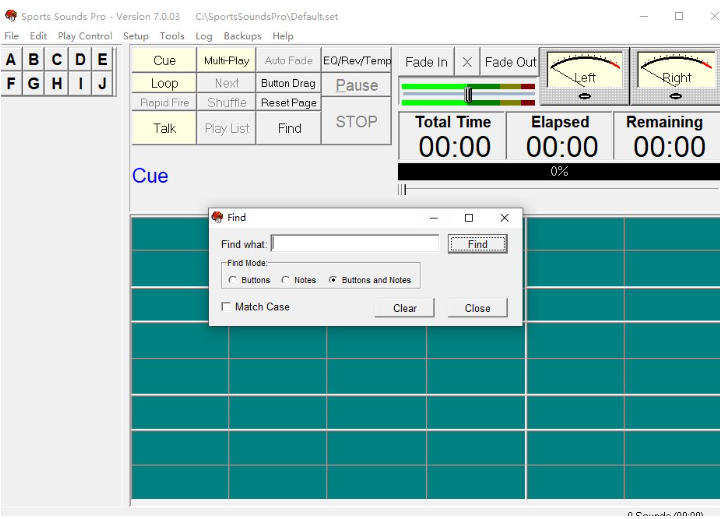
Core functions
Audio playback and management
Multi-format support: Play common audio formats such as WAV, FLAC, MP3, WMA, OGG, etc., but does not support MIDI files.
Play mode: single loop, list loop, random play, and multiple songs played at the same time (such as background music and sound effects superimposed).
Sound control
Real-time parameter adjustment: modify pitch, speed, EQ (equalizer) to adapt to different scene needs.
Fade in and out: Smoothly transition audio to avoid abrupt switching.
Playlists and Cue Lists
Classification management: Classify audio by scene (such as before the game, midfield) and quickly locate the required sound effects.
Cue list: Filter commonly used audios from the main list to form an independent playback queue to reduce switching time.
Automation and timing functions
Scheduled playback: Set a specific time to automatically play audio (such as hourly time chimes, advertising breaks).
Automated scripts: Implement complex logic through scripts (such as automatically playing different sound effects based on the game score).
FAQ
System time format conflict causes error
Problem: When the software starts, it prompts "Up/Down is not a valid" (for example, "AM" or "PM" displays an error).
Reason: The software does not support the 12-hour time format.
Solution:
Open Control Panel → Region → Format → briefly select "H:mm" (24-hour format).
Sports Sounds Pro update log:
1. The details are more outstanding!
2. BUG gone without a trace
Huajun editor recommends:
The editor of Huajun Software Park has compiled and collected software that you may like, such as:oveplayer,Pitcher,Qianqianjingting Chinese version,Wav Player,Listen to FM computer versionYou can download it from this site.




Your comment needs to be reviewed before it can be displayed