


If you are looking for software to use, go to Huajun Software Park! software release AI product list

Hello, if there is a need for software inclusion, please package the software and attach the software name, software introduction, software-related screenshots, software icon, soft copy, business license (if you do not have a business license, please provide the front and back of the corresponding developer ID card and a photo of yourself holding the ID card), and send it to email http://softwaredownload4.com/sbdm/user/login

Close >>

Send to email:news@onlinedown.net

Close >>

Location: Home pagePC softwaregraphic imageicon software icon generator
icon generator

Icon Generator 5.0 Official Version

QR code
  • Software licensing: shareware
  • Software size: 1.61MB
  • Software rating:
  • Software type: Domestic software
  • Update time: 2024-12-30
  • Application platform: win7 and above
  • Software language: Simplified Chinese
  • Edition: 5.0 official version

Download the service agreement at the bottom of the page

Software introduction Related topics FAQ Other versions Download address

Recommended for you:- icon generator

Basic introduction
Icon generator segment first LOGO
The official version of Icon Generator is a professional and excellent icon making tool. The latest version of the icon generator can help users quickly create or edit a 32X32 pixel icon, cursor or bitmap file. Through the icon generator, users can generate ICO icon files from image files in a variety of different formats. The interface is simple and intuitive, and the generated icons can be saved.

Icon generator screenshot

Introduction to icon generator functions

​ 1. Create or edit an icon, cursor or bitmap file in various color shades including true color;

​​ 2. Set the cursor hot zone and create an animated cursor;

3. Extract icons from any external file;

​ 4. Select an area to export from various graphic files (.bmp, .jpg, .gif, .wmf) larger than 32X32 pixels.

Icon generator installation steps

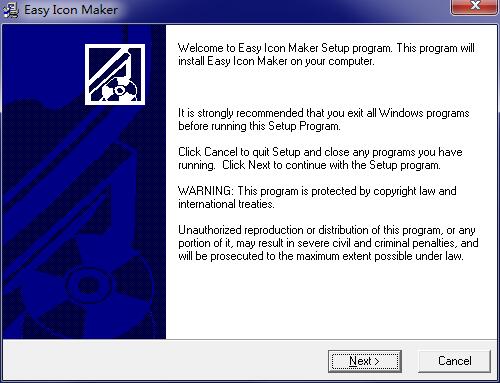
​​ 1. Download the official version of the icon generator installation package from Huajun Software Park. After unzipping, double-click the "exe" file to enter the installation wizard and click Next
Icon generator screenshot

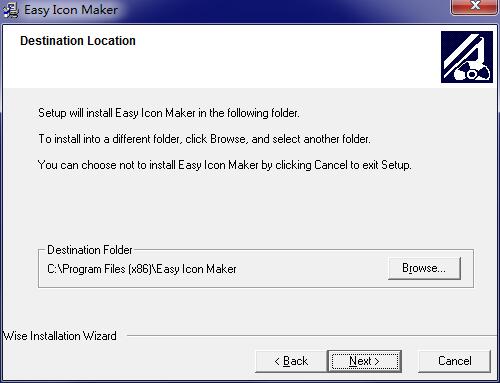
​ ​ 2. Click "Browse" to select the installation location. Generally, the default is C drive. It is recommended to install on D drive. Click Next.
Icon generator screenshot

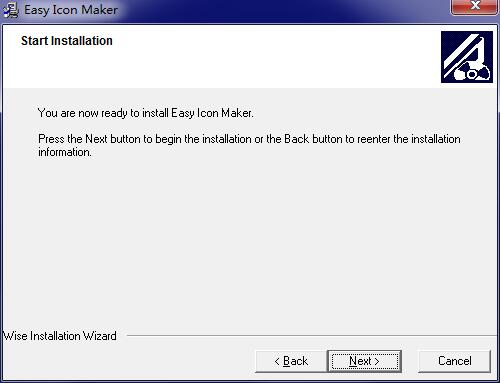
3. The software information is ready, click next to install
Icon generator screenshot

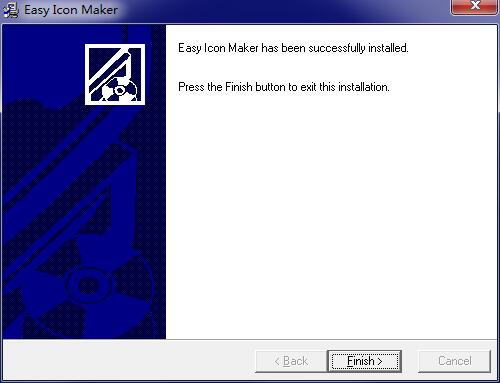
​ ​ 4. The icon generator installation is complete, click Finish to exit the installation wizard
Icon generator screenshot

Icon Generator Update Log

​ ​ 1. Modify user-submitted bugs

​ ​ 2.Add new features

Huajun editor recommends:

The icon generator is free software, download it if you need it! There are also other icons on this siteFirefox desktop icon download,Scientific drawing software | OriginLabOriginPro,Magic ICO,Process design software,Axialis AX Cursors, available for you to download!

FAQ

Associated version

close

