




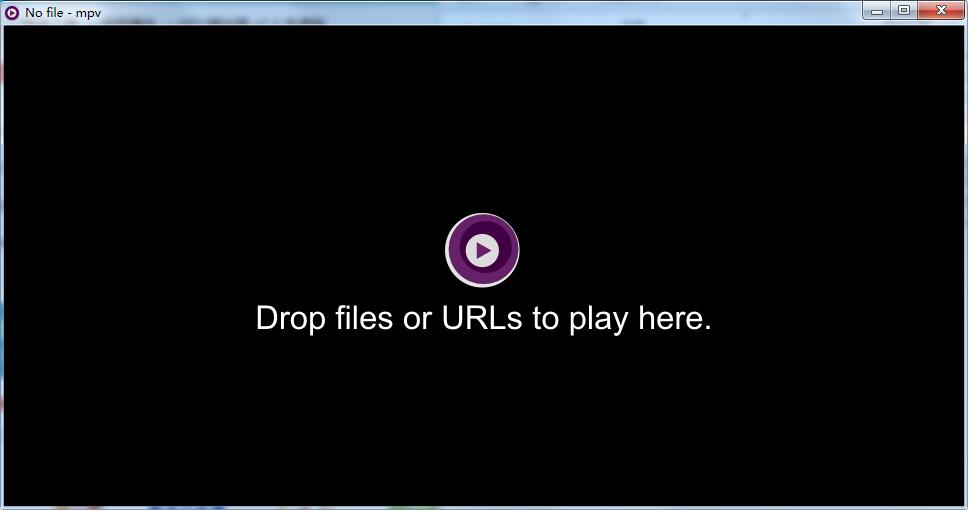
MPV player software introduction
MPV is a program based on MPlayer and mplayer2 An open source minimalist all-round player. It supports various video formats, audio decoding, and special effects subtitles (ass special effects subtitles for movies and animations are no problem). It not only supports local playback, but also supports network playback. The focus is on MPV It has the characteristics of multi-system platform support, command line, customization, GPU decoding, script support, etc.
MPV player software features
Simplified CLI options
MPlayer’s option parser has been improved to behave more like other CLI programs, and many option names and semantics have been redesigned to make them more intuitive and memorable.
On the screen controller
Although mpv does not have an official GUI, it does have a small controller triggered by mouse movement.
High quality video output
mpv has an OpenGL-based video output that enables many features loved by video enthusiasts, such as video scaling, color management, frame timing, interpolation, HDR, and more using popular high-quality algorithms.
GPU video decoding
mpv utilizes the FFmpeg hwaccel API to support VDPAU, VAAPI, DXVA2, VDA and VideoToolbox video decoding acceleration.
Embedded
Designed from the ground up with a simple C API, mpv can be used as a library and facilitate easy integration into other applications.
MPV player installation steps
1. Download the installation package of the official version of MPV player in Huajun Software Park

2. After downloading, unzip the compressed package into a folder named after this software

3. Open the folder and double-click the "exe" program
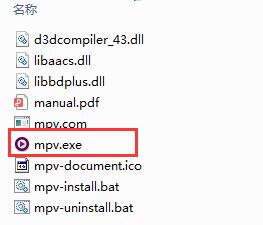
4.MPV player is green software and can be used without installation.
MPV player update log
1.Fix several bugs;
2. Optimize detailed issues;
Huajun editor recommends:
The functions of the MPV player are as complete as those of the official ones, the interface is more beautiful and elegant, and the design is more perfect. Welcome to download it to continuously meet the needs of users. Those who are interested can also downloadWindows Media Player,FreeSmith,swf play wizard,All-in-one audio and video format decoder,Taijie video




Useful
Useful
Useful