





- Green versionView
- Green versionView
- Green versionView

NetEase Cloud Music Software Features
Playlist and content ecology:
Diversified playlist classification: dozens of tags are provided according to style, scene, emotion and other dimensions to meet the needs of listening to music in all scenarios such as work, study, sports and so on.
Dynamic update mechanism: Regularly update big-name lists and launch exclusive original DJ programs to keep the content fresh.
Lyrics and interactive innovation:
Dual-mode lyrics display: Supports free switching between menu bar lyrics and desktop lyrics, and allows you to view lyrics content in real time.
Intelligent lyrics translation: Automatically recognize foreign lyrics and provide translation functions to eliminate language barriers.
Global shortcut key control: Customize shortcut keys to implement operations such as playback, pause, and song switching to improve usage efficiency.
Practical function integration:
Identify music by listening to music: Quickly identify song information in the environment through music fingerprint technology.
Vehicle mode adaptation: Optimize the operating experience in driving scenarios and ensure driving safety.
Smart watch linkage: Supports connection with smart watch devices to expand music control terminals.

Highlights of NetEase Cloud Music Software
Personalized recommendations
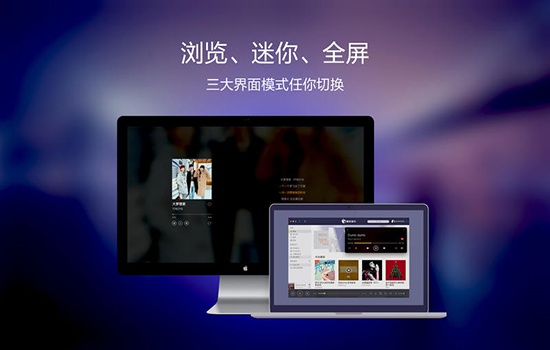
Interface design
Following the classic red and black design language of NetEase Cloud Music, the interface is simple and cool, creating a high-end texture.
It adopts a modular layout and organizes music content with playlists as the core. The left navigation bar integrates functions such as recommendations, my music, and creating/collecting playlists to achieve a smooth transition from a public music environment to a private music space.
The vinyl record playback interface adopts a retro design, intuitively displays the playback status, and is easy to operate and full of emotion.
Lyrics and interactive innovation
Supports free switching between menu bar lyrics and desktop lyrics, and allows you to view lyrics content in real time.
The intelligent lyrics translation function automatically recognizes foreign lyrics and provides translation, eliminating language barriers.
Supports global shortcut key control and customizable shortcut keys to implement operations such as playback, pause, and song switching to improve usage efficiency.
Practical function integration
The music recognition function uses music fingerprint technology to quickly identify song information in the environment, solving the pain point of "knowing how to hum but not knowing the name of the song".
In-vehicle mode adaptation optimizes the operating experience in driving scenarios and ensures driving safety.
Smart watch linkage supports connection with smart watch devices to expand the music control terminal.

NetEase Cloud Music Software Functions
Massive genuine music library
It has 5 million genuine songs, covering Chinese, European, American, Japanese and Korean languages and all music categories such as electronic music, rock and classical.
It supports 320Kbps high bit rate sound quality for online listening and free downloading, and the first CD sound quality can be enjoyed offline.
Provide 1080P ultra-clear MV resources to create an audio-visual feast.
Personalized music recommendations
Relying on intelligent algorithms and based on users’ music listening history and preferences, it provides functions such as daily recommended playlists and private FM radio stations.
The recommended content is highly accurate, helping users discover new songs and solving the pain point of "not knowing what to listen to."
Diversified playlist ecology
The first domestic music app with "playlist" as its core structure, users can create and share personalized playlists, or browse high-quality playlists produced by others.
Dozens of tags are provided according to style, scene, emotion and other dimensions to meet the needs of listening to music in all scenes such as work, study, sports and so on.
Regularly update the big name list and launch exclusive original DJ programs to keep the content fresh.
social interaction features
There is a comment area under each song, where users can express their opinions and share stories, creating a unique music social atmosphere.
Supports dynamic community functions, users can post updates, follow friends, and participate in music activities.
The "Listen Together" function supports listening to songs synchronously with friends in real time, enhancing interactivity.

Download failed:
Reasons: SD card write permission issues, SD card read-only mode, download directory issues or system file management permissions control confusion.
Solution: Try to rename the relevant folder and restart Cloud Music, check the SD card read and write permissions and status, or change the download directory in Cloud Music settings.
Song lost:
Reason: The system management software cleared the downloaded song files when uninstalling the software.
Solution: Use the file manager to check whether the song files in the cloud music download directory still exist, and consider backing up important song files.
NetEase Cloud Music Update Log
1. Fixed BUG, and the new version has a better experience
2. Changed some pages
Huajun editor recommends:
NetEase Cloud Music has always been the most commonly used software by most netizens. Huajun Software Park also hasResearcher,Adobe Photoshop Lightroom For Mac,scissor master,iQiyi video player,ORB Producer Suite intelligent arrangement plug-in setIt is also a software that is very popular among netizens. You can download it from Huajun Software Park!



























Useful
Useful
Useful