



- Green versionView
- Green versionView
- Green versionView
- Green versionView
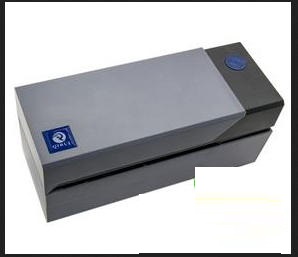
Qirui QR-588K driverMain parameters
Product: QR-588K
Thickness: 0.05-0.2mm
Printing method: Industrial thermal printing
Cooling fan: standard
Resolution: 203dpi
Print head dead pixel detection: supported
Printing speed: 150mm/s
Automatic paper suction function: supported
Printing width 104mm
Missing order identification: Support (watermark reminder)
Label width: less than or equal to 108mm
Machine size: 199mm*80mm*91mm
Qirui QR-588K driverMain features
1. Fast printing speed and improved efficiency
2. Reduce labor costs and improve consumable utilization
3. No need for ribbon
4. Save processes and improve efficiency
Qirui QR-588K driverInstallation tutorial
1. Connect the Qirui QR-588K printer to the computer
2. Double-click "Qirui 588 Series Printer Driver.exe" to start the installation
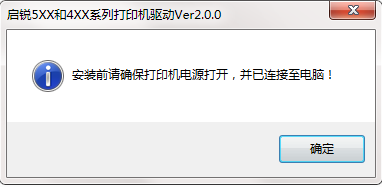
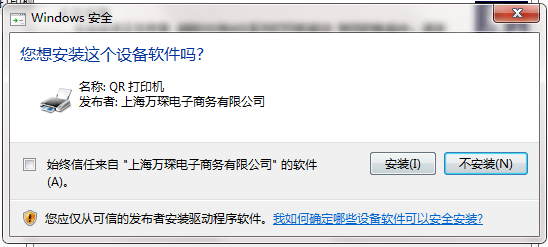
3. Click to install. The following prompt will appear. We click to install again.
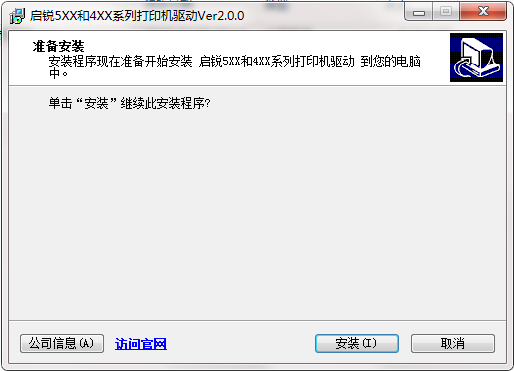
4. Then we click Install
Qirui QR-588K driver update log
1.Fix some bugs
2. Optimized some functions
Huajun editor recommends:
Qirui QR-588K driver software is completely fool-proof and super simple to operate. In addition, the editor also recommendsEpson LQ-630KII printer driver,Samsung Xpress M2029 printer driver,Aerospace Information Aisino SK-600ii printer driver,Toshiba DP2303A printer driver,CITIC Bank U-Shield Driver Feitian+G+D U-Shield DriverDownload and use related software.




Useful
Useful
Useful