





- Green versionView
- Green versionView
- Green versionView
downkyi Bili download Ji highlights
Comprehensive functions: supports high-quality video downloads, batch downloads, audio and video separation and other functions to meet the diverse needs of users.
Efficient and convenient: Using multi-thread download technology, the download speed is fast; the interface is simple and intuitive, and the operation is convenient.
Open source and free: As an open source tool, users can freely use and modify the source code without paying fees.
downkyi Bili download Ji features
Multi-thread download: Adopt Aria2 multi-thread download technology to achieve high-speed download and make full use of user network bandwidth.
Video processing: Use FFmpeg to perform video mixing, audio and video extraction, etc. to ensure video quality and support multiple format conversions.
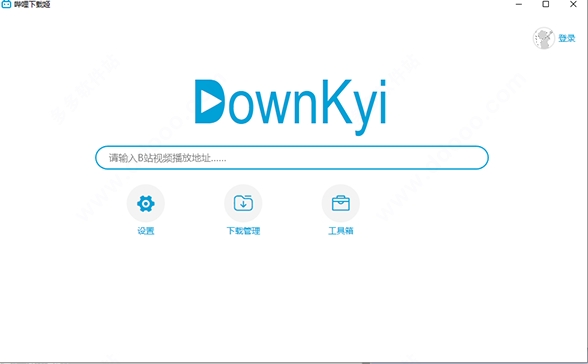
Simple and intuitive: Provides a simple and intuitive user interface with smooth operation, allowing users to quickly get started and start downloading videos.
Download management: Provides a detailed download management interface, including download progress, completed downloads, etc., to facilitate users to manage download tasks.
downkyi Bili download Ji function
Multi-format output: Supports downloading almost all Bilibili videos and outputs MP4 format files to ensure compatibility.
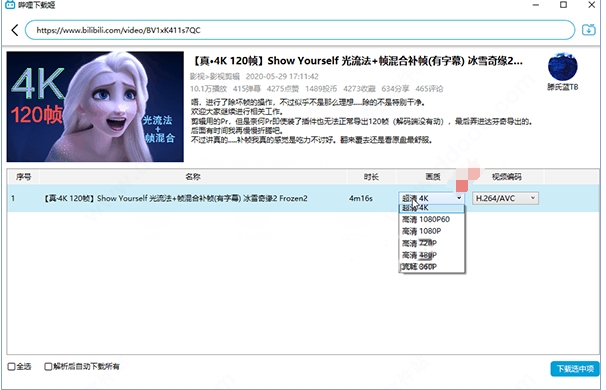
High-definition image quality support: It supports up to 8K, HDR, Dolby Vision and other high-definition video downloads to meet users’ high requirements for image quality.
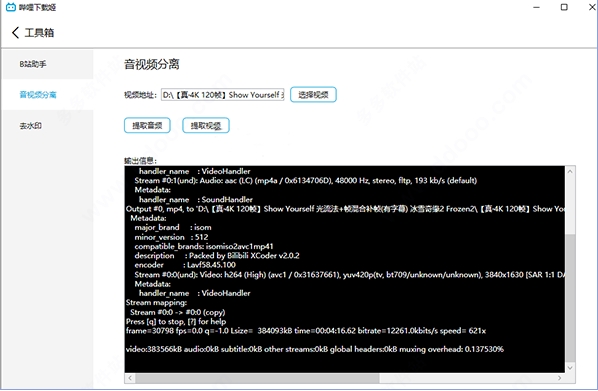
Audio and video separation: Provides audio and video extraction function, and can download audio or video files separately to facilitate users for secondary creation or editing.
Batch download: Supports downloading multiple videos at the same time, including single video web pages, collection pages, UP main personal space pages, etc., greatly improving download efficiency.
Diverse content downloads: You can download a variety of content such as dramas, dramas, movies, courses, etc., covering the rich video resources of Bilibili.
User history download: Supports user favorites, subscriptions, watch later, and history downloads to facilitate users to manage watched videos.
Lifting of regional restrictions: Supports downloading of Hong Kong, Macao and Taiwan dramas, lifting regional restrictions, allowing users to watch video content from more regions.
downkyi Bili Download Ji FAQ
Aria downloader not working properly
Problem symptoms:
When using Bili Download Ji, the Aria downloader may not work properly, resulting in video download failure or slow speed.
Solution:
Check aria2c.exe: Make sure the aria2c.exe file exists and is working properly. You can re-download and install Aria2 from the Aria2 official website to ensure file integrity.
Firewall settings: Check your firewall settings to make sure aria2c.exe is allowed through the firewall. Sometimes a firewall may prevent the Aria Downloader from working properly and it needs to be added to the firewall's trust list.
Switch port number: Try to switch the port number of aria2c.exe to avoid port conflicts. Sometimes other programs may occupy the port used by the Aria downloader, causing the download to fail.
downkyi Bili download Ji update log:
Developer GG said there are really no bugs this time~
Huajun editor recommends:
downkyi is a very good software that can solve a lot of troubles. This site also providesP2psearcher,Thunder Express Edition,National specification downloader,BitComet 2011,GetRightWaiting for you to download.































Your comment needs to be reviewed before it can be displayed