




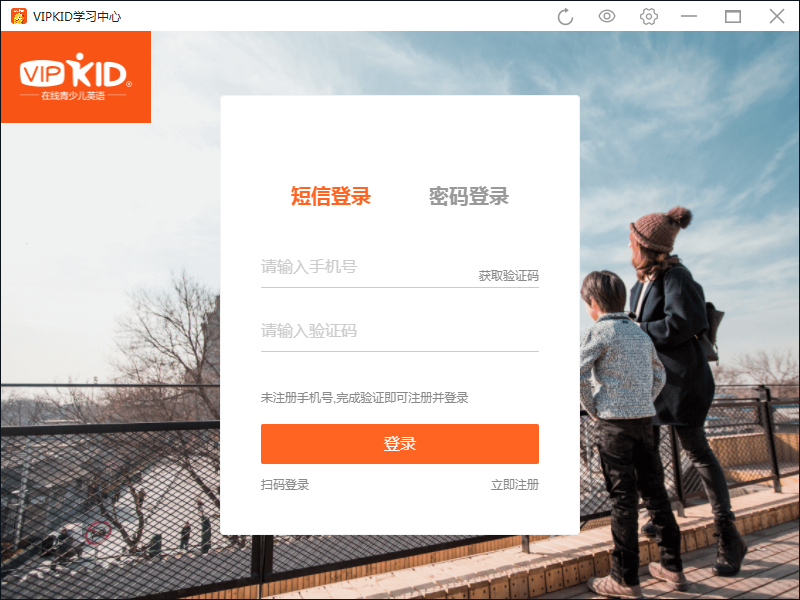
Basic introduction to vipkid English computer client
VIPKID is an online children’s English company that teaches American elementary school courses through one-on-one online videos by North American foreign teachers, helping Chinese children aged 5-12 to truly and effectively learn and master English. With the help of strong teaching staff, standard American primary school textbooks, and lively and interesting classroom experiences, VIPKID allows children to be happy at home, effectively improve their English level, and get access to high-quality international education! Help children become an excellent global citizen in the future and walk freely on this planet!
Features of vipkid English computer client software
1. Efforts are made to build the “VIPKID Academy for Little Geniuses”, and the content of quality courses has been fully evolved.
"VIPKID Little Genius Academy" courses are updated every week, allowing children to not only improve their English, but also learn a full range of useful knowledge such as geography, history, and culture, and improve their comprehensive abilities including hands-on work, singing, and logical thinking.
2. Check the classroom situation at any time and provide timely feedback on learning progress
After each class, parents can check their children's class status through the course playback video. Feedback and learning reports from foreign teachers can be viewed on their mobile phones. Even if the children are not around, parents can keep abreast of their children's learning.
3. Benchmarking the U.S. Common Core State Curriculum Standards (CCSS)
The teaching materials are compiled according to CCSS curriculum standards and optimized based on the characteristics of Chinese students. They not only focus on the cultivation of children's language skills, but also emphasize the cultivation of children's creativity and critical thinking.
4. Immersive learning experience
Integrate teaching into novel and interesting graded adventure tasks, and inspire children to continuously apply the knowledge they have learned through the tasks, and subtly complete the digestion and absorption of the content they have learned.
5. North American high-quality teachers, teaching quality assurance
100% high-quality teachers from North America, most of whom have high-quality higher education backgrounds in the United States. After VIPKID's strict teacher selection, training, assessment, and elimination mechanisms, only outstanding teachers are retained, and the admission rate is only 6%.
6. Convenient to book classes and efficient in time
自由选择时间地点,随时约课、上课、查看课程回放,解放线下机构奔波之苦,节省时间进行更多学习探索,享受家庭时光。
7. High-quality service from secondary school teachers throughout the process
In VIPKID, every primary school student can enjoy the full companionship and attention of professional secondary school teachers and IT staff, who can solve various problems in a timely manner and provide high-quality services for students and parents.
vipkid English computer client installation steps
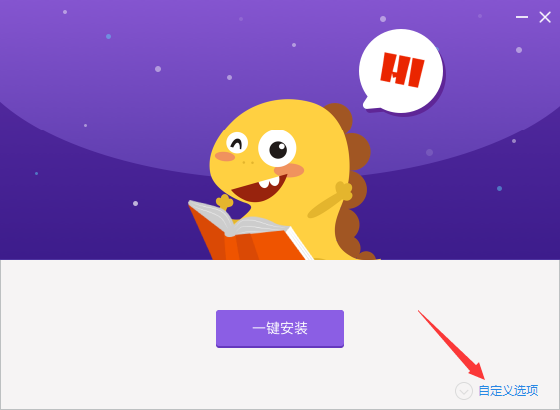
1. Download the compressed package of the official version of vipkid English computer client in Huajun Software Park. After decompressing, double-click the exe file to enter the installation interface and click Custom Installation
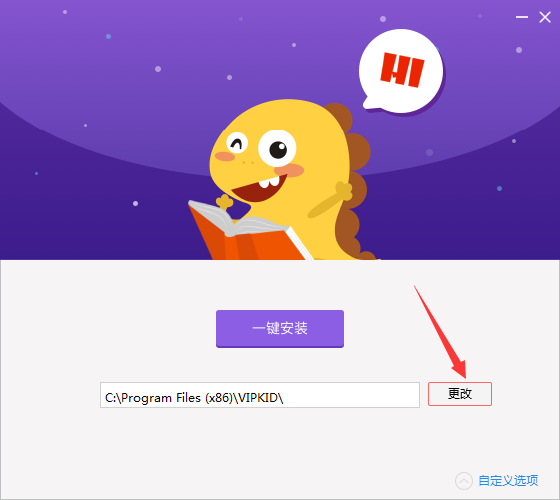
2. Click Change to modify the default installation location on drive C. It is recommended that you choose to install on drive D.
3. Click one-click installation
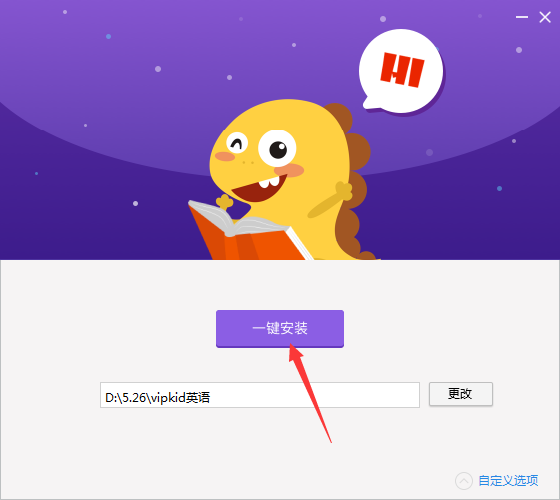
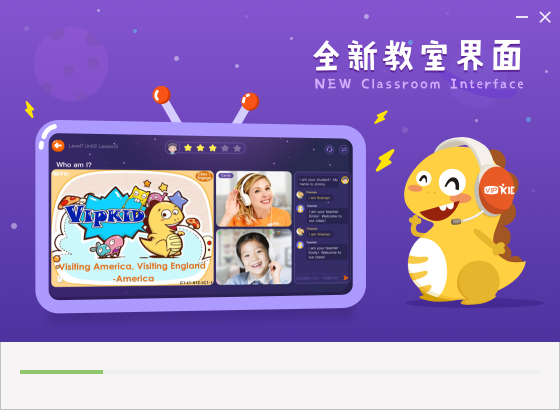
4. The official version of vipkid English computer client is being installed, we are waiting patiently
5. The software is installed successfully. Click Start to run the software.
How to use vipkid English computer client
How to register an account?
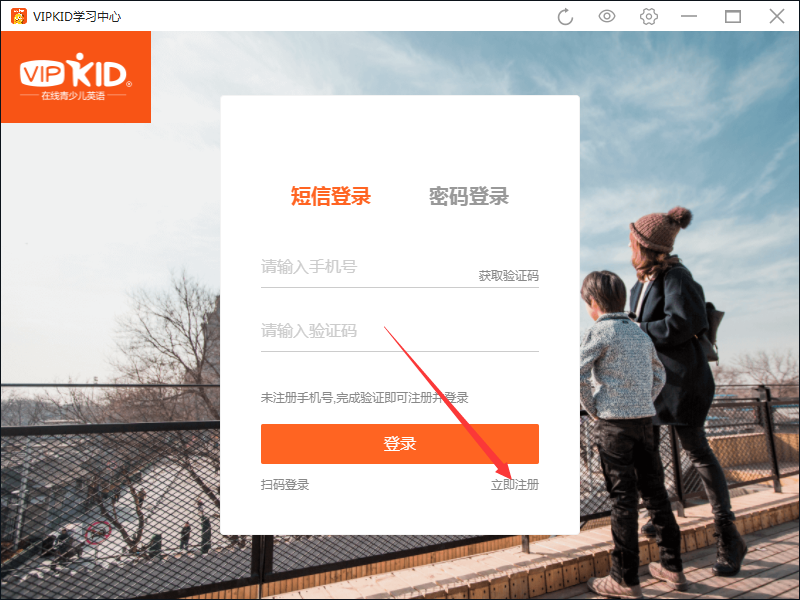
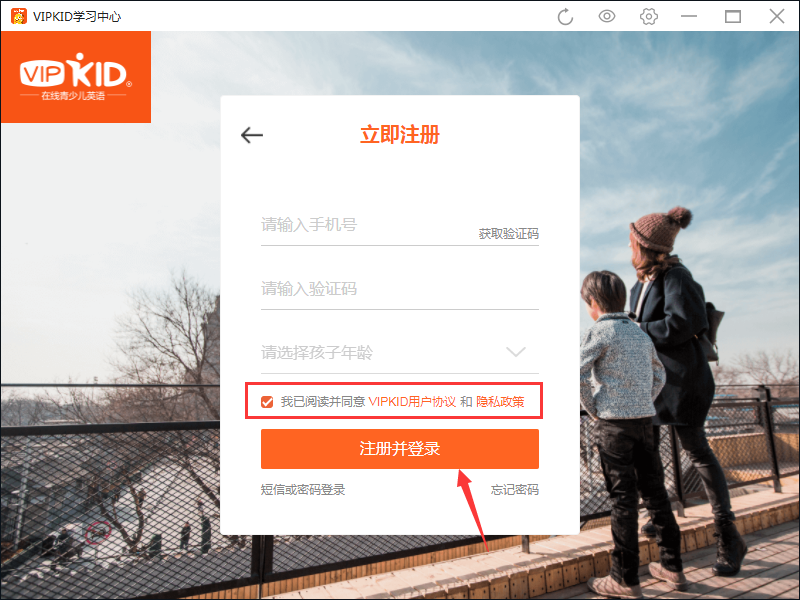
1. Run the software, on the login interface, click Register Now
2. Enter your mobile phone number, verification code and child’s age
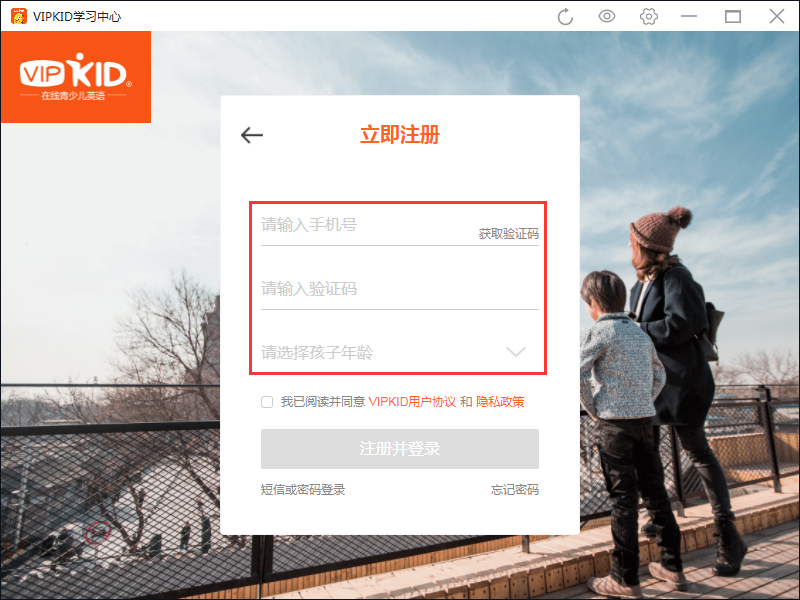
3. Check and check I have read and agree to the VIPID User Agreement and Privacy Policy, then click Register and log in.
vipkid English computer client frequently asked questions
How to clean up the memory of vipkid English computer client official version?
Open the official version of the vipkid English computer client, click the gear-like settings icon in the upper right corner, and click one-click cleanup.
How to turn on eye protection mode in the official version of vipkid English computer client?
Open the official version of the vipkid English computer client, click on the eye icon in the upper right corner, and turn on the eye protection mode.
Comparison of similar software
Jiuqu EnglishIt is a computer-side English learning tool created by Jiuqu. Jiuqu English brings together many foreign teachers and provides rich and interesting online tutorials, rich animations, and game-based lectures to allow children to take the initiative in class and bring every fun element into the classroom. You can find suitable learning methods and course arrangements in Jiuqu English, use planned solutions to help your children establish a learning environment, and allow parents to learn with their children.
Coco babyIt is a primary school English tutoring tool. Cocoa Baby is specially designed for primary school students aged 6-12 years old to make it easier for children to learn English. The synchronous primary school English teaching materials cover primary schools across the country. Cocoa Baby also provides all-round English learning tutoring such as text reading, synchronous animation courses, audio picture books, and listening.
vipkid English PC client update log
Working day and night just so you can be happier
are all gone!
Huajun editor recommends:
In the official version of the vipkid English computer client, after each class of the child, parents can check the class status of the child through the course playback video. If you are not used to this software, you might as well give it a try.scallop englishWait for the software, I hope you like it!










Useful
Useful
Useful