





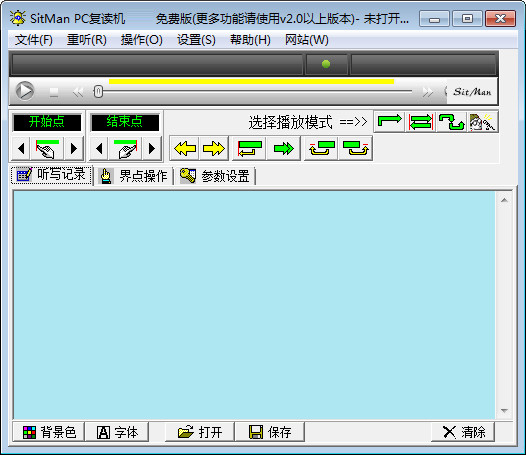
sitman software functions
1. Repeat function
Supports a variety of common audio and video file formats such as RM, MP3, and WAV;
Set the repeat area to play repeatedly;
can be repeated section by section, or repeated section by random selection;
Ban certain passages that you don’t want to hear (such as blanks, music, etc.);
2. Recording and reading comparison function
Synchronously read the recording and compare it with the playback to find out the difference between your pronunciation and the original sound;
3. The perfect combination of dictation text and voice
You can write while listening, and automatically save and load the text content corresponding to the voice file;
“Click and go” function --- allows you to listen to wherever you want!
“Text positioning” design --- allows you to look wherever you want!
4. Hearing data management
Collect Each Directory That Classifies Voice Files In "My Folder"
5. List playback support
Edit the playlist at will, save and load it conveniently
Supports loop playback, out-of-order playback, etc.
6. Other special functions
Multi-language system support. Contains 3 language packs: Chinese Simplified, Chinese Traditional, and English, and can be easily expanded
Independent video display window, can be used to watch original movies, video news, etc.
Detailed customizable keyboard shortcut functions, do whatever you want!
Add other commonly used tools, software or documentation to the "Tools" menu
sitman installation steps
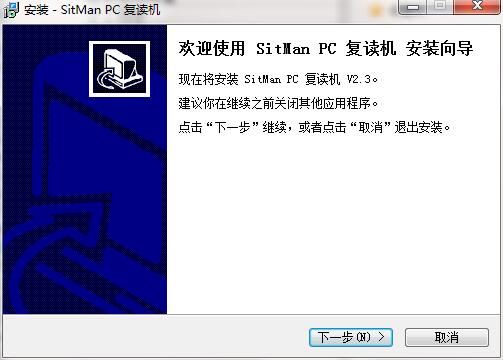
1. Download the installation package of the official version of sitman from Huajun Software Park. After unzipping, double-click the exe program to enter the installation wizard and click Next
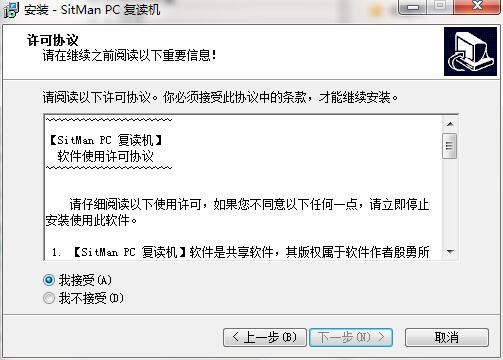
2. Read the license agreement, click "I accept", and click Next
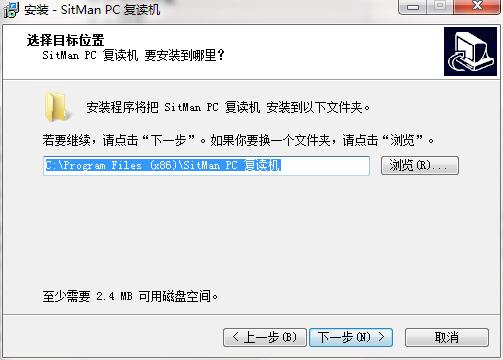
3. Click "Browse" to select the installation folder. Generally, it is installed on the C drive of the computer by default. It is recommended to install on the D drive. Click Next.
4. Click "Browse" to select the Start Menu folder and click Next
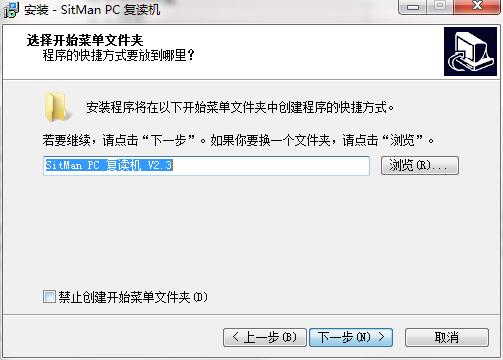
5. Select additional tasks, check Create desktop shortcut, and click Next
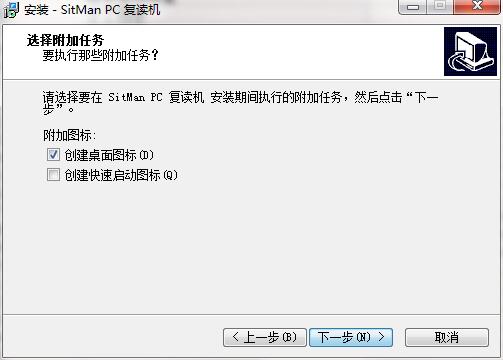
6. The installation program is ready, click Install
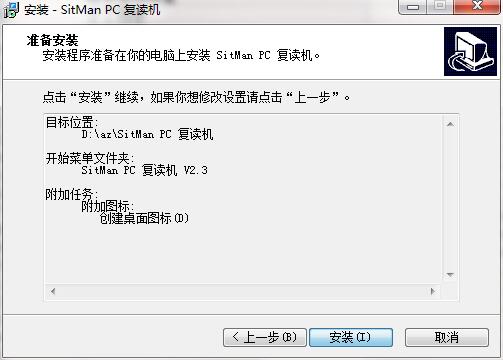
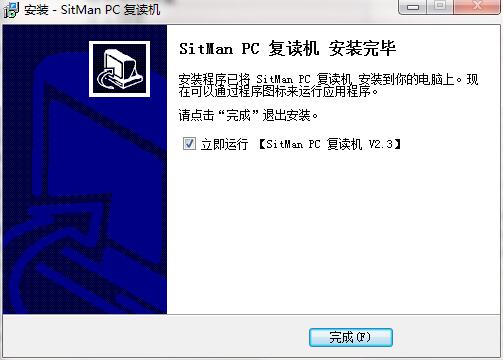
7.Sitman installation is complete, click Finish to exit the installation wizard
sitman FAQ
1. I have installed Realplayer, but when SitMan is running, it still prompts me to install Realplayer?
This may be due to some reasons (such as the installation of other playback software), which causes the installation files or installation settings of Realplayer (RealOne) to be damaged. You may consider uninstalling Realplayer (RealOne) and reinstalling it.
2. How to get rid of the “ding” sound after each reading?
Click the drop-down arrow next to the "Repeat Mode" button, select "After playing the repeat area once" in the pop-up menu, and remove the check mark of "Bell Reminder".
3. I chose "Play list out of order", but why is it still playing a song in a loop?
Shuffle playlist is an additional feature of SitMan as a general media player. Since when rereading foreign language audio files (this is the main purpose of this software), it is generally necessary to play this file repeatedly, so by default it will not automatically play the next song in the list after playing.
If you want to listen to multiple music files, you need to: ① Set the playback mode to "Normal Play"; ② Select "Automatically play next song" in the "Settings" main menu; ③ Select "List shuffle play" as needed.
4. Why can’t I record normally?
Since this software uses two players, one for playing the original sound and the other for recording, if you want to make better use of the recording comparison function, you need a sound card with full-duplex (capable of recording and playing at the same time) and multi-channel playback capabilities (can play two sound files at the same time). Common sound cards currently have this capability.
If the recording cannot be performed normally, you can try to select "Non-full-duplex sound card mode" in the "Recording Settings" menu (refer to the section "How to compare recording with reading").
sitman update log
1. Optimize content
2. The details are more outstanding and the bugs are gone.
Huajun editor recommends:
Sitman, as a foreign language learning software that is continuously updated and iterated, has been transformed in version updates again and again to better meet user needs and bring users a very high user experience. The editor of Huajun Software Park recommends that everyone download and use it. In addition, there areCoco baby,Worry-free English,English word learning,Xueersi vipx,New concept English learning softwareRelated software is also pretty good and can be downloaded and used.




Useful
Useful
Useful