

If you are looking for software to use, go to Huajun Software Park! software release AI product list

Hello, if there is a need for software inclusion, please package the software and attach the software name, software introduction, software-related screenshots, software icon, soft copy, business license (if you do not have a business license, please provide the front and back of the corresponding developer ID card and a photo of yourself holding the ID card), and send it to email http://softwaredownload4.com/sbdm/user/login

Close >>

Send to email:news@onlinedown.net

Close >>

Location: Home pagePC softwaremedia toolsvideo playback csf file player (Teaching Player)
csf file player (Teaching Player)

csf file player (Teaching Player) 5.0

QR code
  • Software licensing: free software
  • Software size: 3.9MB
  • Software rating:
  • Software type: Domestic software
  • Update time: 2024-12-26
  • Application platform: WinXP,Win7,WinAll
  • Software language: Simplified Chinese
  • Edition: 5.0

Download the service agreement at the bottom of the page

Software introduction Related topics FAQ Download address

Recommended for you:- csf file player

Basic introduction
csf file player (Teaching Player) paragraph first LOGO
  csf file player——Many important video materials are now encrypted, so they must be played using special software, and the videos cannot be modified or edited. This software is specially used to play them.Video playback software for csf encrypted files~

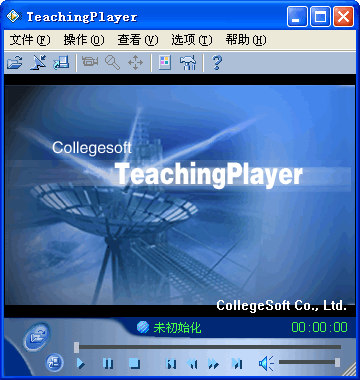
csf file player (Teaching Player) screenshot

Function introduction

1. It can be mainly used for the recording and playback of teaching processes, multimedia demonstrations, and the production of teaching software. Recorded content can also be modified and edited for playback and distribution.
2. This is Kejian streaming media player, which plays online courses with csf suffix downloaded from the Internet.
3.A necessary player for CSF format videos. This is a media playback software that integrates video streaming, audio streaming and screen streaming. Play Kejian streaming media files (CSF format) and other media files.
4. Because I only use it to play CSF format video files, other formats may not be playable~!

Things to note

Regarding the solution to the problem that when the teaching player plays CSF format files under Windows 7, there is no original sound, only crackling noise!
Troubleshoot with the Sound Troubleshooter:
1. Click the Start menu, type "Troubleshooting" in the search box, and then select "Troubleshooting".
2. Click "Hardware and Sound".
3. After a few seconds, in the "Sound" section, select "Play Audio" or "Record Audio"
4. Click "Next".
5. Follow the prompts.

FAQ

close

