





- Green versionView
- Green versionView
- Green versionView
Baidu Cloud Manager FAQ
What should I do if Baidu Netdisk download speed is slow?
Baidu network disk unlimited speed setting
1. First we want to liftBaidu Cloud ButlerTo limit the speed of the network disk, you need to add two lines of information to the host file with Baidu Cloud Manager turned off.
2.Two ways to openNotepad, the first method: find the Windows/system32/drivers/etc/Hosts file directly according to the prompts. Second: You can choose the win key + R key to open the run and enter %SystemRoot%system32driversetc
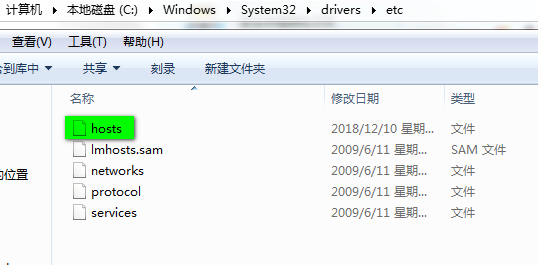
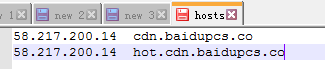
3. After opening the host file, we copy and paste the two lines of information 58.217.200.14 cdn.baidupcs.co and 58.217.200.14 hot.cdn.baidupcs.co into the file and save them.
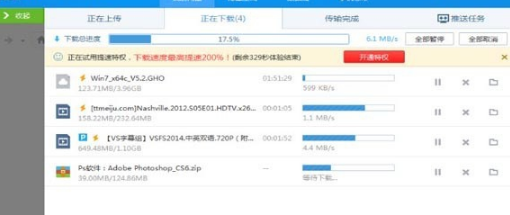
4. Restart our Baidu Cloud Manager and select any file to start downloading to check the speed-up effect.
How to download files in Baidu Cloud Manager?
Method 1: Download a single file
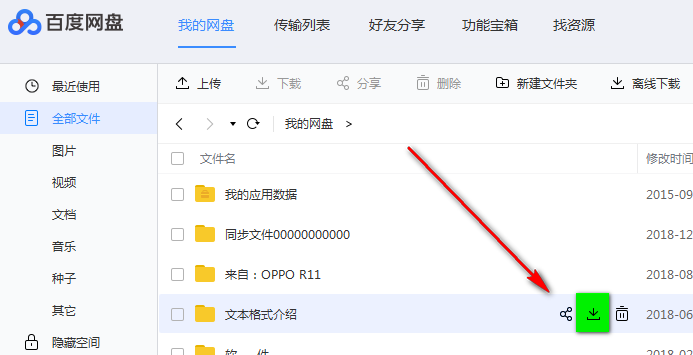
You can hover the mouse over a folder or file and you will see a small [↓] button appear at the location pointed by the arrow. Click this button to download the file to your local computer. You can go to the transfer list to view the current file download status.
Method 2: Batch download
If you want to select multiple files or folders for download at the same time, please first check the small box [口] in front of each file. The check mark [√] means you select the file you want to download, and then click the [↓Download] button to start downloading.
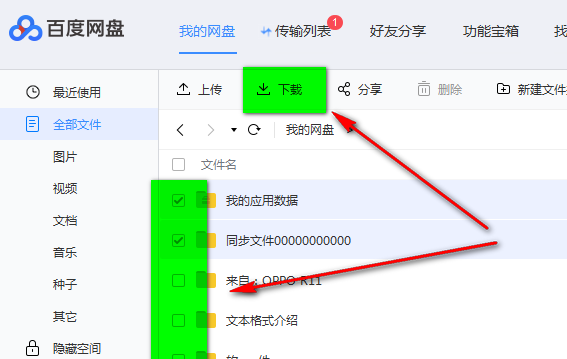
Method 3: Single file download
To download a single file, we can also directly select the file and then right-click and select [Download]
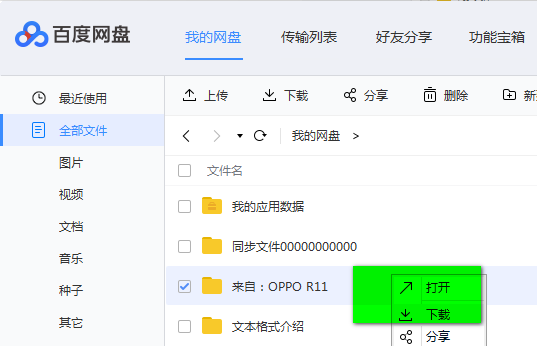
How to expand Baidu Cloud Manager?
1. First, we open and log in to Baidu Cloud Manager, and then find the expansion information shown in the picture below in the lower left corner. In the picture below, we can see that the most direct free expansion method requires you to follow a public account. If you need it, you can directly follow it to get a free super member and the system will automatically help you expand the capacity.
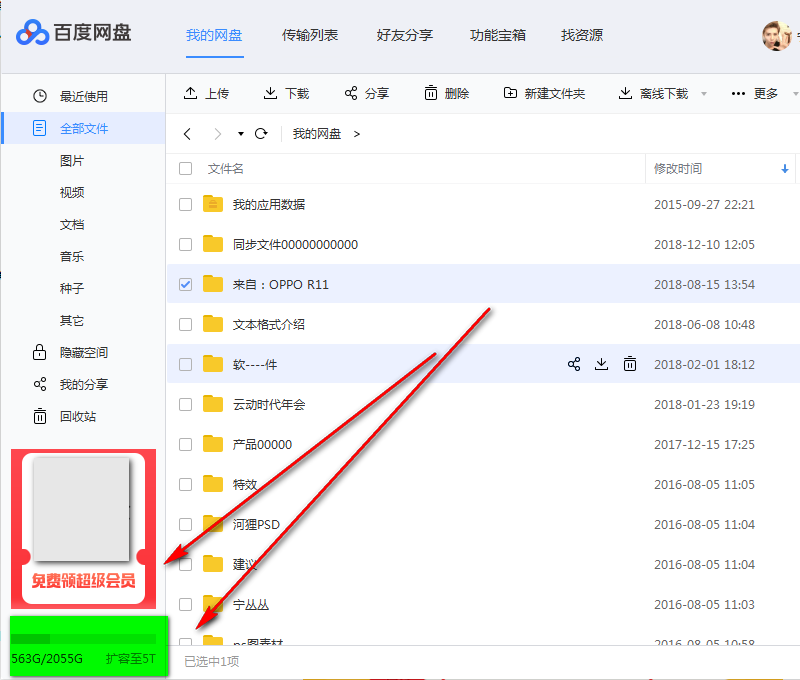
2. The second way to expand capacity is to spend money to purchase memberships. Each different level of membership has a different capacity. We can see that the upper limit is 5T.
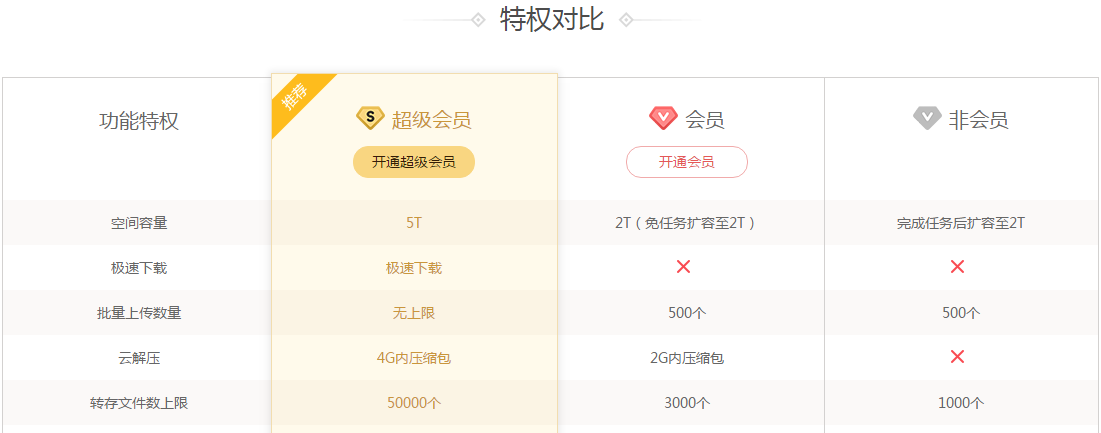
How to upload files to Baidu Cloud Manager?
Upload method one:
1. We select the [Upload] button in the picture.
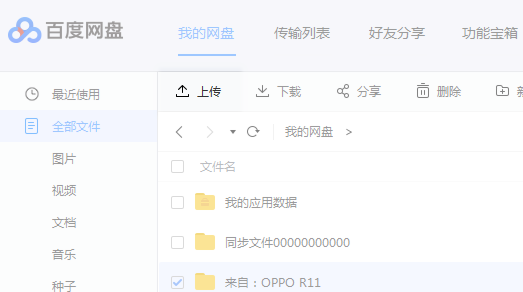
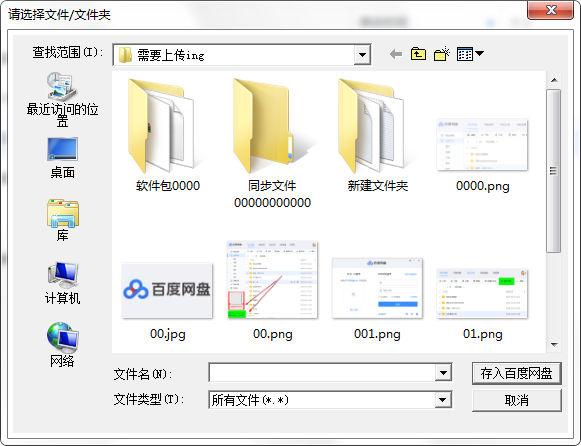
2. After entering the upload interface, we can select the file to be uploaded, and then click [Save to Baidu Cloud Disk]
Upload method two:
Simply select a file and drag it to the specified Baidu network disk path.
Upload method three:
Drag the specified document to the desktop image, as shown below. Drag it directly to the icon or upload it to Baidu Cloud Disk. Disadvantage: cannot be dragged to the specified directory.

How to use Baidu Cloud Butler
How to switch accounts in Baidu Cloud Manager
1. First open Baidu Cloud Butler. If you already have an account to log in and need to switch to another account, please follow the following operations to change the login account.
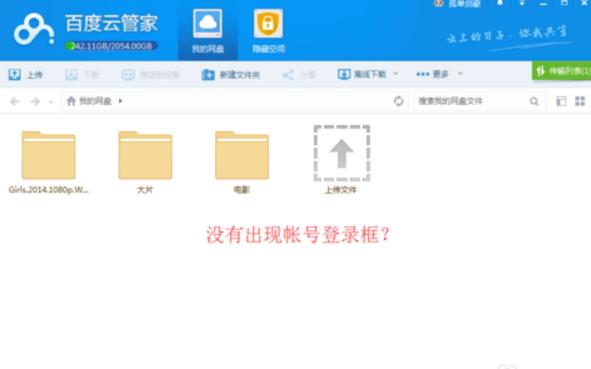
2. First click on the avatar in the upper right corner, then a drop-down will appear, and then we select the [Switch Account] option.
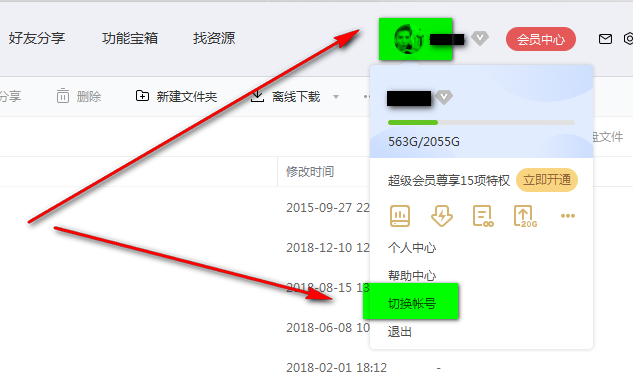
3. After choosing to switch accounts, you will put down Baidu Netdisk and automatically cancel the account for you. You can directly enter the new account information on the login interface to log in.
Baidu Cloud Manager Features
1. Large storage space
The initial space of Baidu Netdisk is 5GB, and you can get 2TB of space by logging in to the mobile client.
2. View online
It supports online playback of videos, pictures, etc. in all formats, and also supports third-party application extensions.
3. Perfect interface
The appearance is simple and convenient for users to operate.
4. Safe sharing
Baidu Netdisk supports external link sharing and private sharing. The external link download speed is faster, and the multi-computer room backup mechanism ensures the security of user information.
Baidu Cloud Manager installation steps
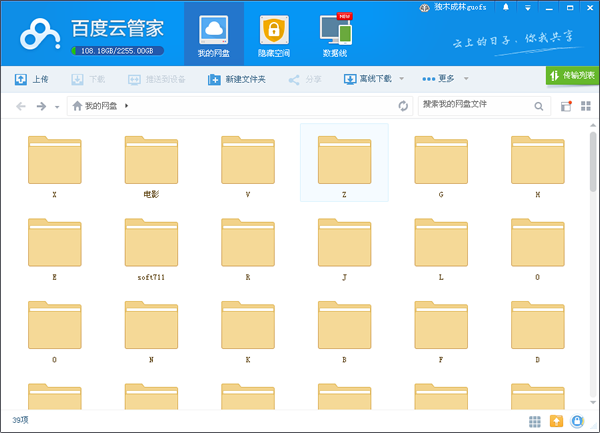
1. First find the "Download Address" on this page and select any address to start selecting. Download the [Baidu Cloud Manager] software package locally and double-click to unzip it to find the .exe format program and double-click to run it. As shown below: After opening the following interface, we should not rush to start the installation. First, set the file storage location of Baidu Cloud Butler (the default storage location is set under the C drive, which will slow down the system process). Click【>】to enter the setting interface and select a drive other than C drive. Then click [Quick Installation] to start the installation.
Suggestion: The editor here recommends that you pay attention to the "User License Agreement" to understand the content of the agreement. If you choose to install it, it means that you agree to the content of the agreement.

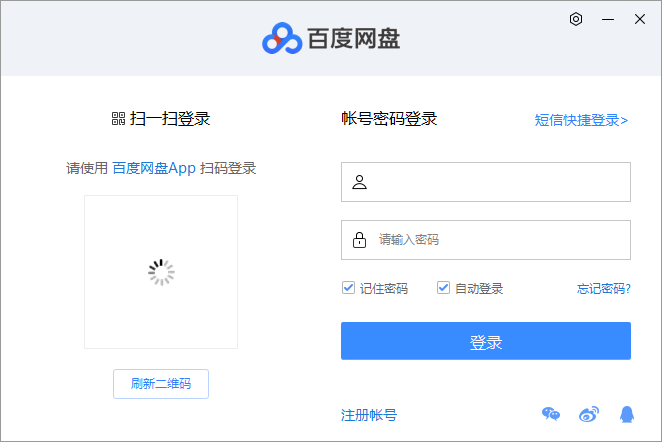
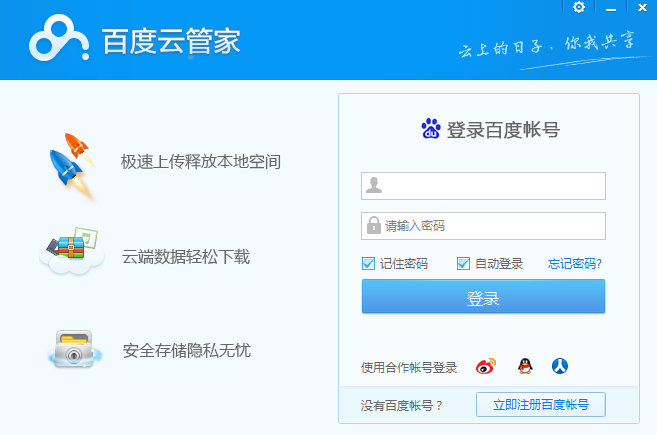
2. After selecting the quick installation, wait for a moment and the Baidu Cloud Butler login interface will appear, as follows: The appearance of this interface indicates that we have successfully installed it. We can directly enter the corresponding account information to log in to Baidu Cloud Disk. We can also choose to use Weibo, Tencent QQ, and Renren accounts to log in quickly.
Comparison of similar software on Baidu Cloud Manager
What is the difference between Baidu Cloud Butler and Baidu Sync Disk?
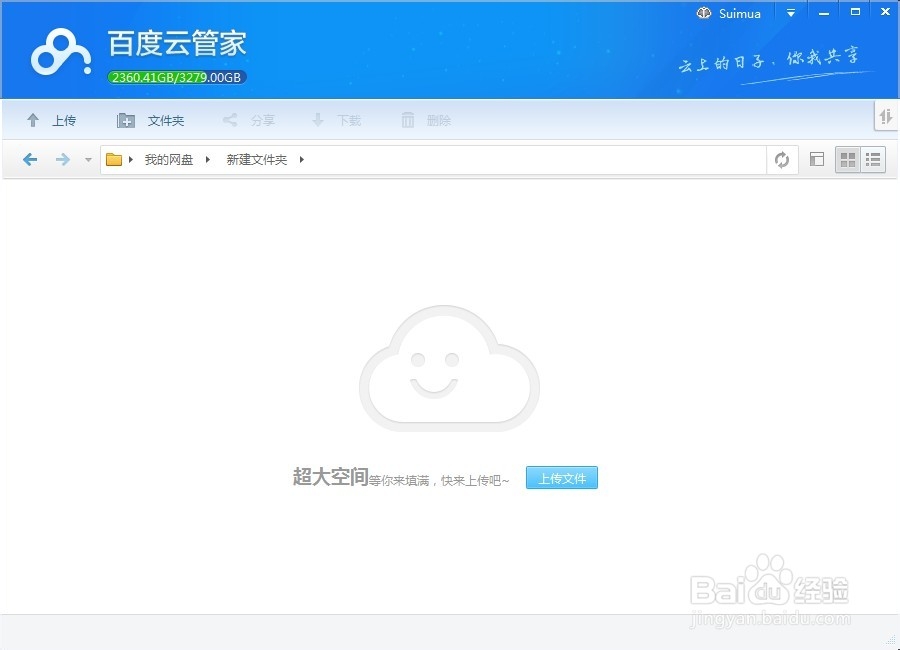
The interface of Baidu Cloud Butler is as follows:
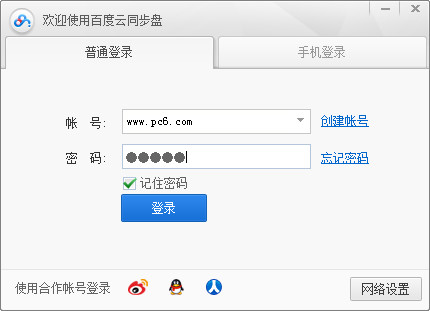
Baidu cloud synchronization software interface:
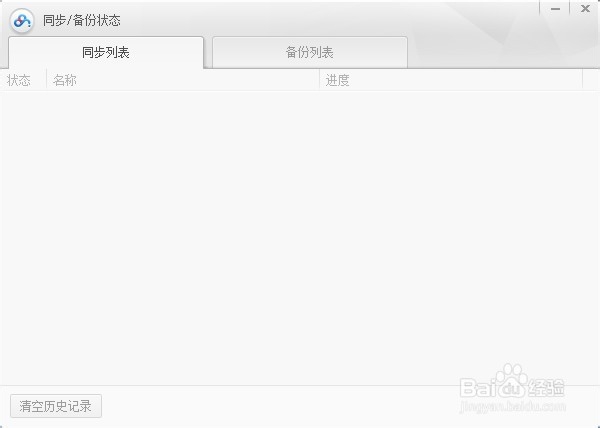
Summary: Baidu Cloud Butler is a client-based Baidu Netdisk that can be used to upload, download and manage various files by category, but you need to manually choose to upload them. As the name suggests, Baidu Cloud Sync is also used to synchronize some important files in case the computer suddenly crashes and other abnormal situations. The advantage is that users only need to set up a synchronization file on the computer and store the files in the folder to achieve automatic synchronization. If you also need to download Baidu cloud synchronization software, you can get the software download page here:http://softwaredownload4.com/soft/452558.htm
Baidu Cloud Butler update log
1. Support document editing
2. Improve upload stability
3. Creating a share can increase the validity period
4. Repair some crashes
|
Huajun editor recommends: Too many files? They are all important and cannot be thrown away, but what should I do if I won’t use these files for a while? Don't worry, we can use this free cloud storage client to help us clean up local space without losing important files. If your files have been lost or lost, you can also use Baidu Netdisk to backup and save them. Baidu Netdisk can also support breakpoint resuming, so you don’t have to worry about re-uploading after interruption when transferring files. In addition, the editor of Huajun has also collected and compiled other [cloud storage] tools for you to choose and download, such as: 360 Cloud Disk, Suning Cloud Disk, Kingsoft Enterprise Cloud, etc. |



















Useful
Useful
Useful