



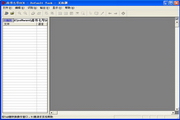
Features of Shangshu No. 7 OCR text recognition software
1. Identify characters
Simplified character set: more than 6,800 first- and second-level Chinese characters in the national standard GB2312-80.
2. Pure English character set.
Simplified and Traditional Chinese Characters: In addition to Simplified Chinese characters, you can also read more than 5,400 Taiwanese Traditional Chinese characters, Hong Kong Traditional Chinese characters and GBK Chinese characters.
3. Identify the font type
It can recognize more than 100 fonts such as Song style, imitation Song style, regular script, black, Wei stele, official script, round style, and regular script, and supports mixed layout of multiple fonts.
4. Identify font size
The first number is a small six-point font.
5. Form identification
It can automatically judge, split, identify and restore various general-purpose printed forms.
6. Can support traditional WINDOWS system
Shangshu No. 7 OCR text recognition software installation steps
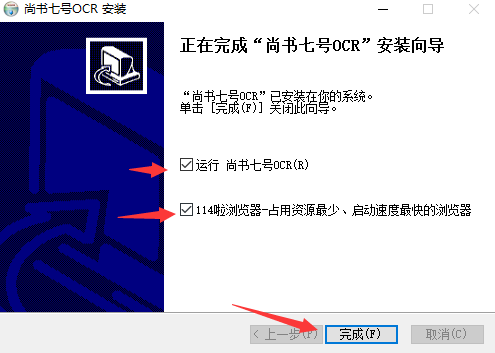
1. Open the software program
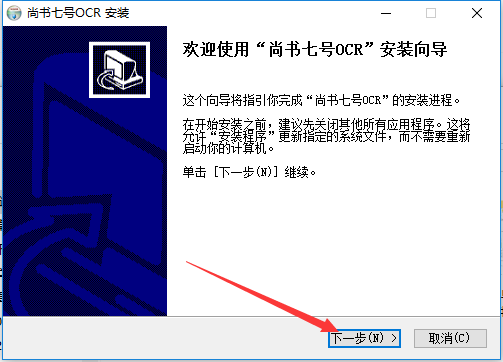
2. Select the installation address (be sure not to put it in the system disk), and then click Next
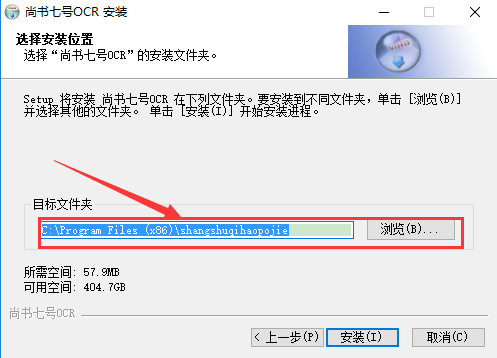
3. Please wait patiently^o^
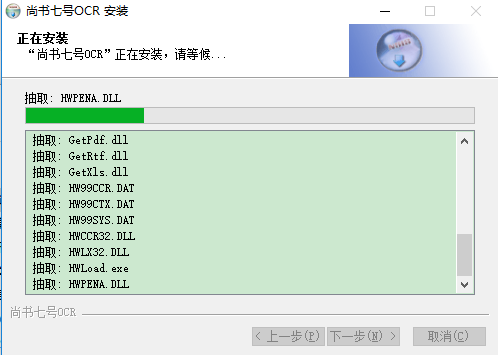
4. After completion, please choose according to your preference and use Y(^_^)Y
How to use Shangshu No. 7 OCR text recognition software
Text images scanned by a scanner cannot be edited or modified individually. In teaching, text recognition software needs to be used to recognize text images and convert the image format into text format. There are many common text recognition software, and their main functions are basically the same. Shangshu No. 7 is one of the excellent ones. The process of text and image recognition and conversion using Shangshu No. 7 can be easily completed by using its main menu: "File", "Edit", "Recognition" and "Output". The specific steps are:
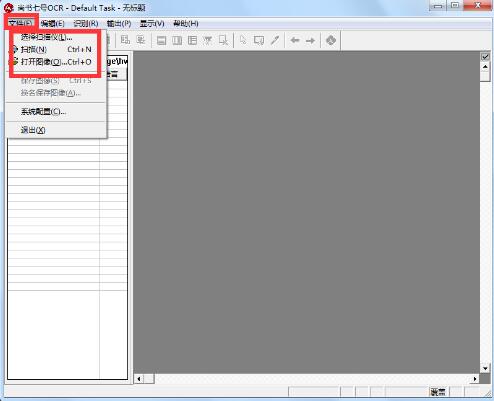
Step 1: Get the text image file
Select the "Scan" or "Open Image" (open the scanned image file) command under the "File" menu to open the image file. If multiple scanners are connected, you can select the "Select Scanner" command under the "File" menu to call the scanner.
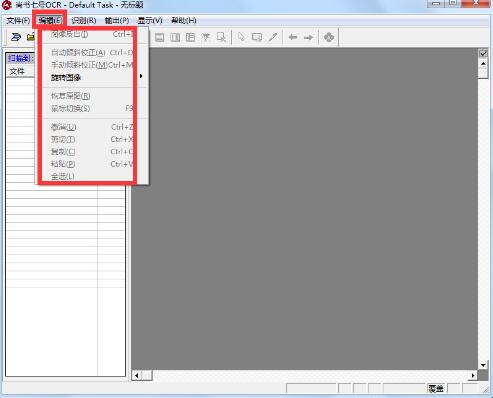
Step 2: Make adjustments to the scanned image page
Select the "Inclination Correction of Image Page" (automatic and manual implementation methods are provided) and "Rotate" commands under the "Image Page Processing" submenu under the "Edit" menu to adjust the scanned image page.
Step 3: Layout analysis and text recognition conversion
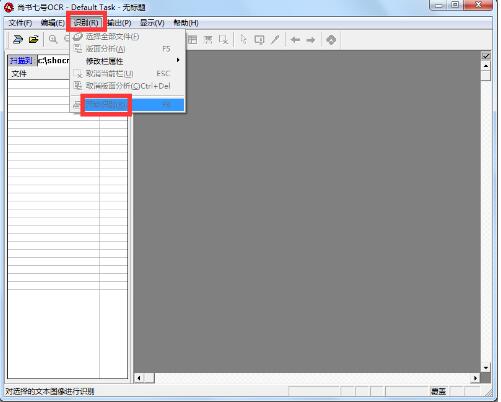
Layout analysis, select the recognition range. Before performing text recognition, you must select the recognition range. The core of the recognition process is "layout analysis".
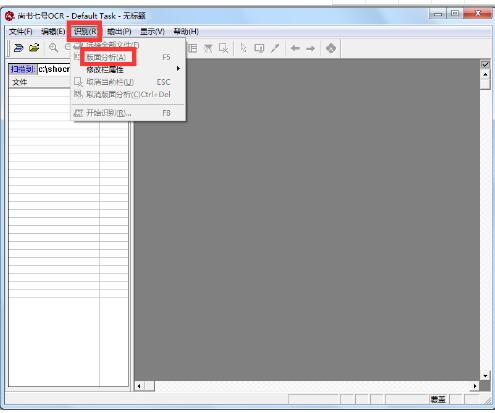
The automatic layout analysis function of Shangshu No. 7 is very strong, and it can also maintain a high accuracy in analyzing complex layouts such as newspapers and magazines.
After setting up, just click the "Start Recognition" button to start text recognition.
Step 4: Proofread and revise
After the automatic recognition is completed, the "text window" of the recognition result will pop up. This window can provide proofreading of the recognition result. For the convenience of proofreading, Shangshu No. 7 has added a proofreading method that follows the cursor and displays the original image line (the yellow prompt line appears in Figure 3).
The proofreading method provided allows you to see the difference between the original text of the image and the recognized text at a glance. If you find that the recognition is wrong, you can make corrections.
Step 5: Output
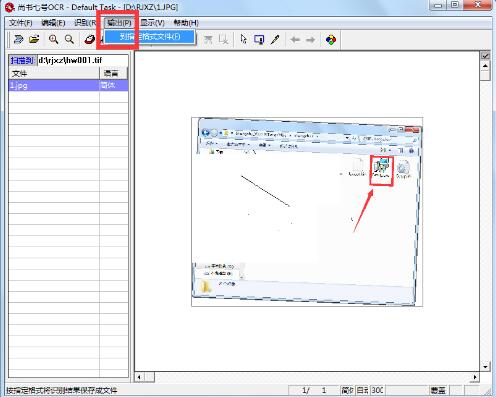
If it is confirmed after checking and modifying, select the "Output" menu of the recognition result. The output file formats are: RTF, HTML, XLS, and 22238. You can choose the corresponding format according to your own needs. If the user wants to get recognition results similar to the original text, please choose RTF format. After opening the file output in RTF format with WORD, you will find that almost all traces of the original text, including the color images in the original page, have been retained in WORD.
Frequently Asked Questions about Shangshu No. 7 OCR Text Recognition Software
The main reasons for poor recognition results:
1. Improper scanning settings. The scanning resolution (Resolution) when scanning images should generally be set to 300dpi. If the document font is small, the scanning resolution needs to be set to a higher value such as 400dpi or 600dpi. Scaling is set to 100%, and the brightness threshold (Threshold, Brightness) needs to be adjusted according to the quality of the paper and printing to avoid the scanned image being too dark or too light.
2. If there is an error in the automatic layout analysis, please use the mouse to divide the correct layout blocks by yourself; if the layout settings of the layout blocks are wrong, such as setting the horizontal version to vertical version, and the vertical version to horizontal version, etc., then please modify the block layout correctly by yourself.
3. The printing quality of the original manuscript is too poor, the strokes are seriously broken, the ink is too thick, and the words are seriously adhered to each other, etc., which may also significantly reduce the recognition rate.
4. The recognition language option is improperly selected. "Simplified Chinese", "Simplified Traditional" or "English" should be correctly selected according to the original manuscript.
Shangshu No. 7 OCR text recognition software update log
Optimized some functions
| Huajun editor recommends: Shangshu No. 7 is a free OCR text recognition software with a simple interface and powerful functions. Download it if you need it. This site also provides you with poster font package downloads, Chinese and Song font downloads, etc. |
























Useful
Useful
Useful