





- Green versionView
- Green versionView
- Green versionView
- Green versionView
- Green versionView
Highlights of ZhuiYixia OCR text recognition software
Office scene
Quickly convert paper contracts, reports, invoices, etc. into editable electronic documents, support form recognition and data extraction, and improve the work efficiency of financial, administrative and other positions.
Process scanned documents in batches to realize digital management of paper files for easy storage, review and editing.
Education scene
Identify text content in paper materials such as books, test papers, notes, etc., support the organization and citation of academic materials, and facilitate the digitization of education.
Quickly extract text from references to improve paper writing efficiency.
Government affairs and financial scenes
Accurately identify ID card, business license and other document information, support remote account opening, identity verification and other business processes, and reduce manual review costs.
Quickly identify the text content on invoices, receipts and other bills to facilitate personal financial management and reimbursement.
Cross-border business scenario
Supports multi-language translation functions to help multinational companies process business materials and improve communication efficiency.
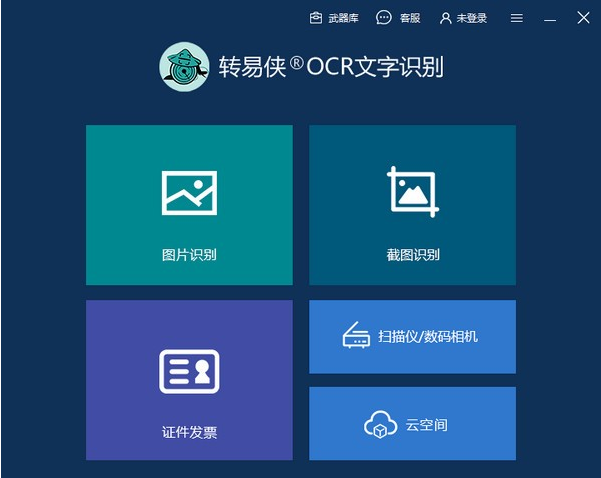
ZhuiYixia OCR text recognition software software functions
Efficient and accurate identification
Using advanced OCR technology, the recognition accuracy is as high as over 99%, and it can easily cope with text extraction needs in various complex scenarios, including printed, handwritten and document information.
Supports multi-language recognition, covering Chinese, English, Japanese, Korean, French, German and other languages to meet the needs of cross-language scenarios.
Diverse file support
Supports the import and recognition of common image formats such as JPG, PNG, JPEG, and PDF. Whether they are scanned documents, photos, or image-based PDFs, they can be quickly converted into editable text.
Equipped with document recognition function, it can scan ID cards, passports, driver's licenses, business licenses and other documents with one click, automatically extract key information, and supports double-sided recognition.
Batch processing and high-speed recognition
Supports batch import of images or scans, and completes text recognition of multiple files at one time, greatly improving work efficiency.
Optimize the recognition algorithm to achieve extremely fast recognition and reduce user waiting time.
Form recognition and translation function
Supports scanning tables on pictures and converting them into Excel files, retaining the original format for easy data organization and analysis.
It provides a photo translation function and supports translation in more than a dozen languages. No manual input is required, and translation can be completed with one click. It is suitable for traveling abroad or learning foreign languages.
Intelligent typesetting and format conversion
Automatically recognize the typesetting format of text, retain the layout and format of the original document, and ensure that the converted document is highly consistent with the original document.
Supports exporting recognition results to multiple formats such as Word documents, Excel tables, TXT text, etc. to meet the needs of different users.
Features of ZhuiYixia OCR text recognition software
deep learning engine
OCR technology based on deep learning can automatically locate, cut, and classify text in images, and improves recognition accuracy through continuous optimization algorithms to adapt to challenging scenarios such as complex backgrounds and low resolutions.
Image processing algorithm optimization
Improved image processing algorithms, supporting pre-processing functions such as denoising, contrast enhancement, and sharpening, improve the display quality of scanned documents and ensure that text is clear and legible.
Intelligent error correction and custom recognition
Provides intelligent error correction functions that can accurately detect document styles, titles and other content, reducing manual proofreading costs.
Supports custom recognition areas, users can adjust the recognition range as needed to improve the pertinence and accuracy of recognition.
Frequently Asked Questions about Zhuiyixia OCR Text Recognition Software
The export file format is not supported or cannot be opened.
Reason analysis:
The file format selected when exporting is incompatible with the receiving device or software.
The export file is corrupted.
Solution:
Check the file formats supported by the receiving device or software and select a compatible format for export.
Try re-exporting the file, or use other software to open the exported file to verify its integrity.
ZhuiYixia OCR text recognition software update log
1.Support screenshot literacy under multiple monitors
2. Optimize form recognition speed
3. Automatically copy the text to the clipboard after recognition
4. Compare the window and remember the last window size
5. Optimize screenshot literacy
Huajun editor recommends:
The editor guarantees that as long as you use Zhuoyixia OCR text recognition, if you don't like it, you can come and hit me! The editor has also prepared for youToday's goal,Hanwang Attendance Management System,WPS Office,NTKO large file upload control,Kuai Dao Ke platform software












Useful
Useful
Useful