





Jakataka electronic classroom student software functions
Examination system
P2P Chat
File sending and receiving
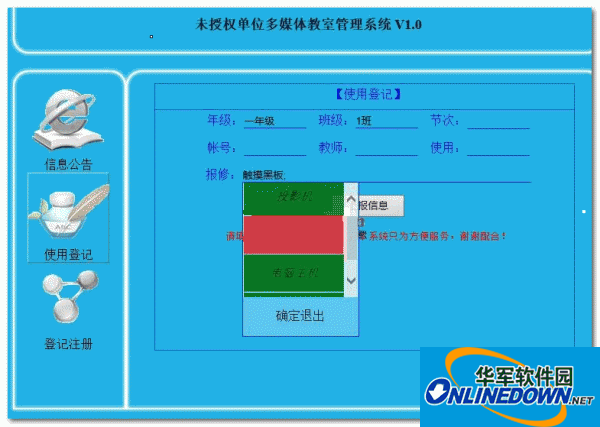
Log attendance
Screen broadcast
Screen recording
Student demonstration
View screen
Remote control warning
Remote shutdown and restart
Remote execution
Blacklist
Classroom evaluation
Classroom separation
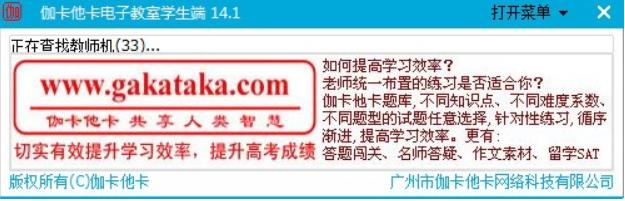
Features of Jakataka electronic classroom student software
1. Screen broadcast is smooth and not stuck
2. Login double selection
3. Exit protection mechanism
4. Bubble prompts
5.Double naming of terminal and user
6.Support multiple classrooms
7. Initiate tests during class
To eliminate interference from other teachers, after logging in on the student side, please change the login verification password in the teacher side settings. (You can use different verification codes to separate multiple classrooms in the same LAN)
Jakataka electronic classroom student terminal installation steps
1. Download the Jakataka Electronic Classroom student terminal in Huajun Software Park and unzip it to the current folder. Click on the netclassstudent17.0.exe application to enter the installation wizard interface, select custom installation, and then click Next.
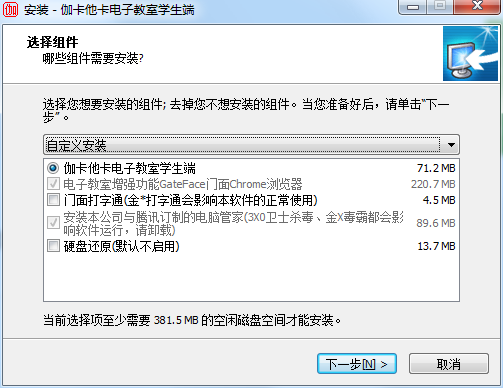
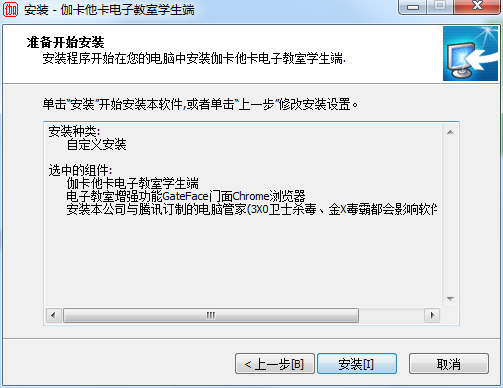
2. At this time we come to the installation interface, users need to click to install.
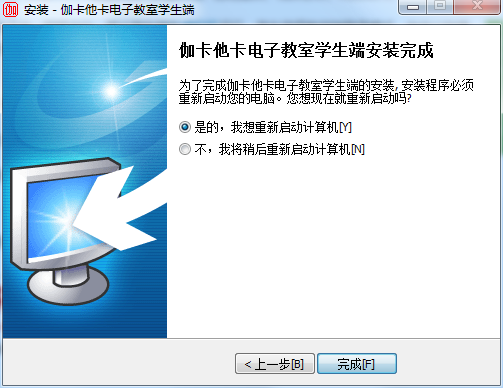
3. The installation of the Jakataka Electronic Classroom student terminal is completed, click Finish.
Instructions for use of Jakataka electronic classroom student terminal
Examination system (supports WORD test questions and operation questions), P2P chat, file sending and receiving, log attendance, screen video broadcast, screen recording, student demonstration, screen viewing, remote control warning, remote shutdown and restart, remote execution, blacklist, restricted Internet access, classroom evaluation, in-class testing, classroom separation, remote restart, video conferencing, website production.
It integrates website production functions, ftp network disk, question bank functions, e-books, video conferencing, prohibiting students from running in virtual machines, students choosing teacher-side login mode, custom shortcut keys, question bank search, deleting folders, pure intranet login and many other functions. This software package comes with Computer Manager and QQ Browser. Other security software and browsers will affect the normal use of the software.
Do not install the teacher version and student version of Jakataka Online Classroom Software on the same computer.
Supported operating systems: WIN10 WIN8(32/64)WIN7(32/64)/WINDOW NT/ME/2000/XP.
Recommended accessories: memory 512M/CPU1.5GHZ/1G hard drive space.
Frequently Asked Questions on Jakataka Electronic Classroom Student Port
Question: How to set up the automatic start of the Jakataka electronic classroom student terminal?
Answer: Start→Control Panel→Administrative Tools→System Configuration→Start→Remove the "√" in front of "student.exe Jakataka Student Terminal"→Confirm→Restart the computer.
Question: How do I exit the control of the Jakataka Electronic Classroom student terminal?
Answer: In the computer of the 8.0 green version of Jakataka Electronic Classroom Student Terminal: Start→Control Panel→Administrative Tools→System Configuration→Start→Remove the "√" in front of "student.exe Jakataka Student Terminal"→Confirm→Restart the computer.
Question: How to uninstall the Jakataka electronic classroom student terminal?
Answer: Delete the entire installation folder. It will prompt several running processes and ignore them. Just skip them and then restart. Delete the entire folder again so that everything is cleared.
Comparison of similar software
Legend Electronic Classroom SoftwareIt is a software product designed for education, teaching and vocational training in schools, enterprises and institutions. The main functions include screen broadcast, student demonstration, video broadcast, viewing students, locking students, file distribution, online discussion, online examination, computer room management, etc.
Zhuoyi multimedia electronic classroom systemThe solution achieves a high degree of integration and optimization of multimedia online classroom teaching interaction, teaching management, teaching evaluation and after-class lesson preparation, giving full play to the advantages of information technology in teaching.
Jakataka electronic classroom student terminal update log:
1. Optimized some functions
2. Solved many intolerable bugs
Huajun editor recommends:
Huajun Software Park also has popular software with the same functions as this software, such as:Teaching PC version,EasiCamera(seewo video booth),AIclass,Huatu online computer version,Mingxin AcademyWait, you can collect it if you need it!






Useful
Useful
Useful