



Steam software features
Create and share content
Send gifts to your friends, trade items, and even play on SteamCreative workshopto create new game content. Help your favorite games shape a new future!
Entertainment anywhere
Whether you are using a PC, Mac, Linux box, mobile device, or even your TV, you can enjoy Steam services. Happiness be with you.
Join the community
Meet new players, join gaming groups, create clubs, chat in-game, and more! Have tons of fun with over 100 million potential friends (and maybe enemies)!
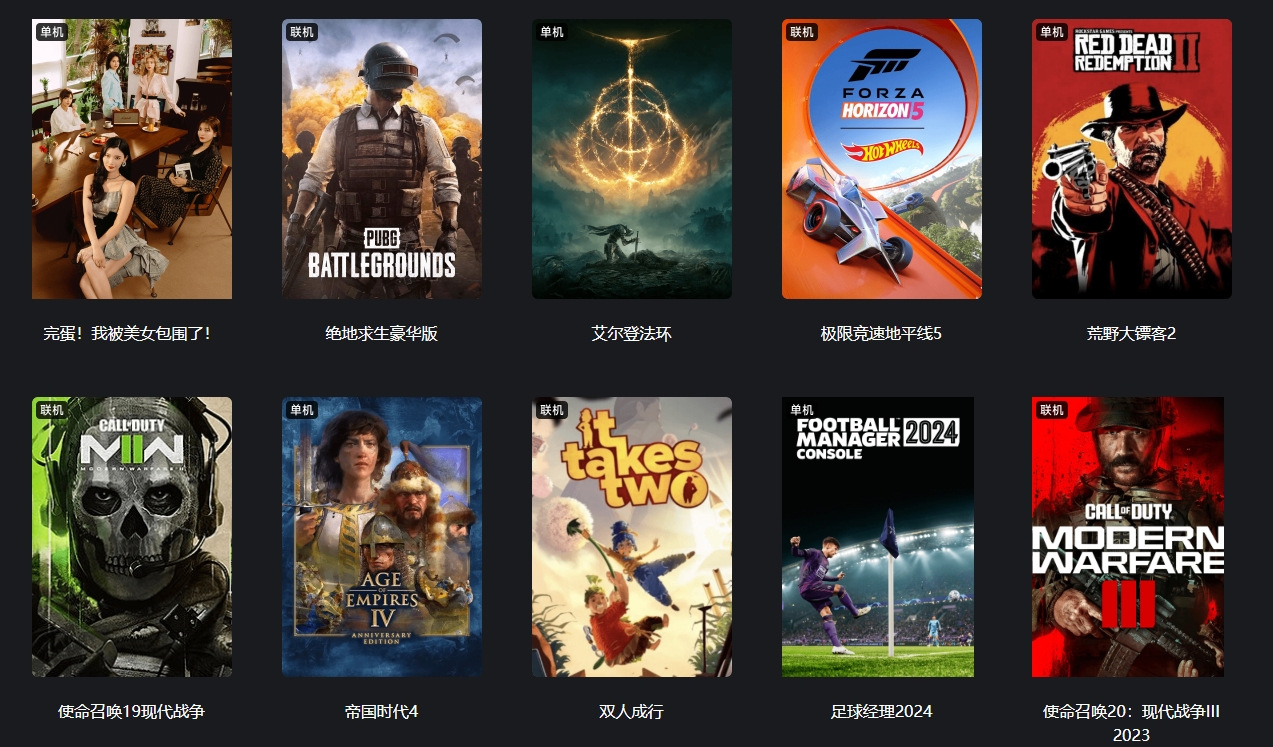
Steam software features
Steam chat:
You can text or voice chat with friends or groups without leaving Steam, supporting videos, tweets, GIFs and other content. Please use it rationally.
Game Center:
Everything about your game is here, discuss it, upload content, and be the first to know about the latest updates.
Steam live broadcast:
Live broadcast your gameplay with one click and share the game with friends or other members of the community.
Steam Creative Factory:
Create, explore, and download modules and accessories made by players in nearly 1,000 supported games.
Support mobile devices:
You can use the steam mobile app to access steam at any time on your iOS or Android device.
Early access to the game:
Explore, experience, and participate in the development of the game, be the first to witness the arrival of the future, and become a part of promoting this process.
Multiple languages:
Creating a global community is important to us, so our client now supports 28 languages, with more to come.
Easy purchase:
Our store supports more than 100 payment methods and 35 currencies, giving you the freedom to choose how to pay.
Supported controllers:
Steam encourages developers to support various genres in gamescontroller, including Playstation, Xbox and Nintendo controllers
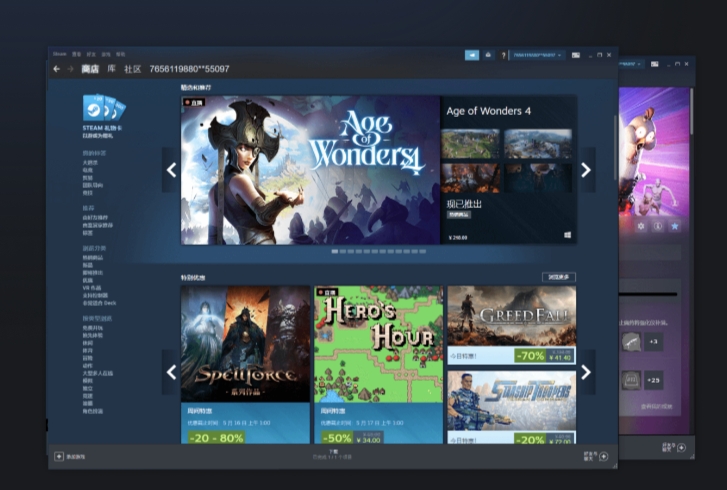
Steam system requirements
Windows XP, Vista or 7
512 MB RAM
1Ghz or faster processor
Intel Mac, OS X version 10.7 (Lion) or later.
Also: It is highly recommended to use a two-button mouse
1GB hard drive space (recommended)
Internet connection (broadband recommended)
Steam installation steps
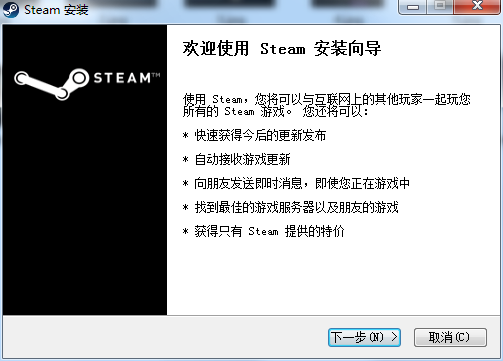
1. Download the compressed package of the official Steam version of this software from Huajun Software Park. After unzipping, double-click the exe file to enter the welcome interface and click Next
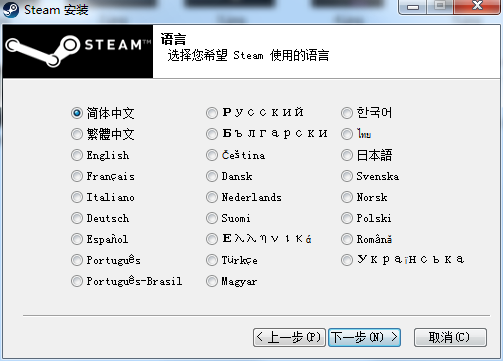
2. Select the installation language Simplified Chinese and click Next
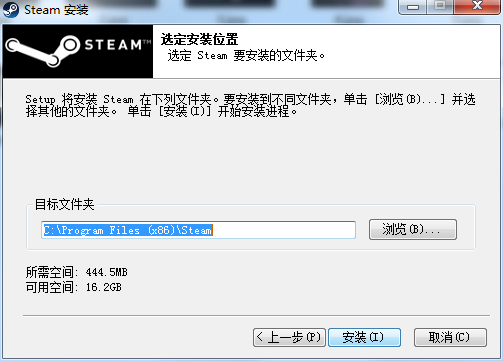
3. Set the software installation location. Click Browse to set it freely. It is recommended that you install it on the D drive and then click Install.
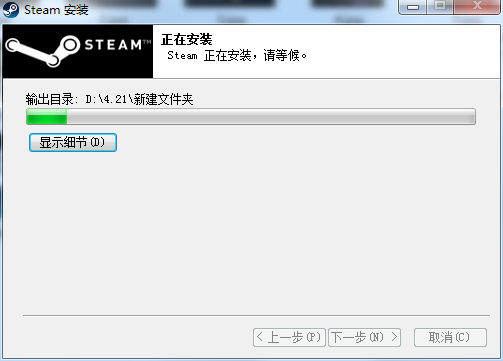
4. The official version of Steam software is being installed, we are waiting patiently
5. The software is installed successfully. Click Finish to start using it.

How to use Steam
1. Log in to your steam platform account and enter the "steam platform store"
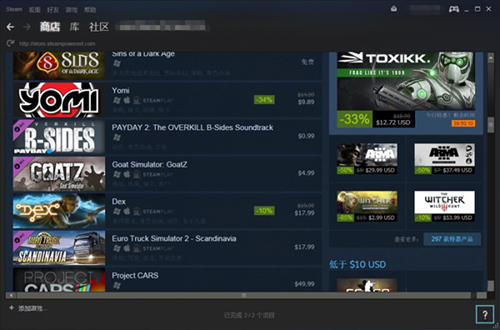
2. In the "Steam Platform Store", select "Game" according to your personal needs. There are many game types to choose from.

3. Select the game you want to download and download the game tutorial
(1) If the game is free (Free to Play), you will see "Start Game"

(2) Click "Start Game", a download game box will appear with information about downloading the game, click "Next"

(3) Choose whether you need to create shortcuts, etc. according to your personal needs and click "Next"
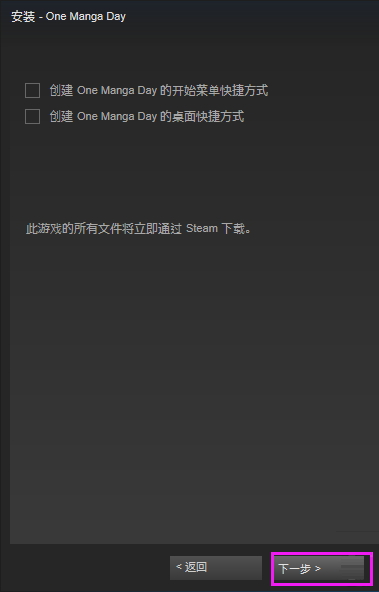
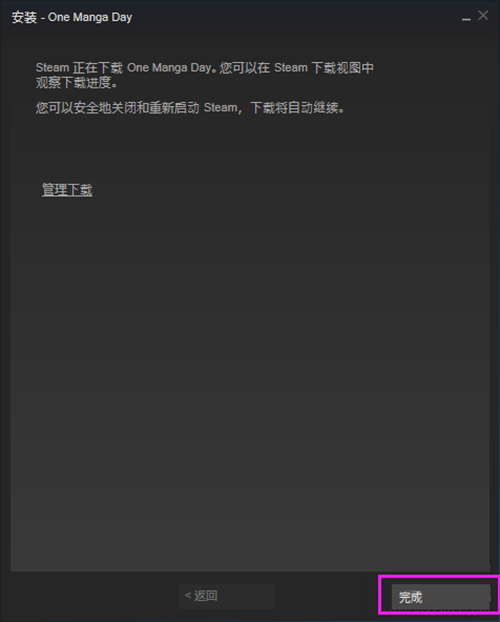
(4) After confirming the download information, click "Finish"
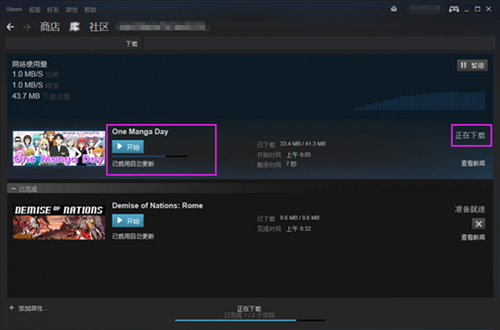
(5) The steam platform starts downloading the game, and you can see the game being downloaded in the "Library"
4. Purchase game tutorial
(1) Select the game you want to purchase and view the game price and other information
(2) Click "Add to Cart" to enter the game purchase page

(3) Choose whether the game is "Buy for yourself" or "Buy as a gift". Select "Buy for yourself" here.
(4) Select "Payment Method", check the box to agree to the agreement, and click "Continue"
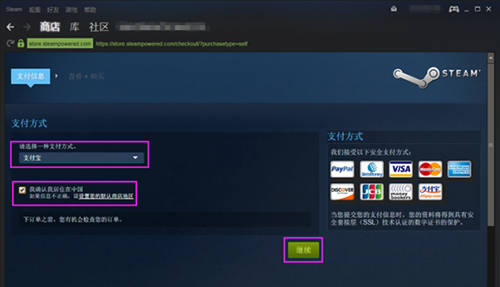
(5) Check "I agree to the terms" and click to jump to Alipay (Note: Jumping to Alipay is a bit slow and you need to wait patiently)
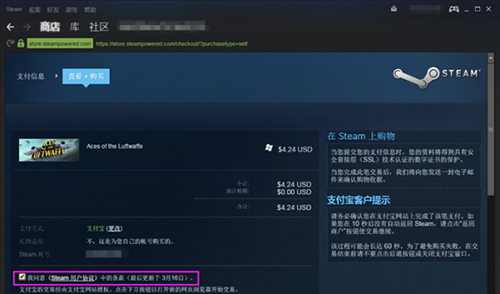
(6) Jump toAlipay, fill in Alipay information and complete payment
(7) You will see store transactions in the game and wait for steam to process the event

Steam FAQ
How to log in with Steam account
Basic process: Open the Steam client, click "Login" in the upper right corner, and enter registrationEmail /Username and password. If the Steam token is enabled on the account, you need to enter the mobile phone verification code to complete the login.
Network optimization: Mainland Chinese users are advised to use an accelerator (such as UU accelerator) to optimize the network to avoid login timeouts or slow store loading.
Retrieve password: Click "Forgot your password?" to receive the verification code reset via your registered email or mobile phone.
How to set up Chinese on Steam
Client language: Click "Steam" in the upper left corner → "Settings" → "Interface", select "Simplified Chinese", and restart the client to take effect.
In-game language: Right-click the game in the game library → "Properties" → "Language" and set the in-game language separately (some games require downloading the Chinese package).
How to change region on Steam
Core rules: The region is locked based on the IP at the time of first purchase and needs to be modified using a local payment method (such as local credit card, PayPal).
Operation steps:
Visit any game page in the store and click "Add to Cart" → "Buy for yourself".
Select the target region (such as "United States") on the payment page, use the local payment method to complete the transaction, and the region will be automatically updated.
Restrictions: It can only be modified once every 3 months, and it is necessary to ensure that the new area is the actual place of residence. Frequent operations may trigger risk control.
How to buy on Steamgame
Store purchase: Enter the store to search for the game, click "Add to Cart" → "Buy for yourself", and select the payment method (Steam wallet, credit card, Alipay, etc.).
Activation key: If you purchase the game code through a third party, click "+" → "Activate Product" in the lower left corner of the client and enter the key to redeem.
Payment innovation: In 2025, a new cryptocurrency indirect payment method will be added. Steam gift cards can be purchased with Bitcoin and Ethereum through platforms such as Bitrefill, and then recharged to the wallet for consumption.
Discount Tips: Stay tuned for weekly deals, seasonal sales (like summer/winter sales), or receive price drop alerts via Wish List.
How to use Steam family sharing
Basic conditions: Authorization needs to be on the same computer, and Steam Token must be enabled on both parties.
Setup steps:
Log in to the main account → "Settings" → "Home" → check "Authorize library sharing on this device" and select the sub-accounts allowed to access.
After logging in with the sub-account, select the shared game in the library and click "Borrow", and the main account will confirm authorization through an email link.
Limitations: A maximum of 10 devices, 5 accounts are authorized, and only 1 person can play shared games at a time.
How to add friends on Steam
Search and add: Click "Friends" at the top of the client → "Add Friend" and enter the other party's Steam ID or 64-digit ID.
Scan the QR code to add friends: Open the profile page, click "Add Friend" → "Show QR Code" and let the other party scan the QR code to quickly add.
Restrictions on unspent accounts: Accounts that have not spent money on Steam cannot actively add friends, and the other party needs to send a request or pass verification.
How to change name on Steam
Display name: Click the avatar in the upper right corner → "Edit Profile", enter a new name in the "Name" field, and it will take effect immediately after saving (no limit on the number of times).
Steam ID: This is the user name when logging in. It cannot be changed after creation. It can only be modified once within 30 days after registration through customer service application.
Steam update log
1. Optimized some functions
2. Solved many unbearable bugs
Huajun editor recommends:
After so many years of updates and optimizations, Steam has become more user-friendly and more technological. It is highly recommended to everyone and welcome to download. Those who are interested can also downloadSamurai Shodown II,5ea assistant,Fanggezi Net Entertainment Platform Internet Cafe Client,Ace Attorney 1,Fist of the North Star.


















Useful
Useful
Useful