



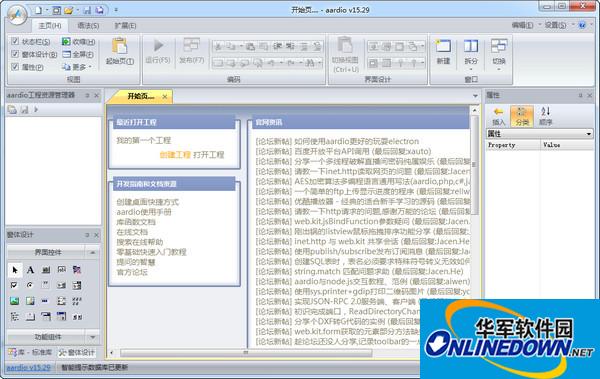
Software features
Publish as green software with one click.
Generate independent EXE executable files.
The only language that can support both dynamic type and static type development.
Compatible with popular C-series syntax and Pascal syntax, the learning cost is the lowest.
Can embed C language, assembly, Java, PHP, Javascript, VBS. Support object-oriented, Ducking Type, and Chinese programming.
Supports COM dynamic and static interfaces and standard DLL components.
The standard library is all open source and written using AAuto code.
Provides a visual development environment and supports multi-threaded development.
Supports the use of web pages to develop software interfaces and can be seamlessly integrated with HTML and JS.
Perfectly supports web automation and easily develops website robots. Perfect support for all gaming accessibility technologies.
CALL external EXE function can be implemented with one line of code. Supports memory reading and writing, packet capture, mouse and button simulation, and monitoring.
Change log
1. web.socket.chrome has been improved and enhanced. Both electron and chrome connection remote debugging interfaces are implemented using this object. The example of chrome remote debugging has also been updated and moved to the new location: aardio example->Web application->WebSocket->chrome
2. Strong update of electron.
3. All WebSocket clients add the waitForConnected() function, which can block and wait for a successful connection.
Of course, you can also wait for the connection to succeed asynchronously in the onOpen event.
4. Add table.keys() which can be used to obtain the custom key name of the object. It supports _keys, _defined and other meta-methods. Web.json uses this function to determine the key name list.
5. Improve the table.eachName() function to call table.keys() to obtain a list of string key names. web.json uses this function to obtain object members.
6. Improve the table.len() function to support automatic identification of the length attribute of the object and support the _length element method. web.json uses this function to determine the array length.
7. Add table.eachIndex() iterator to traverse array members. This function calls table.len,
Supports related meta-methods. And supports using _startIndex custom subscripted objects in meta attributes
8. Add the table.type() function to obtain whether the table object is aaray or object. This function is used by web.json to determine the type of object.
9. Add the web.json.strip() function, which is used to convert an object to JSON and back again. It can be used in web.kit to quickly completely convert a JS object into an ordinary aardio object.
10. Improvements to the web.kit extension library (related to the above)
The web.kit extension library has been improved, and the JS objects of web.kit can be traversed using table.eachName.
And web.kit’s array can use tahble.eachIndex to traverse all members, which is very convenient.
You can also call web.json.strip (js object) to directly convert the JS object returned by webkit into an ordinary aardio object.









Useful
Useful
Useful