




- Green versionView
- Green versionView
- Green versionView
Game introduction
Civilization 6 gives players new ways to interact with the world: cities can now physically expand across the map, active exploration of technology and culture unlocks new potential, competing leaders will pursue their own goals based on personal characteristics recorded in history, and players can win the game in one of five ways.
1. Expansion of the Empire
Watch your empire expand across the map like never before. Each city occupies multiple tiles, allowing you to build your own city to take advantage of the local terrain.
2. Actively explore
Unlock promotion projects that can accelerate the progress of civilization's history. To progress faster, send your units to actively explore, develop your environment, and discover new cultures.
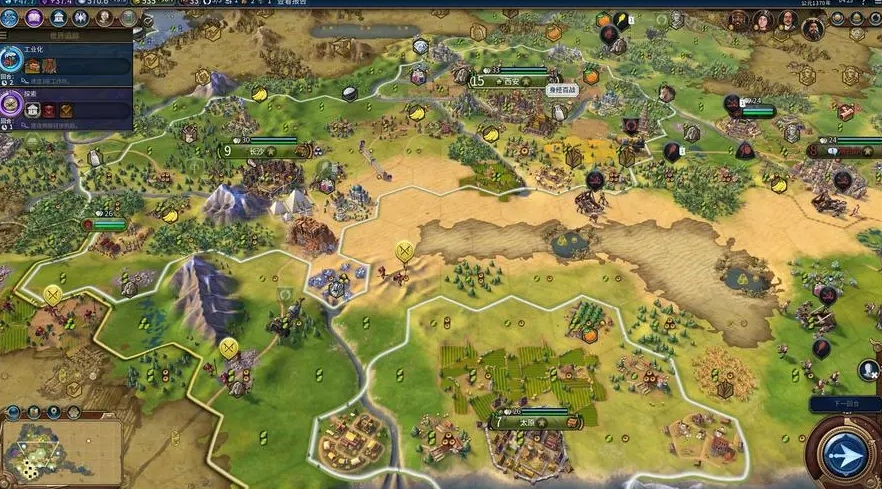
3. Dynamic Diplomacy
Interactions with other civilizations will change as the game progresses. The first interaction in the primitive era may be an inevitable war conflict, but in the later stages of the game, the interaction will transform into alliances and negotiations.
4. Combination of military forces
Expanding on the “one unit per square” design concept, support units can now be embedded into other units, such as anti-tank units supporting infantry, and warriors supporting settlers. Similar units can also be combined together to form powerful "legion" units.
5. Multiplayer games to the next level
In addition to the traditional multiplayer game mode, you can also cooperate and compete with your friends in a variety of situations (all designed to be easily completed in one game session).
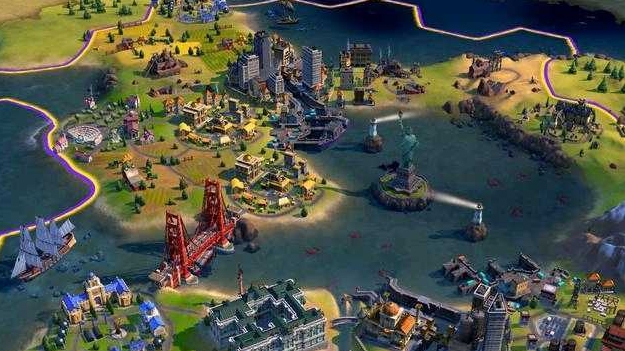
“Civilization 6” provides veteran players with new ways to build and adjust their civilization, giving them the best chance of success. The new teaching system allows new players to understand the fundamental concepts of the game and helps them get started easily.
FAQ
Game startup failed
Possible reasons: the necessary runtime library files are missing, the game files are damaged, the system user name or game path contains Chinese characters.
Solution:
Install the Visual C++ Redistributable components required for the game.
Run the repair tool that comes with the game or re-download and install the game.
Change the system username and game installation path to English to avoid including Chinese characters.
Civilization 6 Chinese version update log:
1. Sweep the bug out and carry it out to the end
2. The most stable version ever
Huajun editor recommends:
Don’t miss it when you pass by. If you miss the Chinese version of Civilization 6, you will never experience such a good service again. This site also recommends to you"Plants vs. Zombies: Garden Warfare",Mount & Blade Fire & Sword,Dr. Mary mini game,Forest Ice and Fire Man 2 Invincible Edition,Pokemon Green Uranium




Useful
Useful
Useful