



Baidu Tieba software introduction
Pick up your phone and shop anytime, anywhereTieba, you can also enjoy the Tieba sign-in experience bonus, message reply reminders, and follow post updates. Allows you to pay attention to what you like anytime, anywhere and receive it as soon as possibleinformationTips to interact with your friends more easily and quickly. to the sametopicInterested people gather together to communicate and help each other conveniently and show off their talents.
Baidu Tieba software functions
1. Core functional modules
Posting and Replying
Users can publish topic posts in any Tieba, or reply to existing posts, supporting text, pictures,linkand other multimedia content.
Example: Post your insights on a certain NBA game on "Basketball Bar", or reply to other people's posts to discuss player performance.
Follow and subscribe
Users can follow the posts they are interested in (such as "Manchester United Bar" "Genshin Impact"The Ghost Bar"), receive the latest content updates in real time, and manage your subscription list through "My Follows".
Private message function
Supports one-to-one private message communication between users, which can be used to make game appointments, ask questions, or interact socially.
2. Featured function modules
In-depth participation in sports events
Provide full-process discussions from pre-match predictions to post-match analysis, such as predicting the results of the Champions League in the "Football Bar" or sharing your views on a certain team's tactics.
Game strategy and blackout
Covering various game fields, users can search for strategies, form a team to play black games, or conduct account transactions in the "Game Trading Bar" (subject to platform rules).
Trendy memes and creations
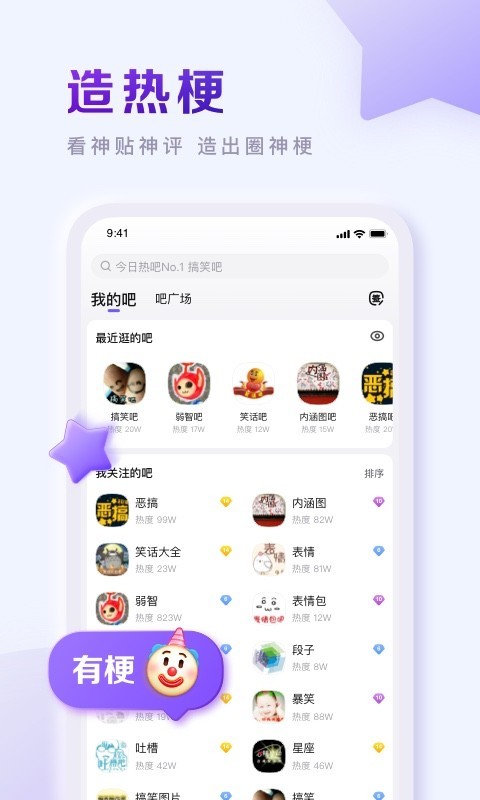
Users can create or spread hot memes in communities such as "Retarded Bar", such as initiating discussions on "What does this meme mean?" or participating in the creation of funny content in "Jokes Bar".
3. Auxiliary function module
Live broadcast system
Supports live broadcast function, users can watch or initiate live broadcasts, enriching community interaction forms (such as game live broadcasts, event commentary).
Product display window
Provide product display and purchase functions. Users can browse and purchase peripheral products in relevant post bars (such as "Figure Bar").
Personalized display
Including "imprint center" (displaying user achievements), "voice dating room" (anonymous voice chat), etc., to enhance users' personalized expression.

Baidu Tieba software features
Diverse interest community
Sports events: football, basketball,NBA, Champions League and other events, supporting pre-match predictions, post-match analysis, and discussion and sharing with professional friends.
Game strategies: Covering MOBA (such as "League of Legends" and "World of Warcraft"), FPS (such as "CS:GO" and "PlayerUnknown's Battlegrounds") and other game fields, it provides strategy learning and team building functions.
Trendy Memes: Gathering popular communities such as "Retarded Bar", "Funny Bar" and "Jokes Bar" to support users in creating and sharing popular memes.
Personalized recommendations
Recommend relevant post bars and content based on user interests to improve content discovery efficiency. For example, game lovers will be recommended to "Genshin Impact" and "King of Glory》 and other exclusive forums.
Original video content
Integrated original and interesting video sections, covering hard-core science popularization, entertainment and comedy, etc. Users can browse directly through the "Video" button.
Enhanced social interaction
Supports basics such as posting, replying, and private messagingsocialFunctions, combined with innovative modules such as "Celebrity List" and "Voice Dating Room", enhance user stickiness.
Baidu Tieba FAQ
Q: How to customize a personalized background or imprint?
A: Go to the "Imprint Center" through the "Personal Home Page" to select or upload a custom imprint. Some functions require super member permissions.
Q: How to use the live broadcast function?
A: Click "Start Live Broadcast" in the "Live Broadcast" section, and you must abide by the platform's live broadcast rules to ensure that the content is legal and compliant.
How to publish your own posts on Baidu Tieba
Open Baidu Tieba APP or web version, log in to your account and enter the target Tieba (or homepage).
Click the "+" sign at the bottom on the mobile phone / click the "Post" button in the upper right corner on the computer and select "Post".
Enter the title and text content, you can add pictures, expressions, topic tags (# topic #), and check "Agree to Tieba Agreement".
Just click "Publish" and you can check the status in "My Posts" after publishing.
How to cancel your account on Baidu Tieba
Baidu Tieba account relies on Baidu account to exist. You need to log out of Baidu account:
Log in to the Baidu Account Security Center (https://passport.baidu.com) and enter the "Account Logout" page.
Read the instructions for logging out (data cannot be recovered after logging out) and click "Agree and Continue".
Complete identity verification (SMS/face recognition), confirm the reason for cancellation and submit the application.
Wait for the cooling-off period of 3-15 days. If it is not canceled during the period, it will be automatically logged out and the Tieba account synchronization will become invalid.
How about Baidu TiebashieldSomeone
Open the Baidu Tieba APP and enter the Tieba homepage you want to block.
Click the "three dots" icon in the upper right corner (more options) and select "Block this bar" in the pop-up menu.
The system prompts "The content of this bar has been blocked". In the future, the posts of this bar will no longer be recommended, and you will not be able to actively enter (you need to unblock it to restore).
How to create a Tieba in Baidu Tieba
Open Baidu Tieba and enter the name of the Tieba you want to create in the search bar at the top (it must not be created yet).
The search results show "This bar has not been created yet", click the "Create Post Bar" button below.
Fill in the Tieba profile, select a category (such as interests, games), and upload an avatar and background image (optional).
After submission, wait for review (usually 1-3 days). After passing the review, you will become the owner of the post and can manage the content of the post bar.
How to post on Baidu Tiebavideo
Enter the target post bar, click the post button, and select the "Video" option (on the mobile phone, it is in the "+" menu).
You can choose to "shoot" to record in real time, or upload local videos from your phone's photo album (common formats such as MP4 are supported, and the size usually does not exceed 500MB).
Fill in the video title, add description and hashtags, and set whether to allow comments/sharing.
Click "Publish" and the video will be displayed in the post bar after review and can be managed in "My Videos".
How about Baidu Tiebamake money?
Baidu Tieba has no direct money-making function, and compliance methods include:
High-quality content to attract traffic: Accumulate fans through useful posts and hot topic posts, and guide them to e-commerce platforms or self-media to bring goods (must comply with the rules of the post bar to avoid advertising).
Official activities: Participate in Tieba’s “Partner Program” and “Quality Content Incentives” and other activities. High-quality posts can receive cash rewards or traffic support.
Bar owner rights and interests: Large-scale Tieba bar owners can obtain income through compliant business cooperation (such as brand promotion), and must report to the official in advance.
How to unfollow the Tieba in Baidu Tieba?
Open Baidu Tieba APP, click "My" at the bottom to enter the "Following" list.
In the list of followed Tieba, find the Tieba you want to unfollow and click the "Following" button on the right.
When the button changes to "+ Follow", the cancellation is successful. You can also press and hold the Tieba name and select "Unfollow" for quick operation.
On the computer, go to "My Tieba" → "My Following" and click "Unfollow" next to the Tieba.
Installation steps
Special note: The installation package provided by Huajun Software Park contains the Android emulator and software APK files. For the computer version, you need to install the emulator first and then install the APK file.
1. First download the installation package from Huajun Software Park. The software package contains an Android emulator exe installation program and an APK file and unzip it. First click on the exe program to install the lightning simulator.

2. Double-click "Lightning simulator.exe" file to enter the installation interface. Users can click "Quick Installation" to select the system's default installation address for installation, or click "Custom Installation" to choose the installation path. Custom installation is recommended here.

3. WaitingLightning simulatorAfter the installation is complete, click "Try Now" to open the emulator.

4. Enter the main interface of the lightning simulator and clickRight column APK iconSelect the "Local APK Install" button.

5. In the pop-up window, click on the decompressed APK file, and then click to open.

6. After that, the software will enter the installation process. You need to wait for a moment. After the software installation is completed, it will appear in my software list. Click the icon and double-click to open it. 
Baidu Tieba update log
Optimize user feedback issues and improve detailed experience
Huajun editor recommends:
This site also prepares a variety of related software for you, such as:China Education News,shrimp comics,Demonic comics,Aiyouman,comic islandWait, you need to go to the editor of Huajun Software Park to satisfy you!

















Useful
Useful
Useful