





Wukong Browser PC version software functions
Plug-in extension center: Supports the installation of third-party plug-ins such as ad blocking, translation tools, and password managers to expand the boundaries of browser functionality.
Custom shortcut keys: Users can freely set shortcut key combinations to quickly create new tags, switch tags, save web pages and other operations.
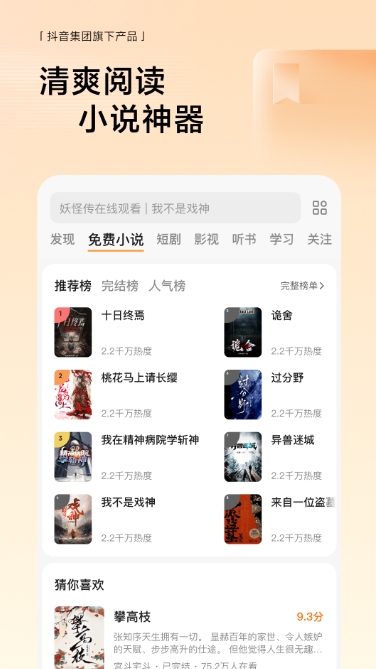
Intelligent content recommendation: Based on browsing history and interest preferences, dynamically push relevant news, novels and video content to improve content discovery efficiency.
Cloud synchronization service: supports cross-device synchronization of bookmarks, favorites, and browsing history, allowing users to seamlessly switch between mobile phones and computers.
Developer Tools: Provides professional tools such as web page code review and network monitoring to meet front-end development and debugging needs.
Features of Wukong Browser PC version software
Lightweight design: The installation package is small in size, uses low memory, runs smoothly, and is suitable for old computer equipment.
Multi-platform compatibility: Supports Windows and macOS systems, the interface layout and operation logic are unified, and the cross-device experience is consistent.
Ad blocking system: Built-in intelligent ad filtering engine, automatically blocks pop-ups, banner ads and video pre-rolls to purify the browsing environment.
Incognito browsing mode: When turned on, browsing history, search records and form data will not be recorded to protect user privacy and security.
Night mode and eye protection settings: Supports one-click switching to night mode, which can adjust the screen color temperature and brightness to reduce eye irritation from long-term use.
Intelligent preloading technology: predict user behavior in advance, automatically preload web pages that may be accessed, reduce waiting time, and achieve the "second opening" effect.
Content aggregation platform: Integrating news information, free novels, short videos and other content resources, users can quickly reach popular sites through the "Selected Websites" navigation.

Features of Wukong Browser PC version software
Deep customizability: From interface appearance to function expansion, users can make all-round adjustments according to their own needs to meet professional and personalized needs.
Performance optimization technology: Using GPU-accelerated rendering and memory management optimization, smooth frame rates can be maintained even on high-resolution screens.
Multi-language support: The interface and content are adapted to 10 languages including Chinese, English, Japanese, and Korean, and support localized voice package switching, covering users around the world.

Frequently Asked Questions about Wukong Browser PC Version
Account abnormality problem
Symptoms of the problem: Abnormal account behavior, such as being unable to log in, limited functions, etc.
Solution:
Check the network connection: Make sure the network is stable to avoid account abnormalities caused by network problems.
Reset password: Reset the account password through the password retrieval function provided by the browser.
Contact customer service: If the problem persists, contact customer service through official channels for help.
Feedback channel issues
Problem manifestation: Users cannot find effective feedback channels.
Solution:
Feedback through the menu: Find the "I want feedback" option in the browser menu and submit a description of the problem.
Official channel feedback: Visit the Wukong Browser official website or social media platform and submit feedback through the designated channels.
Installation steps
Special note: The installation package provided by Huajun Software Park contains the Android emulator and software APK files. For the computer version, you need to install the emulator first and then install the APK file.
1. First download the installation package from Huajun Software Park. The software package contains an Android emulator exe installation program and an APK file and unzip it. First click on the exe program to install the lightning simulator.

2. Double-click "Lightning simulator.exe" file to enter the installation interface. Users can click "Quick Installation" to select the system's default installation address for installation, or click "Custom Installation" to choose the installation path. Custom installation is recommended here.

3. WaitingLightning simulatorAfter the installation is complete, click "Try Now" to open the emulator.

4. Enter the main interface of the lightning simulator and clickRight column APK iconSelect the "Local APK Install" button.

5. In the pop-up window, click on the decompressed APK file, and then click to open.

6. After that, the software will enter the installation process. You need to wait for a moment. After the software installation is completed, it will appear in my software list. Click the icon and double-click to open it. 
Wukong browser update log:
1. The pace of optimization never stops!
2. More little surprises are waiting for you to discover~
Huajun editor recommends:
After you use Wukong Browser, I think you may also needAmap 2021,Xiaoyuan.com Business Edition,video clip,Crazy Master Android Unlock Master (iMyFone LockWiper Android),liepinWaiting for software, come to Huajun Software Park to download and use it!




Your comment needs to be reviewed before it can be displayed