




Baidu NewsSoftware function
Accurate personalized recommendation - saving time and effort
Hotspot push across the entire network - hot spots and important news
Voice news broadcast——voice, broadcast
Intelligent private customization—exclusive, subscription
Authoritative search results - search and order now
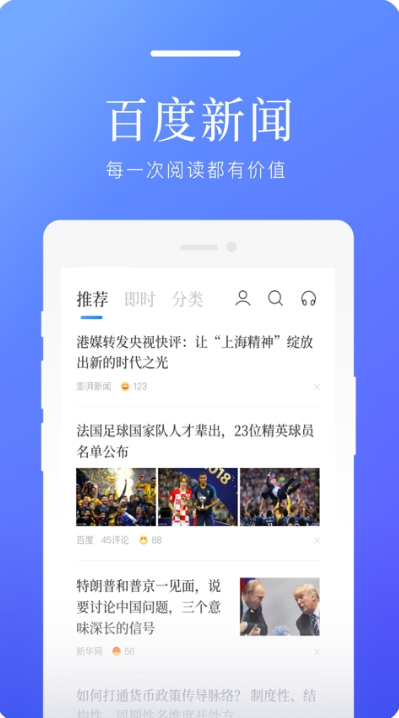
Baidu NewsSoftware features
1. Massive content, accurate recommendations. Aggregate 8,000+ content sources, and use unique recommendation engine technology to cater to your preferences and recommend the personalized high-quality content that interests you most.
2. Simple and easy to use, you will be happy when you open it. Simple and easy to operate, it supports one-click sharing to Weibo, email, and text messages.
3. Exquisite interface, stunning visuals. The extremely simple interface, humanized interactive experience, rich and informative pictures, are a visual feast everywhere.
4. Compressed transmission, saving traffic. Text and pictures are compressed and transmitted at a high ratio, saving nearly three-quarters of the traffic. It supports offline reading, saving you money and time.
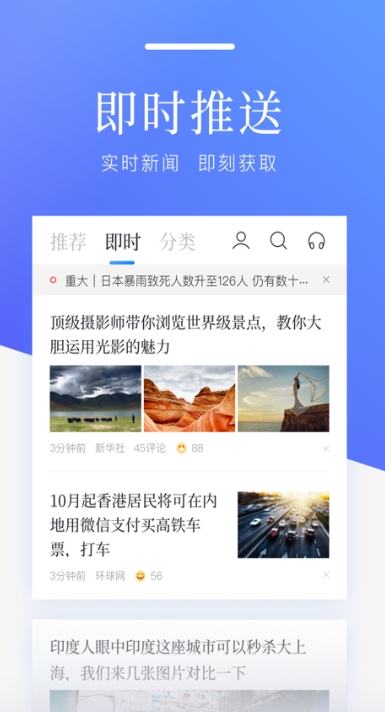
Baidu NewsSoftware Highlights
1. Arrange the news that you are interested in every day according to the chronological order of the news.
2. Unread news reminder, showing the major events that happened while you were away.
3. Broadcast in sequence and insert broadcasts freely. You can customize the broadcast list as you like.
4. Select major hot events that happen every day for you.
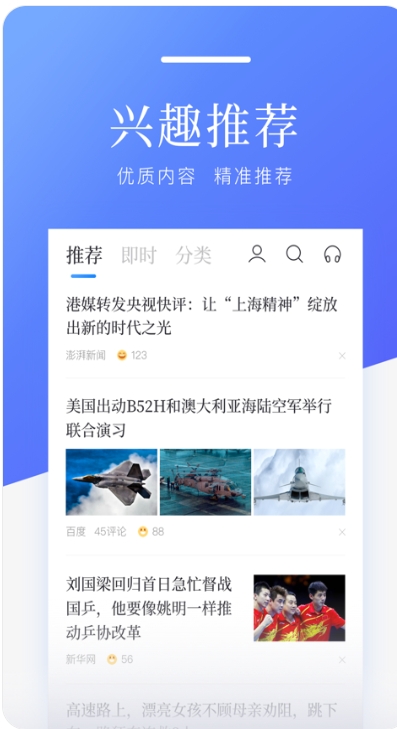
Baidu NewsSoftware advantages
1. Baidu News is a smart information reading software that aggregates the best content such as news, beauties, pictures, jokes, etc., and provides precise personalized recommendations. Baidu News knows you best.
2. Accurate intelligent recommendation, the news client knows you best. Based on your own browsing habits, we recommend the most timely information to you.
3. Users can choose content categories according to their own interests and create their own exclusive reading space.
4. Baidu News meets users’ needs for easy and enjoyable reading in fragmented time.
5. Sequential broadcasting, free interruption, you can customize the broadcast list as you like, and only listen to what you want to hear.
Installation steps
Special note: The installation package provided by Huajun Software Park contains the Android emulator and software APK files. For the computer version, you need to install the emulator first and then install the APK file.
1. First download the installation package from Huajun Software Park. The software package contains an Android emulator exe installation program and an APK file and unzip it. First click on the exe program to install the lightning simulator.

2. Double-click "Lightning simulator.exe" file to enter the installation interface. Users can click "Quick Installation" to select the system's default installation address for installation, or click "Custom Installation" to choose the installation path. Custom installation is recommended here.

3. WaitingLightning simulatorAfter the installation is complete, click "Try Now" to open the emulator.

4. Enter the main interface of the lightning simulator and clickRight column APK iconSelect the "Local APK Install" button.

5. In the pop-up window, click on the decompressed APK file, and then click to open.

6. After that, the software will enter the installation process. You need to wait for a moment. After the software installation is completed, it will appear in my software list. Click the icon and double-click to open it. 
Baidu News update log:
Working day and night just so you can be happier
Mummy, Mummy, coax~all the bugs are gone!
Huajun editor recommends:
This site also prepares a variety of related software for you, such as:Amap 2021,Xiaoyuan.com Business Edition,Educational qualification inquiry,Crazy Master Android Unlock Master (iMyFone LockWiper Android),liepinWait, you need to go to the editor of Huajun Software Park to satisfy you!








Useful
Useful
Useful