





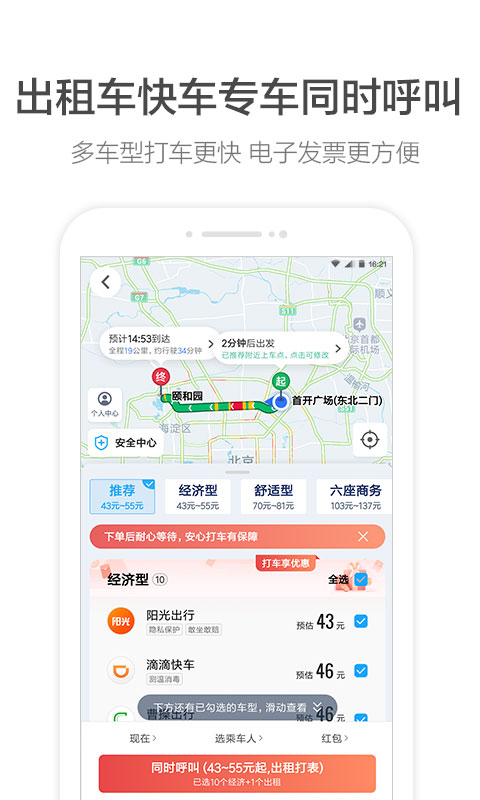
Introduction to AMAP software
Amap - China's professional mobile map, currently used by more than 700 million users!
Amap is the latest product launched by the official website. It has a very rich function and focuses on digital map content, navigation and location service solutions. It has comprehensive and accurate location information, featured voice navigation, and intelligent route planning. It saves traffic, consumes less power, takes up less space, and has a smooth experience. It is your considerate life assistant!

Amap software features
语音搜索轻松查询路线,出行再无忧
The walking planning has been upgraded, with full indoor and outdoor planning to reach the destination directly
High-quality driving routes, accurate road conditions, and real-time avoidance of congestion

Amap software functions
Full bus navigation, timely reminders for arrival and transfer, accurate and real-time bus, green travel, saving time and effort
Where to eat, where to stay, where to relax, where to go high, the exciting nearby sections will take you to the great places around you
Offline maps and offline navigation data packages for cities across the country are available for free download. You can enjoy accurate data while saving 90% of traffic.

Highlights of AMAP map software
Accurate positioning capabilities have won praise from the industry
The driving voice navigation, bus transfer reminder and walking voice navigation of Amap will continue to use GPS positioning services
Playback will continue when switching to the background, which consumes more power than other operations and affects battery life;
FAQ
Inaccurate positioning:
Reasons: unstable network connection, weak GPS signal, interference from other applications, outdated software version, incorrect latitude and longitude settings, etc.
Solution: Make sure the network connection is normal, switch to mobile data or Wi-Fi; turn on the mobile phone positioning function and use it in an open place; close other applications that may interfere; update Amap to the latest version; check and re-enter the correct geographical location information.
Installation steps
Special note: The installation package provided by Huajun Software Park contains the Android emulator and software APK files. For the computer version, you need to install the emulator first and then install the APK file.
1. First download the installation package from Huajun Software Park. The software package contains an Android emulator exe installation program and an APK file and unzip it. First click on the exe program to install the lightning simulator.

2. Double-click "Lightning simulator.exe" file to enter the installation interface. Users can click "Quick Installation" to select the system's default installation address for installation, or click "Custom Installation" to choose the installation path. Custom installation is recommended here.

3. WaitingLightning simulatorAfter the installation is complete, click "Try Now" to open the emulator.

4. Enter the main interface of the lightning simulator and clickRight column APK iconSelect the "Local APK Install" button.

5. In the pop-up window, click on the decompressed APK file, and then click to open.

6. After that, the software will enter the installation process. You need to wait for a moment. After the software installation is completed, it will appear in my software list. Click the icon and double-click to open it. 
Amap update log
1: Brand new interface, refreshing, simple and efficient
2: Performance is getting better and better
Huajun editor recommends:
Amap is a good practical tool software. If you are interested, please download it and use it. I believe you will like it.Xiaoyuan.com Business Edition,video clip,Educational qualification inquiry,Crazy Master Android Unlock Master (iMyFone LockWiper Android),liepinIt is also a good software and is recommended for students to download and use.













Useful
Useful
Useful