





English with companion fishSoftware function
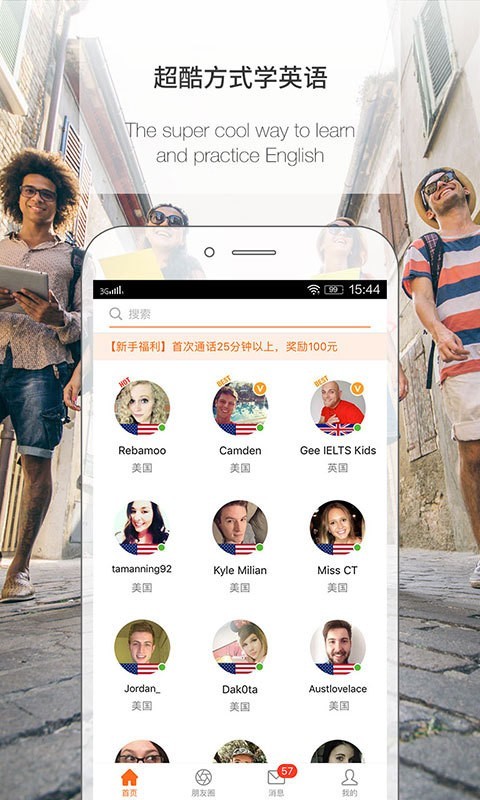
(1) Online teaching by outstanding Chinese and foreign teachers
There are speaking experts, exam experts, program celebrities, New Oriental teachers, IELTS examiners, celebrity personal trainers, and more experienced and certified teachers (TESOL, TEFL, TESL) from the United Kingdom, the United States, Australia and other countries. They specialize in teaching materials for Asian children and adults to help students learn authentic pronunciation and grammar.
(2) Online one-to-one personalized learning and live broadcast teaching
: Spoken English experts, exam experts, program celebrities, famous institutional teachers, IELTS examiners, and celebrity personal trainers are all available. The content is rich in resources to meet the different needs of different people. The age range of the covered population ranges from 2 years old to 50 years old. Whether you are a newbie or an English enthusiast, you can find a foreign language companion who suits you.
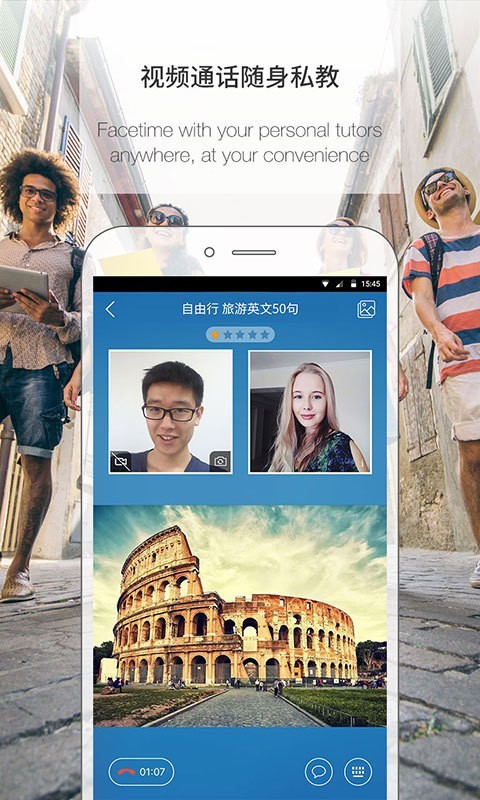
(3) You can learn whenever and wherever you want.
Turn on your phone, put on your headphones, and review the past and learn the new anytime, anywhere
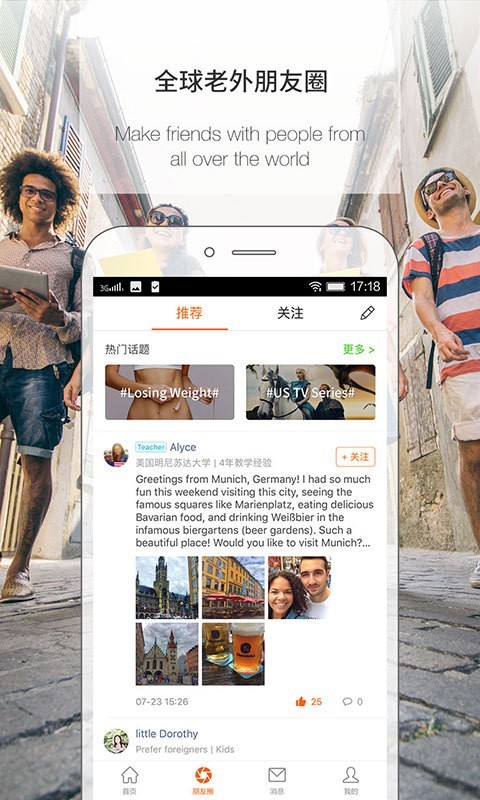
(4) Learn together and make progress together - voice messages shorten the distance between each other
Various speaking practice groups, supervise each other and improve together with your friends.
Here, you can meet friends with similar interests, communicate via private voice messages, have conversations, learn together, and make progress together!
English with companion fishSoftware features
From children to adults, covering all stages of English learning;
Teachers have diverse backgrounds to meet the English learning needs of different students;
Say goodbye to mute Chinese English, being fluent in English is not a dream!
100% real-person online sparring, bringing together speaking experts from home and abroad;
Real-time voice online communication, learn and use in real scenarios;
Personalized customized study plan and personalized sparring time;
自动录音陪练纪录,随时回顾学习效果。
Installation steps
Special note: The installation package provided by Huajun Software Park contains the Android emulator and software APK files. For the computer version, you need to install the emulator first and then install the APK file.
1. First download the installation package from Huajun Software Park. The software package contains an Android emulator exe installation program and an APK file and unzip it. First click on the exe program to install the lightning simulator.

2. Double-click "Lightning simulator.exe" file to enter the installation interface. Users can click "Quick Installation" to select the system's default installation address for installation, or click "Custom Installation" to choose the installation path. Custom installation is recommended here.

3. WaitingLightning simulatorAfter the installation is complete, click "Try Now" to open the emulator.

4. Enter the main interface of the lightning simulator and clickRight column APK iconSelect the "Local APK Install" button.

5. In the pop-up window, click on the decompressed APK file, and then click to open.

6. After that, the software will enter the installation process. You need to wait for a moment. After the software installation is completed, it will appear in my software list. Click the icon and double-click to open it. 
Banyu English update log:
1. The details are more outstanding!
2. BUG gone without a trace
Huajun editor recommends:
Banyu English software feels really good! The editor specially tested it for this purpose, and it works really well.Homework Help 2021,Homework Help 2021,Master of Laws Postgraduate Entrance Examination,Driving school test subject one,Chinese Examination Online SchoolThese are all very good software tested by the editor, come and choose the one that suits you!




Useful
Useful
Useful