
-
Ele.me Business Edition
- Size: 74.8M
- Language: Simplified Chinese
- Category: commercial trade
- System: WinAll






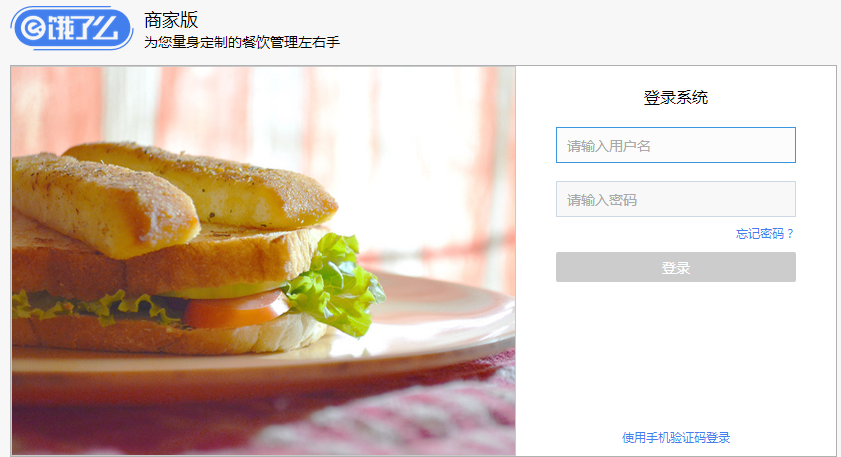
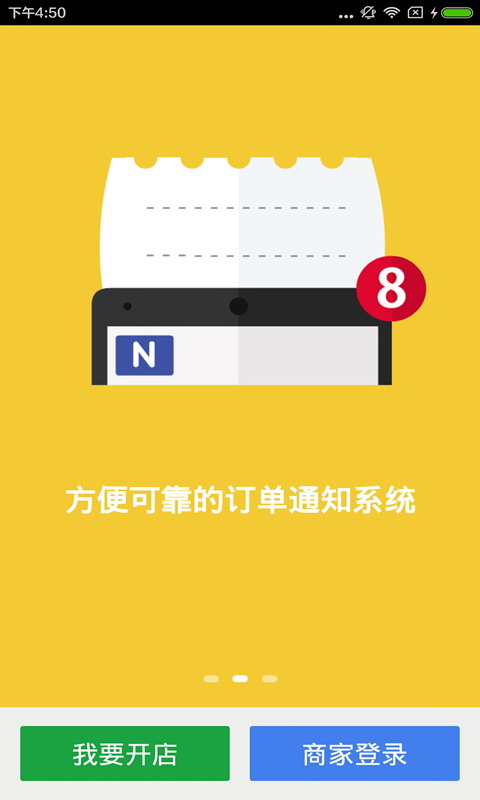

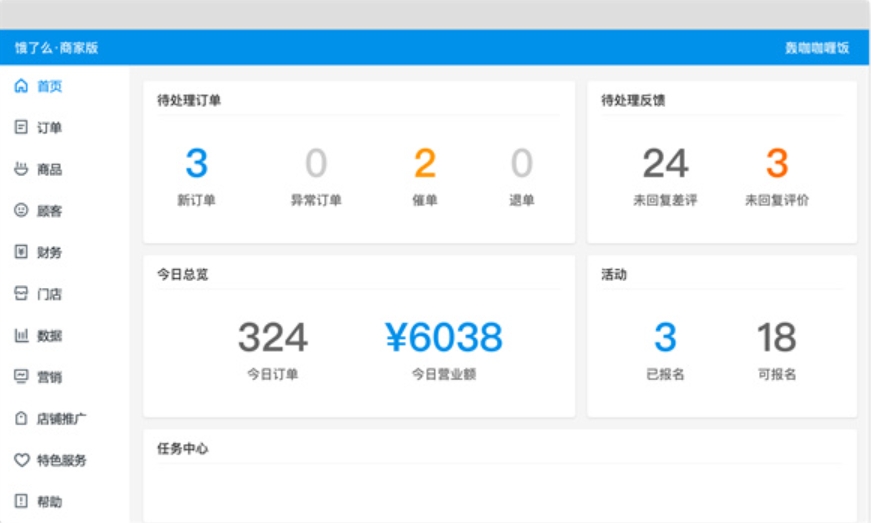
Ele.me Business EditionIt is a simple and easy-to-use store management software. The Ele.me Merchant Edition computer client is a comprehensive online ordering platform in China. It is rich in content and simple and convenient to operate. It can effectively help merchants easily complete various types of massive orders and save a lot of work time. You can easily master restaurant revenue and order information in the Ele.me Merchant Edition computer client. It is very convenient and worth a try. Huajun Software Park provides you with free download of Ele.me Business Edition 2024, come and experience it!
Features of Ele.me Merchant Edition
Take orders easily with one click
The computer client interface of Ele.me merchant version is clear and intuitive; massive orders can be confirmed with one click and processed easily.
Print directly without copying the order
饿了么商家版电脑客户端连接打印机,接单后直接打印
You have the final say in everything in the restaurant
Restaurant information can be set in real time, updated at any time, and the restaurant can be opened and closed at any time without any cost.
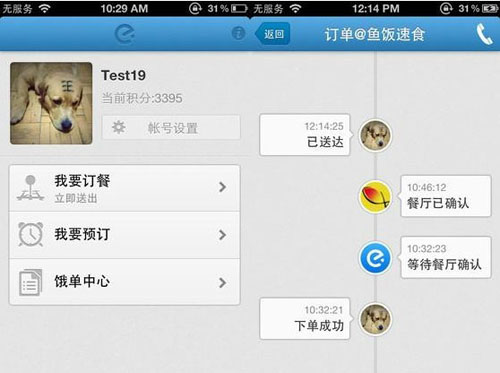
Editing menu is convenient and simple
The details of the dishes can be edited at will, and the order of the dishes can be adjusted at will.
Business status is clear at a glance
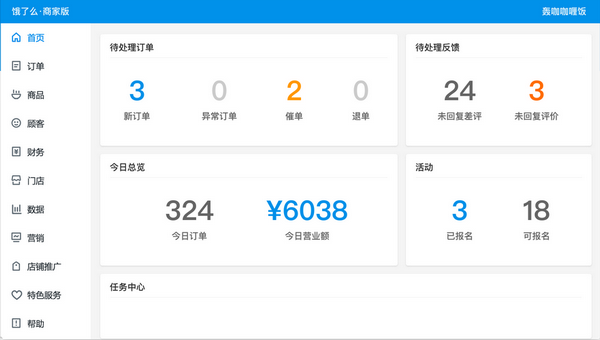
Business data is updated in real time, making it convenient for you to manage all aspects of your restaurant.
Help you recruit delivery people
Ele.me helps you recruit delivery drivers for free.
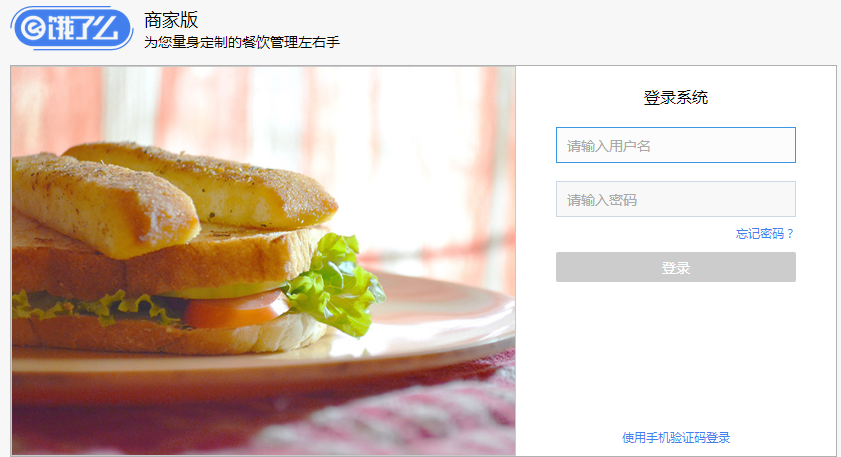
Ele.me Merchant Version Installation Steps
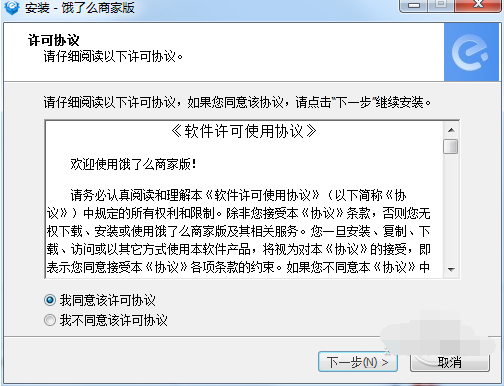
1. First download the Ele.me Merchant Edition software package from this site, unzip it and double-click the exe file to enter the license agreement interface, click I accept, and then next step
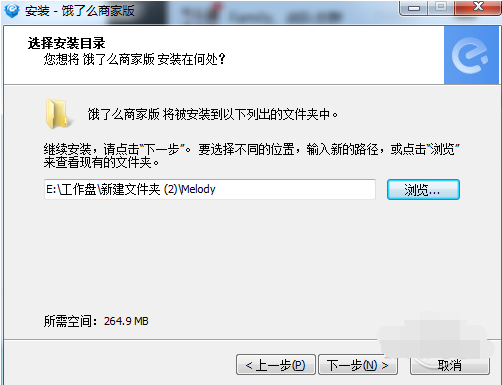
2. Enter the installation location selection interface. You can install to the C drive by default, or click Browse to select another installation location, and then click Next
3. Enter the installation interface and wait patiently for the installation and reading to be completed.

4. The installation of Ele.me Merchant Edition is completed, click Finish and you can use it.

How to use Ele.me Merchant Edition
You need to be operating a restaurant with complete procedures and in compliance with relevant health standards;
The restaurant provides delivery service;
The information is true and reliable.
Online store opening process
First: Apply to open an online store
Click here to fill in the restaurant details and apply to join the Ele.me food ordering platform. The more detailed the information, the higher the approval rate;
Step 2: Enter menu information
After passing the review, the relevant staff will contact you to enter the restaurant menu. You can add pictures and detailed introductions when entering menus. Timely updated menu information and vivid presentations help attract customers;
Step Three: Manage Orders
Use the Ele.me online catering management system to process orders, reduce manual labor, be timely and efficient, and clear obstacles for the development of your store
Tips for using Ele.me Merchant Edition
1. How to add dishes to Ele.me Merchant Edition (Ele.me Merchant Edition client)?
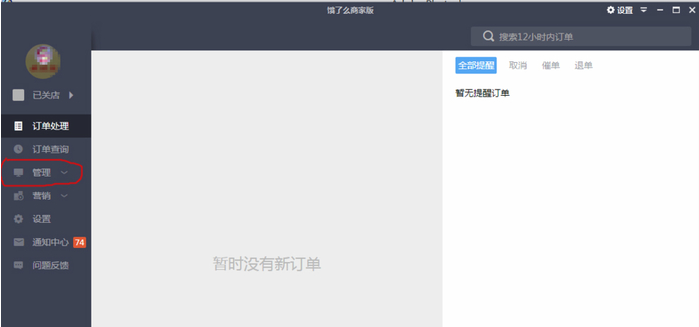
1. Open the computer version of Ele.me Merchant Edition (there is also a mobile version), log in, there is "Management" in the left column, click on it
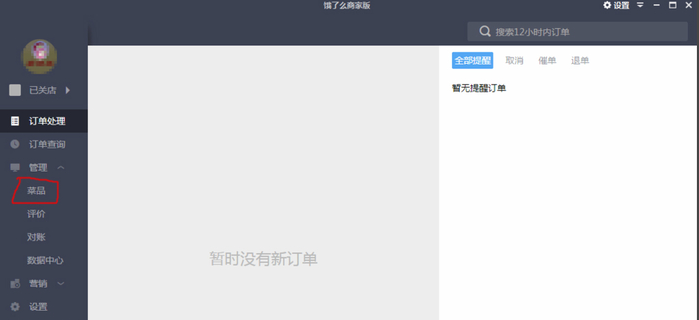
2. After clicking "Management", a "dish" will appear, click "dish" to enter
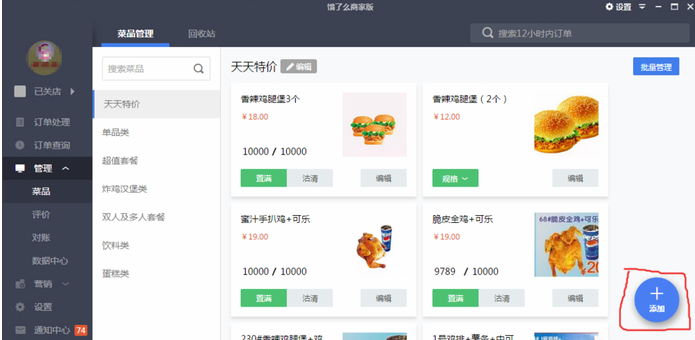
3. A blue “Add” icon will appear in the lower right corner.
4. Put the mouse on "Add", and the words "Add Category" and "Add Dishes" will appear. Click "Add Category". We first add the types of products in our store, write the product category names, and then describe them in concise sentences to increase the click-through rate and set the sales time (you can also directly write 24 hours or not, anyway, the store still has business hours there). Then "Save"
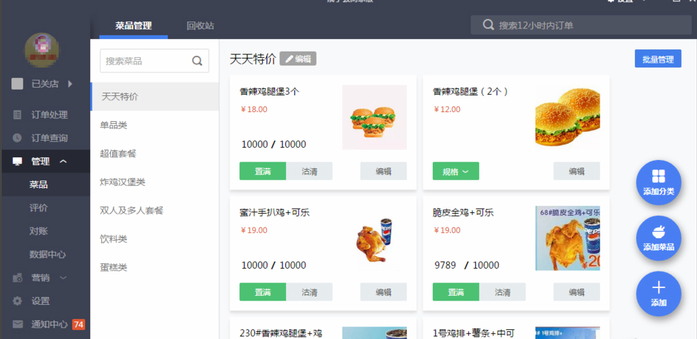
5. Continue to place the mouse on "Add", click "Add Dishes", write the name of the dish, description (optional), price (key), upload the picture of the product in the upper right corner, and then save it.
Ele.me Merchant Edition Frequently Asked Questions
When you power on your computer and log into Ele.me Merchant Edition, it prompts you that you are already logged in?
Open file location — There is a package.nw file in the file directory, open it — There is a lockfiles folder in it, click it, — Then delete the files in the lockfiles (a bunch of numerically named files), and log in again
Ele.me Merchant Edition andMeituan Takeout Merchant EditionContrast
Meituan takeout merchant PC version
Meituan Takeout Merchant Edition PC version is Meituan Takeout Merchant Backend, which is a Meituan Merchant Backend run by Meituan Takeout merchants on PC. Meituan is a mobile software that we often use to order takeout. Many merchants also like to obtain user orders from Meituan. The PC version of Meituan Takeout Merchant Edition is an indispensable software for merchants.
Ele.me Business Edition
Ele.me (Ele.me merchant version for PC) is a professional online food ordering platform that has covered hundreds of cities in China, tens of millions of users, and gathered hundreds of thousands of catering merchants, providing all kinds of Chinese, Japanese, Korean, Western and other high-quality food. Use the Ele.me merchant version to manage your store and handle massive orders with ease!
Both software are takeaway merchant versions of the platform. Users can choose the appropriate software to download and use according to their own preferences.
Ele.me Merchant Version Update Log
1. Product search results page optimization.
2. Optimize the entrance to afternoon tea and late night snacks.
3. Optimized password-free payment pop-up window display.
4. The order details page has been completely redesigned.
5. The details of other 96 functions have been optimized.
Huajun editor recommends:
In addition to the very convenient Ele.me Merchant Edition, there are also Shaanxi Coal Trading Center trading clients, .NET, Cloud Machine Manager and other related software available for download. If you are in need, please click to download and use it.
Version: 6.2.4 | Update time: 2025-10-23
Similar recommendations




Latest updates





How to close the store on Ele.me Merchant Edition? How to close the store on Ele.me Merchant Edition
How to add dishes to Ele.me merchant version? How to add dishes to Ele.me merchant version
How to install Ele.me Business Edition? Installation steps of Ele.me Business Edition
How to register for Ele.me Merchant Edition? How to register for Ele.me Merchant Edition
How to draw a lottery in 360 Software Butler - How to draw a lottery in 360 Software Butler
How to collect software in 360 Software Manager - How to collect software in 360 Software Manager
Ele.me merchant version reviews
-
1st floor Huajun netizen 2021-11-25 04:46:28The merchant version of Ele.me is very useful, thank you! !
-
2nd floor Huajun netizen 2021-11-13 19:00:21Ele.me Merchant Edition is awesome! 100 million likes! ! !
-
3rd floor Huajun netizen 2022-03-23 06:00:22The commercial version of Ele.me is pretty good and downloads very quickly. I’d like to give you a good review!
Recommended products
-

Max(TM) Procurement Management System
-

Meituan Takeout Merchant Edition
-

new business alliance
-
Ele.me Business Edition
-

Fool's Invoicing Software
-

Xingyu Free Supermarket Cashier Software
-

Medical device purchase, sale and inventory financial management system software
-

Taobao Alliance PC version
-
Excel purchase, sales and inventory
-

MT4 (MetaTrade) mobile platform
- Diablo game tool collection
- Group purchasing software collection area
- p2p seed search artifact download-P2P seed search artifact special topic
- adobe software encyclopedia - adobe full range of software downloads - adobe software downloads
- Safe Internet Encyclopedia
- Browser PC version download-browser download collection
- Diablo 3 game collection
- Anxin Quote Software
- Which Key Wizard software is better? Key Wizard software collection




