
-
DOSBox
- Size: 1.42M
- Language: English
- Category: System settings
- System: WinAll






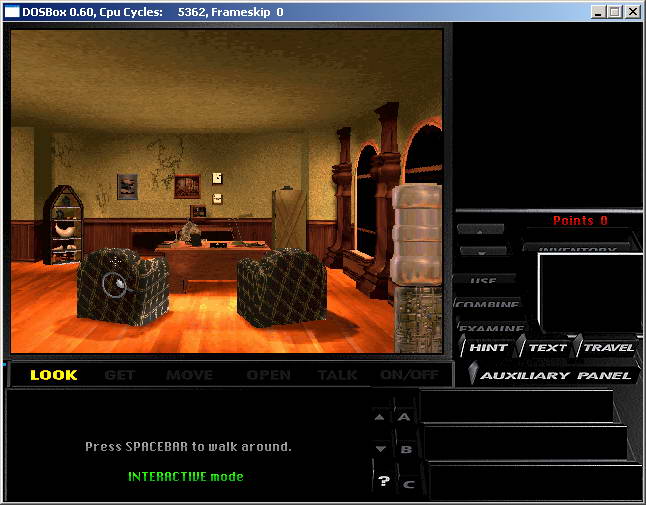
DOSBoxis aDOSSimulator, friends can easily transfer to different system platforms using DOSBox, becauseDOSBoxThe SDL library is used.DOSBoxSupported system platforms includeWindows, Linux, MacOS X, BeOS, etc. DOSBox is completely free andOpen source, interested friends can download and study. Huajun Software Park provides you with free download of DOSBox2024. Friends who like DOSBox come to Huajun Software Park to download and experience it!
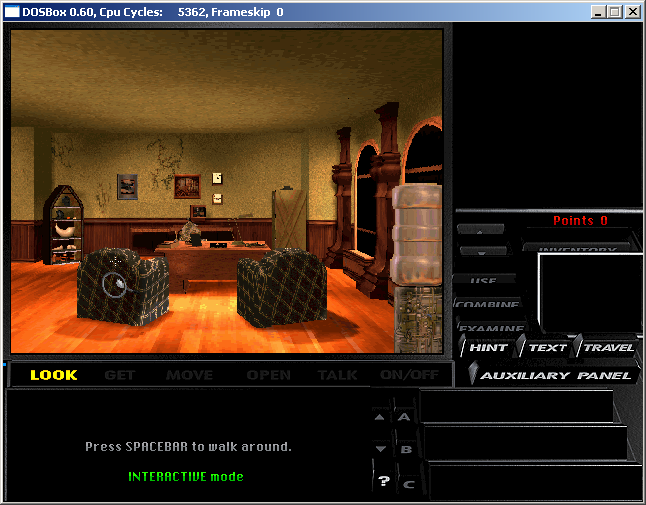
DOSBox installation tutorial
1. Download the DOSBox software from this site for download and installation. If you run the DOSBox installer directly, it will be installed on the system's C drive by default.
2. The specific storage location of DOSBox can be found under C:Program FilesDOSBox-0.74. If you have not set the installation path, you can find the required files in this directory.
3. In the above steps, find the file shown in the picture and run it.
4. Enter in the input box in the picture: z:>mount c d:dos ===>"z:>" The "C" used in this code is a virtual disk (C drive), and "d:dos" indicates the specific location of your virtual folder. This command will replace the location of the folder you want to virtualize with the location mentioned above.
5. D:DOS Enter c: at the prompt just now. This will switch to the virtual c drive, which is the game directory you want. Run the game in the C directory, and press DOS commands for subsequent operations.
DOSBox software installation case tutorial
Take the DOS version of "Legend of Sword and Fairy" as an example.
1. First download DOSbox [1] version 0.74.
2. After the download is completed, start the installation. It can be installed to any directory. After the installation is completed, a program group will be generated in the start menu. The DOSBox.conf file is the configuration file of DOSbox. Just keep the default configuration.
To run the game smoothly, alt+enter can go to full screen. If you feel that the game running speed is not suitable, you can modify cycles=3000 and resize 3000 appropriately.
3. Run DOSBox and two DOS windows will open. We only need to type in the following window
Mount ch:pal
The function of this command is to mount h:pal as the C drive, and h:pal is the directory where "Legend of Sword and Fairy" is located.
4. Type c: to enter the C drive, and type pal.exe to enter the game, as shown below:
5. The game can now be run normally.
6. Drag the executable program of the game directly to the shortcut of DOXbox, and you can run it directly without entering any commands.
DOSBox usage tips
1. Run directly to open DOSBox.
2. Use Alt + Enter on the keyboard to enter the DOSBox full-screen interface.
The above is the DOSBox full-screen operation that the editor shared with you.
DOSBox update log:
1. Optimized some functions
2. Solved many unbearable bugs
|
Huajun editor recommends: You can "relive" the good old days with the help of DOSBox, which can run tons of old classics that don't want to run on your new computer! DOSBox also emulates CPU: 286/386 real mode/protected mode, directory file system/XMS/EMS, Tandy/Hercules/CGA/EGA/VGA/VESA graphics, SoundBlaster/Gravis Ultra sound card has excellent sound compatibility with old games... In addition, the editor of Huajun has also collected and compiled other [emulator] tools for you to choose and download, such as: dos emulator, RPcs3, etc. |
Version: 0.74.3.0 official version | Update time: 2025-10-23
Similar recommendations






Latest updates

How to enlarge DOSBox window to full screen - How to enlarge DOSBox window to full screen
How to use DOSBox - Introduction to how to use DOSBox
How to run DOSBox - How to run DOS games directly using DosBox
How to use DOSBox to write assembly language programs-DOSBox assembly tutorial
How to use DOSBox - How to use DOSBox to run programs
How to install DOSBox-DOSBox installation tutorial
Specific steps for running programs using DOSBox
DOSBox review
-
1st floor Huajun netizen 2021-02-01 20:07:15The interface design of DOSBox is very easy to use and has rich functions. I highly recommend it!
-
2nd floor Huajun netizen 2021-05-12 15:02:03DOSBox software is very easy to use, downloads quickly and is very convenient!
-
3rd floor Huajun netizen 2021-04-29 14:36:05The overall feeling of DOSBox is good and I am quite satisfied with it. The installation and operation are very smooth! It went very smoothly following the installation step-by-step instructions!
Recommended products









- Diablo game tool collection
- Group purchasing software collection area
- p2p seed search artifact download-P2P seed search artifact special topic
- adobe software encyclopedia - adobe full range of software downloads - adobe software downloads
- Safe Internet Encyclopedia
- Browser PC version download-browser download collection
- Diablo 3 game collection
- Anxin Quote Software
- Which Key Wizard software is better? Key Wizard software collection




