



•The fastest and most accurate input method, used by 600 million friends
•Won the top three in the free list of App Store China
•China’s third-party input method experience ranks first in terms of overall experience via iiMedia
•Kaomoji, Emoji expressions, special effects skins, fun and cute
===Product functions===
•【Intelligent Voice Input】Long press the space to speak immediately
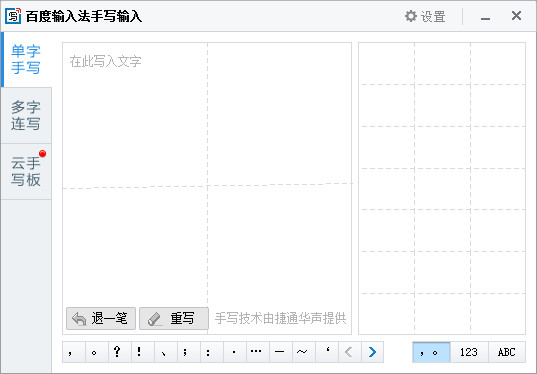
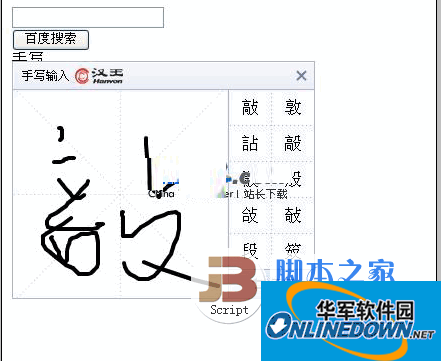
•[Artificial Intelligence Engine] Handwriting with prediction, error correction is more intelligent
•【Quick Search】Search while chatting, one-stop access
•【Doutu Artifact】 Search for emoticons on the entire network and use them immediately
•【Smooth Input】The software is small in size, takes up less memory, and makes typing as fast as flying.
•【Stable Input】Specially optimized for the new version of iOS, with powerful performance and stable input
•【Accurate input】Large lexicon, accurate association, whole sentence error correction, creating the highest first choice accuracy rate
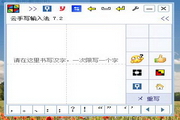
•[All-in-one input] Pinyin, Shuangpin, Wubi, strokes, and handwriting are all available
•【One-handed mode】Keyboard customization, more freedom for large-screen input
•[Special Effect Skin] The first exquisite keyboard with sound effects, thousands of personalized skins for you to choose from
•[Special stunts kaomoji] Provides the most complete, hottest and interesting kaomoji to make expression more interesting
•【Special Effect Fonts】Cool effects are added to text, and hundreds of special effects styles make expressions more vivid.
•【Cloud synchronization】Supports iCloud synchronization and cross-platform backup, follow my input habits
【Tip 1】How to use one-handed mode to input on a large-screen iPhone?
Baidu Input Method allows users to adjust the size, height and even position of the keyboard according to hand shape and holding posture, allowing you to input easily with one hand! Click the keyboard adjustment icon on the toolbar of the input panel to enter the editing page, customize the personalized keyboard that best suits you, and switch quickly.
【Tip 2】How to enable Baidu input method?
Step 1: After installation, go to System Settings -> General -> Keyboard -> Add Keyboard -> Third-party Keyboard Select Baidu-Baidu Input Method -> Baidu - Baidu Input Method -> Enable full access (synchronize cloud input, Baidu Input Method settings synchronization) -> Complete
Step 2: Open any input box -> long press the Earth key and select Chinese-Baidu input method (Pinyin 9 keys are preferred by default)
【Tip 3】 How to enable advanced functions such as glide input and keyboard handwriting?
Step 1: Go to System Settings—>General—>Keyboard—>Chinese-Baidu Input Method—>Enable Full Access
Step 2: Open any input box—>Click the bear head in the upper left corner of the input panel—>Use advanced functions in the drop-down menu
[Tip 4] How to back up user vocabulary and settings using Baidu account?
Step 1: Go to System Settings—>General—>Keyboard—>Chinese-Baidu Input Method—>Enable Full Access
Step 2: Click the desktop APP icon -> click "Input Settings" -> click "Cloud Backup" and log in to Baidu account -> click "Backup Settings/User Words".
【Tip 5】How to use iCloud Drive to synchronize user lexicon between different Apple devices?
Step 1: Go to System Settings—>General—>Keyboard—>Chinese-Baidu Input Method—>Enable Full Access
Step 2: Click the desktop APP icon -> click "Input Settings" -> click "Vocabulary Settings" -> find the "iCloud Sync" switch and turn it on.
User feedback: Baidu Input Method App-Input Settings-About-Suggestions and Feedback
QQ group: 365363375
WeChat: baidu_input

Hot search terms: 360 Security Guard Office365 360 browser WPS Office iQiyi Huawei Cloud Market Tencent Cloud Store

















Useful
Useful
Useful