





P2PSearcher(Seed Search Artifact) Green VersionIt is a powerful seed resource search software. The software takes p2p search technology as its core and can easilySearchFind movies, TV series, animations, novels and other resources that you usually have difficulty finding. Once you find the resources, you can watch them online on demand, which is very convenient. P2pSearcher (seed search tool) is green free software. Huajun Software Park provides you with free download of P2pSearcher!
-
Sowing and downloadingView
-
Resume upload after disconnectionView
-
Diversified storageView
-
Efficient downloadingView
P2pSearcher green version software introduction
The p2p seed searcher green version software resources cover the whole world, including software, movies, and information. You can’t find anything you can’t think of! Select the file and right-click to use it.ThunderDownload, convenient and fast. This product is a green security software and does not contain anything that can damage the user's computer.plug-inor viruses, please feel free to use!
The green version of p2p seed searcher can break throughserverBlocking restrictions, a working P2PSearcher. The searcher integrates multiple cloud broadcast engines, and search results can be previewed and played directly. Exclude gun version and gourd baby. The most stable torrent searcher for on-demand. Pure green software,UnzipReady to use, no need to write registry, no plug-ins and no ads.
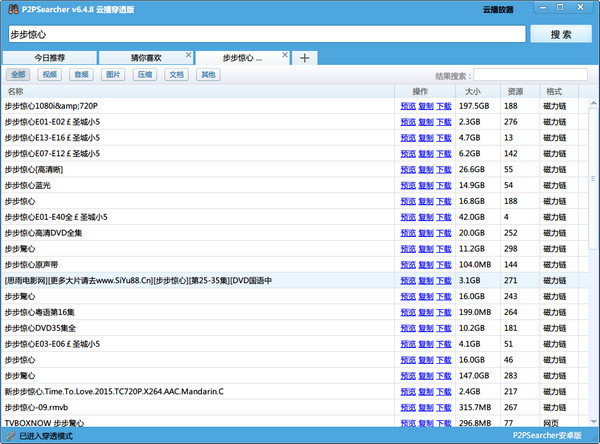
It is reported that P2PSearcher 6.4.8 cloud broadcast penetration version has made low-level penetration for blocking, supports P2P cloud on-demand, and penetrates network shielding. The p2p seed searcher ensures that P2P resources can still be found under blocked conditions. The new version of P2PSearcher can be used in various network environments such as Great Wall Broadband and other network environments. It can not only search for high-quality resources, but also ensure that cloud on-demand services are available.
P2pSearcher green version software features
1. The resources cover the whole world, including software, movies, and information. You can’t find anything you can’t think of!
2. The green version of P2PSearcher promises to be free to use without any fees. Please do not trust anyone who sells this software online!
3. P2PSearcher’s green security software does not contain any plug-ins or viruses that can damage the user’s computer. Please feel free to use it! (If you downloaded it from other websites, please re-download it from this site immediately to avoid being poisoned!)
4. Select the file and right-click to download it with Thunder, which is convenient and fast.
P2pSearcher green version installation steps
1. Download the p2psearcher installation package from this site, double-click to run it, and click [Next].
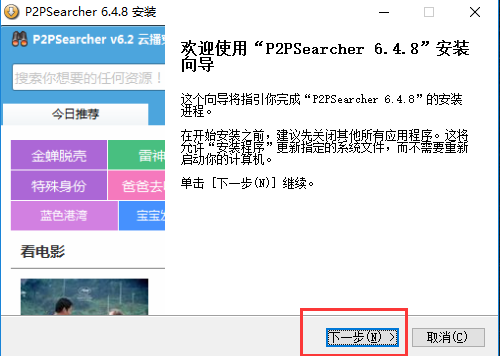
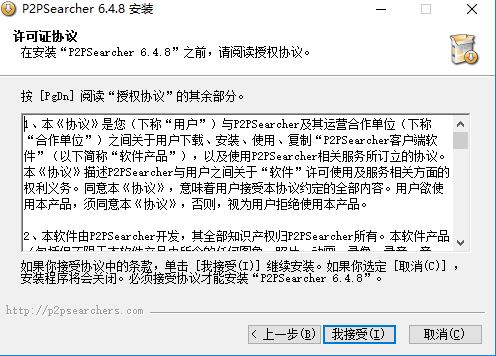
2. Continue to click [I Accept].
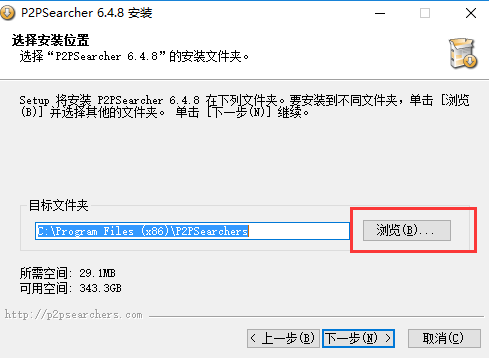
3. You can select the installation location of P2pSearcher green version and click [Next].
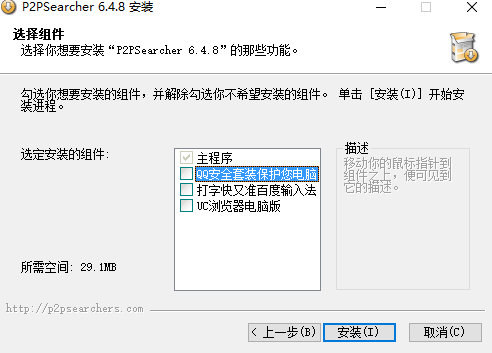
4. Remove unnecessary bundled installations and click [Install] to start installing the P2pSearcher green version software.
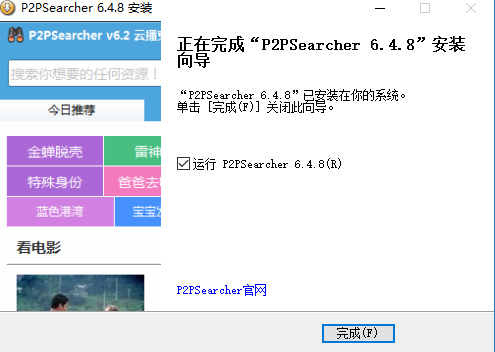
5. After the P2pSearcher green version is installed, you will be prompted. Click [Finish] to run the software.
P2pSearcher Green Version Instructions for Use
1. Download the movie search artifact, then open the P2PSearcher green version software and enter the software interface
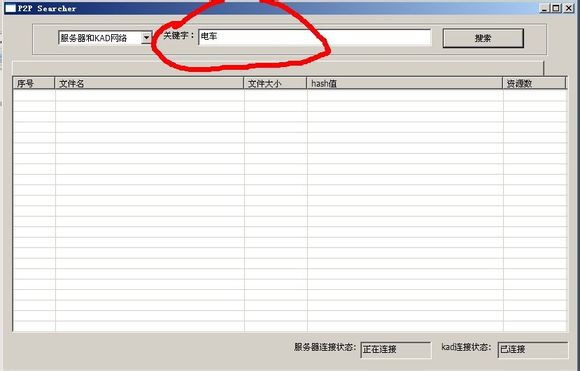
2. The movie search artifact needs to be connected to the server before it can be used. You can see the prompt in the lower corner of the software and connect to the server to search normally:
3. Start searching for resources. For example, we want to search for the TV series Bu Bu Jing Xin. Enter the keyword Bu Bu Jing Xin and click Search as shown in the picture.
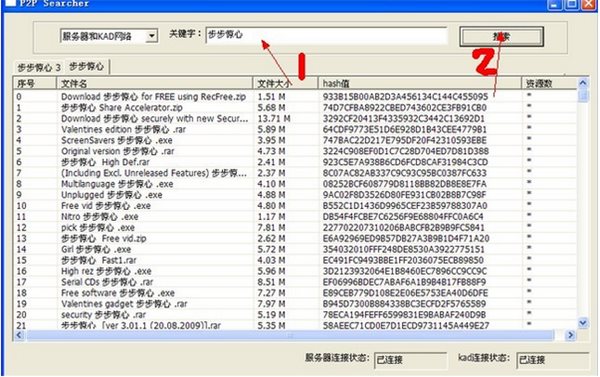
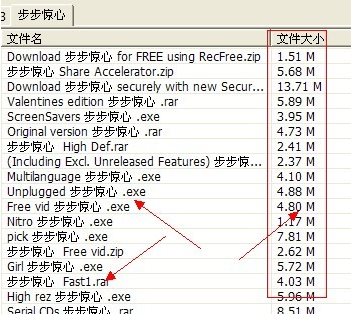
4. Because this software often searches for some viruses, in fact, most viruses can be distinguished according to their extensions, such as exe, rar and other packages, and their sizes are obviously smaller. (pictured)
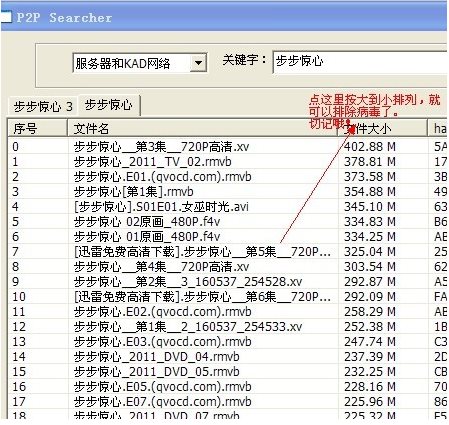
5. Here is a trick for you. We can usually sort by size once. You can throw away those pieces of garbage.
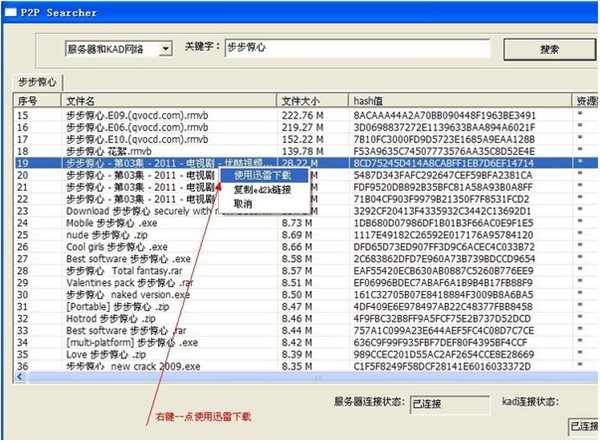
6. Then select the content you want. Right click - download using Thunder.
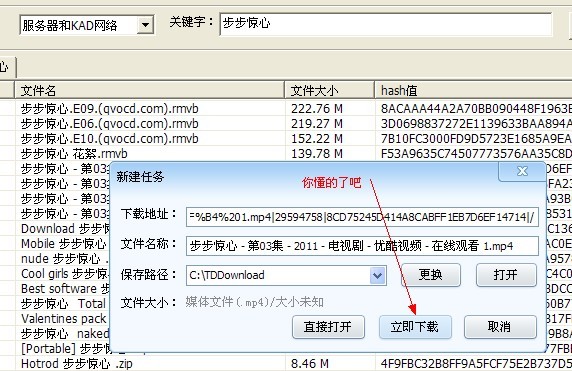
7. Click in the pop-up Thunder dialog box. Download now. . That's it.
8. P2pSearcher green version software is very easy to use. I believe everyone should have learned how to use this movie search tool P2PSearcher to search and download the content you want.
P2pSearcher Green Version FAQ
How to use the seed search artifact P2PSearcher cloud on-demand?
Click on [Cloud Broadcast Settings] in the upper right corner of the P2pSearcher software to open the cloud player window
(1) You can enter the resource address (magnet link, eDonkey, ftp, etc.) in the input box to play.
(2) You can open a local torrent file, or drag the torrent file directly into the cloud player window.
(3) You can select the cloud broadcast channel according to your personal habits. After selecting, all on-demand operations will enter the selected cloud broadcast channel.
P2pSearcher comparisonBeyondSearcher extraordinary searcher
P2pSearcher
As long as there are resources, P2pSearcher can search without restrictions. You can search anything. You only need to enter the name (no need to enter the format) and click Search. Then right-click on the searched row and click "Download using Thunder" to download it. If the network speed is slow, it means there is a problem with the connected server, torrent and other software itself.
BeyondSearcher extraordinary searcher
The difference between BeyondSearcher and P2PSearch is that BeyondSearcher is a search engine inside the wall, and some discordant things are not supported. Moreover, Extraordinary Search also has its unique "otaku mode". As for the effect, please try it yourself.
P2pSearcher green version update log
1. Optimize the local cloud player, support address and upload torrent on-demand, and support dragging
2. Added a new film and television channel to integrate popular film and television dramas
Special note: The p2psearcher cloud broadcast penetration version is currently dead. It is no longer able to search for resources and the cloud player cannot be connected. For related software, please click:BT seed search software,We apologize for the inconvenience caused to you!
Huajun editor recommends:
The editor of P2psearcher personally tested the software. Various functions are very simple and easy to operate. Even a new user like the editor can quickly master it. Big praise! There are similar software on this siteP2psearcher,Thunder Express Edition,National specification downloader,BitComet 2011,GetRight, recommend everyone to download!










Useful
Useful
Useful