





SunPinyin software introduction
SunPinyin It is a whole sentence input method based on statistical language model. To put it simply, the input method is to conduct probability statistics on the possible combinations of the user's pinyin input and the corresponding words, and then find the one with the greatest possibility. The efficiency of inputting whole sentences is quite ideal, surpassing Microsoft Pinyin under Windows can already be used as the main Chinese input method.
Instructions for use of SunPinyin
How to install the input method engine
The compiled input method engine can be entered in the code root directory
The default prefix of scons is /usr/local. Of course, you can also specify the installation prefix.
scons --prefix=/usr can be used after successful compilation
scons install If you have specified prefix before, you must use the same prefix when installing here, otherwise the default prefix will be used for installation!
scons install --prefix=/usr you can use pkg-config sunpinyin-2.0 --modversion to check whether the installation is successful.
To delete, you can use:
How to install scons -c installibus interface (ibus-sunpinyin)
You need to install the input method engine first. Make sure you can use it after installing the input method engine.
cd wrapper/ibusscons --prefix=/usrsudo scons install --prefix=/usr For ibus, it is recommended to install to /usr prefix, mainly because it is afraid that ibus cannot load ibus-sunpinyin.
Restart ibus to check whether the installation is successful.
Note: If you have special needs and want ibus wrapper to be installed in a special directory, you can use --install-sandbox=
Options.
How to install xim interface (xsunpinyin)
You need to install the input method engine first. Make sure you can use it after installing the input method engine.
cd wrapper/ximsconssudo scons Install can run xsunpinyin to see if there are any output errors. You can use xsunpinyin -d To start in daemon mode, it is recommended that you use the distribution configuration method to configure xsunpinyin yourself. For imswitch used in debian/ubuntu, xsunpinyin has provided a configuration template in the wrapper/xim/imswitch/xsunpinyin directory for reference only.
SunPinyin installation instructions
1. Install necessary compilation tools
Use the following command in the terminal to install:
Su -c 'yum install make gcc-c++ ibus-devel python-devel sqlite-devel'
2. Download the source code package
Go to the project homepage to download the latest source code package. It is recommended to choose the one containing the LM data file, which is usually the larger one. The latest at the time of this writing is 2.0 RC2.
3. Compile and install
Execute the following commands in sequence in the directory where the file you just downloaded is saved:
tar xvf ibus-sunpinyin*.tar.gz
cd sunpinyin-2.0
./configure --enable-ibus --disable-documents --prefix=/usr --libexecdir=/usr/lib/ibus-sunpinyin
make
If the compilation is correct, then execute the installation:
su -c 'make install'
4. Enable SunPinYin
Right click on the iBus icon and select "Restart".
After that, you can see SunPinYin in the Chinese part of the right-click menu "Preferences"-"Input Method"
. At this time, you can choose to move up and adjust to the default Chinese input method.
5. Configuration
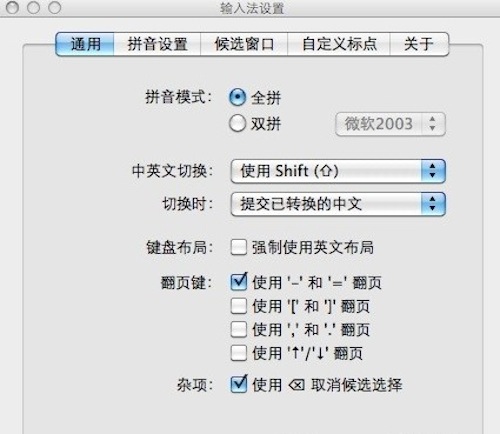
When running for the first time, click the gear icon on the far right side of the input method to enter the configuration interface, where you can adjust some configurations according to your personal habits.
The more important thing is the "Page Turning Key" setting under the "Shortcut Keys" tab.
SunPinyin update log
The developer of GG said that there are really no bugs this time~
Huajun editor recommends:
SunPinyin is a very good software that can solve a lot of troubles. This site also providesUbuntu Server 64bit,Sogou input method,Sogou input method,WPS Office For Linux DEB(64bit),WPS Office For Linux rpm(64bit)Waiting for you to download.




Useful
Useful
Useful