





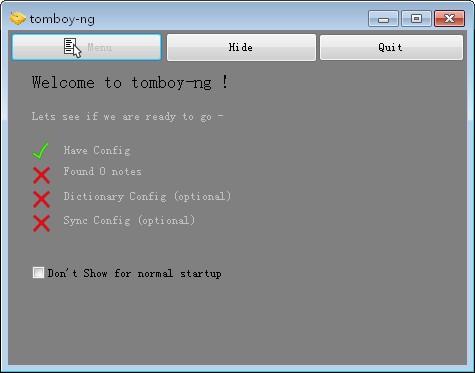
Tomboy software introduction
Tomboy is more powerful than ordinary note-taking software. It supports text styles, full-text search, and HTML output. The highlight is that it supports links between notes.
Tomboy’s scalability is also quite commendable. Various plug-ins enrich peripheral functions: there are plug-ins that support Dropbox synchronization, and there are also plug-ins that use SSL for synchronization. Tomboy It is lightweight and compact, but can be equipped with various plug-ins to make it extremely powerful.
Tomboy software features
You can synchronize a cloud text
Support Tomdroid for Android
Rich text content editing
You can export the content, and you can choose from a variety of formats
Tomboy software features
keep track
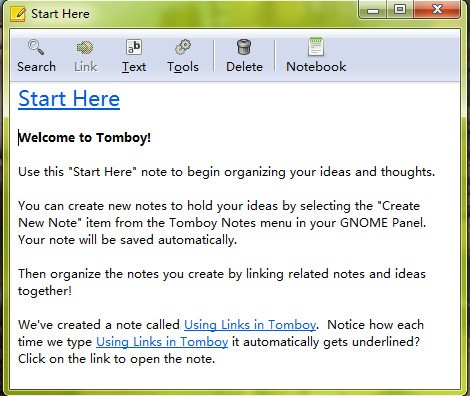
The key to Tomboy’s usefulness is its ability to tie notes and ideas together. Using a WikiWiki-like linking system, organizing your ideas is as easy as typing a name. To branch off an idea, just press Just click the "Link" button. And the links between your ideas aren't broken, even when you rename and reorganize them.
access your notes
Accessing your notes is usually just a click away. Just click on Tomboy Panel applet, which is always visible on the desktop. You can select a note you've recently viewed from the menu or search for older notes. The table of contents lists all notes in the order they were last modified. No more moving your apps around to find a website you dragged to your desktop. No more searching your file system for where you thought you might have left last week's to-do list.
friendly editor
Tomboy Many advanced editing features are supported, but they won't bother you until you need them. Making the interface as streamlined as possible and avoiding distractions was an important goal for us. Because software should never slow down your momentum!
Tomboy The first priority is to be able to handle the variety of information you want to track. We are currently developing support for linking to and managing all desktop objects you interact with, all within a simple note-taking interface. Try dragging the email into your notes
Tomboy update log
Working day and night just so you can be happier
are all gone!
Huajun editor recommends:
Tomboy is a high-performance software that meets everyone's requirements. The software is free and non-toxic. It has absolutely positive reviews. Our Huajun Software Park has the most authoritative software, which is green and free, officially authorized, and similar.Ubuntu Server 64bit,Sogou input method,WPS Office For Linux DEB(64bit),WPS Office For Linux rpm,WPS Office For Linux rpm(64bit), I hope everyone will come to download it!




Useful
Useful
Useful