





 You may like





Time Camera Software Highlights
Tamper Resistance:
By embedding timestamps and GPS information, the originality and non-tamperability of photos and videos are ensured, making it suitable for scenarios where accurate time and location information need to be recorded.
User friendly interface:
The interface is simple and clear, and the operation is convenient. Even a novice photographer can get started quickly.
High-precision positioning:
Utilize advanced GPS technology to achieve high-precision location information recording.
Cloud storage function:
Supports uploading photos and videos to cloud storage services, allowing users to access and share them anytime and anywhere.
Batch processing:
Supports batch processing of multiple photos and videos to improve work efficiency.
time camera functionPrecise time recording:
Supports superimposing the current timestamp on the photo, with the time accurate to milliseconds (0.001 seconds), ensuring that each photo accurately reflects the shooting time.
Supports 61 time formats, and users can customize the display format of timestamps according to personal preferences or specific needs.
Place tag:
Automatically or manually add GPS information to tag each photo with the exact location it was taken.
Supports precise location marking worldwide to ensure the accuracy of location information.
Custom watermark:
Users can customize the style, color, size and location of watermarks to meet different usage needs.
Supports displaying customized text and emoticons on the camera, such as entering personalized content such as "Visit the Zoo".
Photo editing tools:
Provides basic image editing tools, such as cropping, rotating, filters, etc., to facilitate users to simply process photos.
Supports changing watermark size and transparency to improve photo editing flexibility.
Picture management:
Provides powerful image management functions, including classification, search, filtering, and organization, to help users manage large amounts of photos efficiently.
Supports timeline view, allowing users to browse all photos in chronological order and easily review the past.
Video recording and editing:
In addition to taking pictures, it also supports video recording function, and also superimposes time stamp and location information on the video.
It provides basic video editing, rotation, cropping and other functions to facilitate users to post-process the captured videos.
Multi-platform synchronization:
Supports synchronization across devices (mobile phones, tablets, computers), making it easy for users to seamlessly switch between different devices.
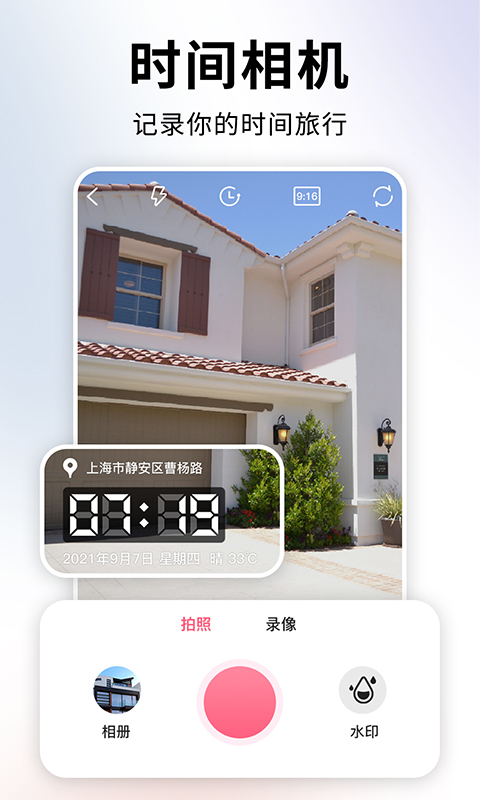
Time camera features
Travel record:
Help users record every wonderful moment during their travels and ensure that each photo accurately reflects the date, time and specific location where it was taken.
Work record:
It is suitable for professionals who need to record work site conditions, such as reporters, photographers, engineers, etc., to ensure the originality and non-tamperability of photos and videos by adding time stamps and location information.
Daily life records:
Help users record important moments in daily life, such as family gatherings, dinners with friends, etc., making memories more real and reliable.
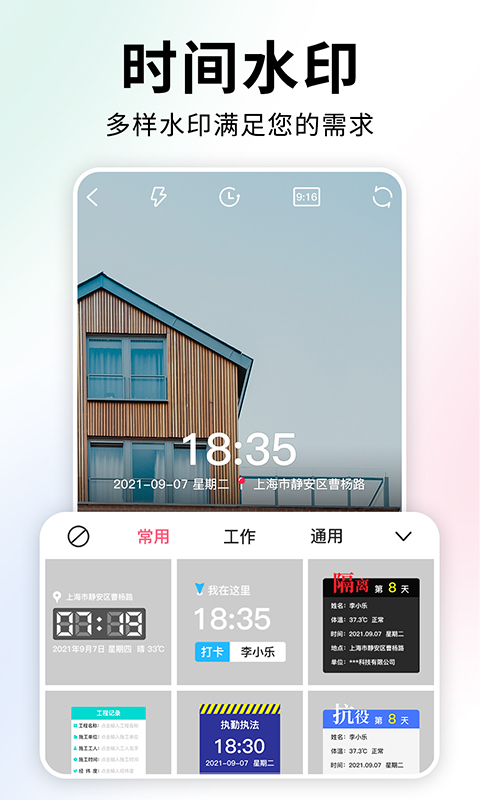
Time Camera FAQ
Unable to obtain camera permissions
Problem description: When using the Time Camera App, users may encounter the problem of being unable to obtain camera permissions, resulting in the inability to take photos or videos.
Solution:
Check the phone settings to ensure that the Time Camera App has been authorized to use the camera function.
If you are on an iOS device, you can find the Time Camera App in "Settings" -> "Privacy" -> "Camera" and enable camera permissions.
If you are on an Android device, you can enable camera permissions in "Settings" -> "Application Management" -> "Time Camera" -> "Permissions".
Unable to obtain storage permissions
Problem description: When using the Time Camera App, users may encounter the problem of being unable to obtain storage permissions, resulting in the inability to save photos or videos.
Solution:
Check the phone settings to ensure that the Time Camera App has been authorized to use the storage function.
On iOS devices, you can find the Time Camera App in "Settings" -> "Privacy" -> "Photos" and enable photo access.
On Android devices, you can turn on storage permissions in "Settings" -> "Application Management" -> "Time Camera" -> "Permissions".
Time camera update log:
1. Fixed several bugs;
2. Optimize details;
Huajun editor recommends:
If you are dazzled by the introduction of so many functions above, then download Time Camera quickly. This site also providesRemove watermarks with one click,music album,Tempo,Hippocampus Photo Studio,Instant ShareWaiting for you to download.























Your comment needs to be reviewed before it can be displayed