





 You may like





Highlights of OCR image text recognition
High-precision recognition: Using advanced OCR technology, the text recognition accuracy is as high as 99.99%.
Extremely fast processing: Kernel optimization achieves zero lag and quickly completes a large number of image recognition tasks.
Easy to operate: The interface is simple and supports direct identification of system albums without opening the App.
Data security: Recognition results are automatically saved as historical records for easy viewing at any time while protecting user privacy.
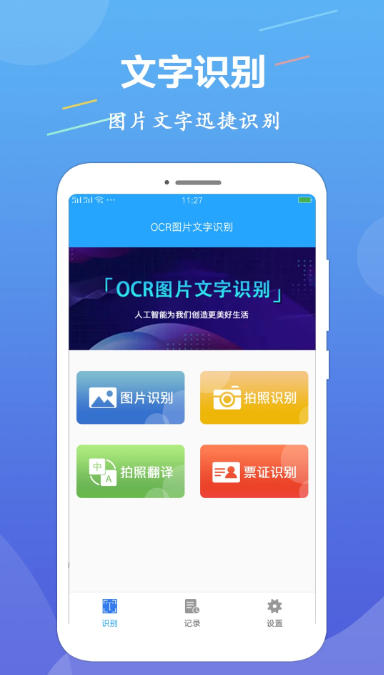
OCR image text recognition features
Office scenario: Quickly convert paper documents into electronic documents to improve work efficiency.
Learning scenario: Extract text from homework and notes for easy organization and review.
Life scenes: Identify document information, translate foreign language content, and simplify daily operations.
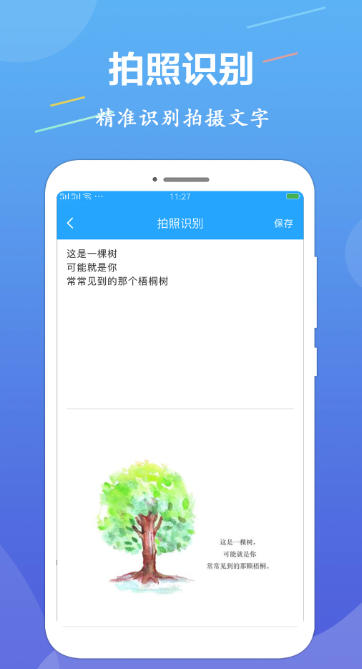
Frequently Asked Questions about OCR Image Text Recognition
Photo recognition: Capture text with the camera, extract and convert it into editable text in real time.
Image recognition: Import pictures from the mobile phone album and identify the text content in the pictures.
Batch recognition: Supports processing of multiple images at the same time, extracting text with one click, improving efficiency.
Ticket recognition: Automatically identify common document information such as ID cards, driver's licenses, driving licenses, bank cards, etc.
Table recognition: accurately locate table data, intelligently parse text, and generate editable Excel tables.
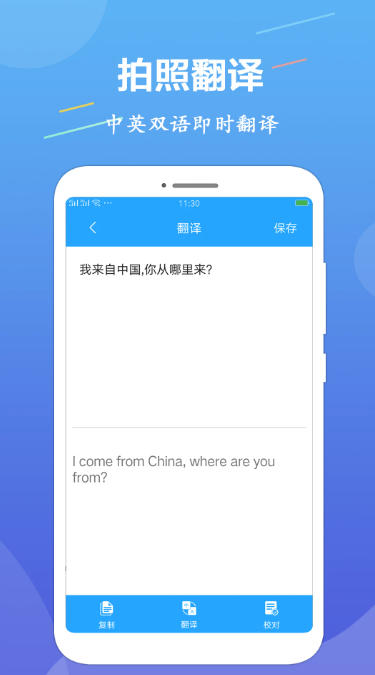
Multi-language support: covering Chinese, English, French and other languages to meet international needs.
Document management: Centrally manage scanned and identified documents, supporting editing, search, and sharing.
Intelligent proofreading: Automatically detect errors in recognition results, reducing manual correction costs.
Frequently Asked Questions about OCR Image Text Recognition
What should I do if the recognition accuracy is low?
Reasons: Poor picture quality (blurry, insufficient light), special fonts, and wrong language settings.
Solution:
Make sure the picture is clear and evenly lit, avoiding shadows or reflections.
Select the language setting that matches the image content (for example, if you want to mix Chinese and English, you need to select both Chinese and English).
For complex typesetting or special fonts, you can manually adjust the recognition area or use the proofing function to correct it.
Stuttering or failure during batch recognition?
Reason: Too many pictures, too high resolution, and insufficient device performance.
Solution:
Reduce the number of images processed in a single batch and proceed in batches.
Appropriately reduce the image resolution (while ensuring that the text is clear).
Close other background applications to free up device memory.
OCR image text recognition update log:
Sweep the bug out and carry it out to the end
Optimize user feedback issues and improve detailed experience
Huajun editor recommends:
OCR image text recognition is so easy to use. It is one of the best software for taking pictures. I believe friends who have used it will say it is easy to use. If you don’t like it, we still have it.Remove watermarks with one click,music album,Tempo,Hippocampus Photo Studio,Instant Share















Your comment needs to be reviewed before it can be displayed