
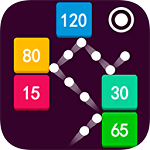



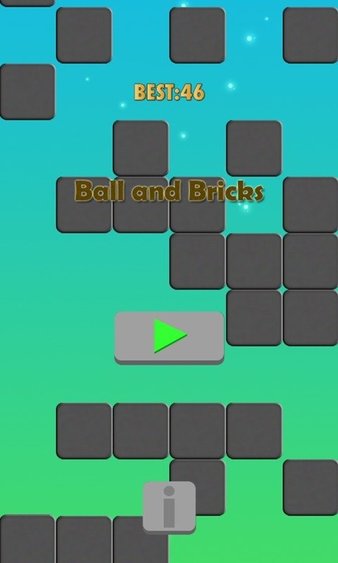
Introduction to the PC version of Pinball and Brick Breaker game software
1. Focus on eliminating bricks and find happiness in click interaction
2. You can play anytime and anywhere, there are many game modes to choose from
3. Special props will drop after you break through the level. You will definitely like it.
4. Different bricks will have different BGM effects when eliminated
5. This is a level-breaking game suitable for all ages
6. Also test the player’s reaction ability during the process of passing the level.
Features of the PC version of Pinball and Brick Breaker game
1. When you successfully pass a level, the difficulty of the game will increase
2. For different types of bricks, the elimination conditions are different
3. This game is easy to understand and all players can get started quickly
4. There are so many levels that you need to challenge, you will never get bored
5. If you want to pass the levels faster, the use of special props is essential.
6. What you have to do is to clear all the bricks, only in this way can we pass the level smoothly
Installation steps
Special note: The installation package provided by Huajun Software Park contains the Android emulator and software APK files. For the computer version, you need to install the emulator first and then install the APK file.
1. First download the installation package from Huajun Software Park. The software package contains an Android emulator exe installation program and an APK file and unzip it. First click on the exe program to install the lightning simulator.

2. Double-click "Lightning simulator.exe" file to enter the installation interface. Users can click "Quick Installation" to select the system's default installation address for installation, or click "Custom Installation" to choose the installation path. Custom installation is recommended here.

3. WaitingLightning simulatorAfter the installation is complete, click "Try Now" to open the emulator.

4. Enter the main interface of the lightning simulator and clickRight column APK iconSelect the "Local APK Install" button.

5. In the pop-up window, click on the decompressed APK file, and then click to open.

6. After that, the software will enter the installation process. You need to wait for a moment. After the software installation is completed, it will appear in my software list. Click the icon and double-click to open it. 
Pinball Breaker game PC version update log:
1. Optimized some functions
2. Solved many intolerable bugs
Huajun editor recommends:
The PC version of Pinball and Brick Breaker is an excellent piece of casual puzzle software. The editor strongly recommends it to you. Once you download it, you will know how good it is. The editor has also prepared for youcat and mouse,Script kill,Humanity is utterly defeated,Sonic the Hedgehog,red core




Useful
Useful
Useful