




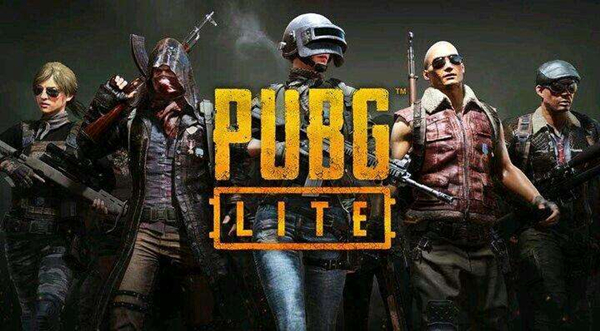
Pubglite PlayerUnknown’s Battlegrounds low-end version game introduction
"PlayerUnknown's Battlegrounds Low Profile Edition" is an independent game client specially launched for game environments with insufficient configuration. It will be developed and operated independently through feedback from Thai players. Different from the existing PC version, the configuration requirements of "PUBG Low Profile Edition" are very low, and the game content will be different, such as automatic installation of weapon accessories, default driving position in the car, and more intuitive elimination of enemies, etc.
"PlayerUnknown's Battlegrounds LITE" has much lower computer performance requirements and can be played with the lowest graphics quality. The recommended configuration is GTX 660 or Radeon HD 7870.
Features of pubglite PlayerUnknown’s Battlegrounds low-end version
1. Realistic graphics and high-definition audio
Unreal Engine 4 delivers an amazing visual experience through detailed presentation, vast high-definition maps and real scenes.
High-quality audio with 3D sound effects and 7.1-channel surround sound makes players feel like they are on a real battlefield.
2. Officially authorized PUBG
A true port of the PC version. On a huge battlefield of 8×8 kilometers, 100 players were shot down. Players fight for survival and eliminate each other through strategy and skill.
3. Real shooting
Out Out By Plenty of Guns, Melee Weapons, and Throwables with Realistic Trajectories and Trajectories, is the perfect combat experience on the go.
4. Fair gaming environment
Has a strong anti-cheat mechanism and is optimized for many devices to ensure a fun and fair environment for players.
5. Fashion travel
Drive one of a variety of vehicles to escape enemies or hunt down prey.
6. Collaborate with friends and use voice chat
Invite friends to form a team, join in battles together and collaborate via voice chat.
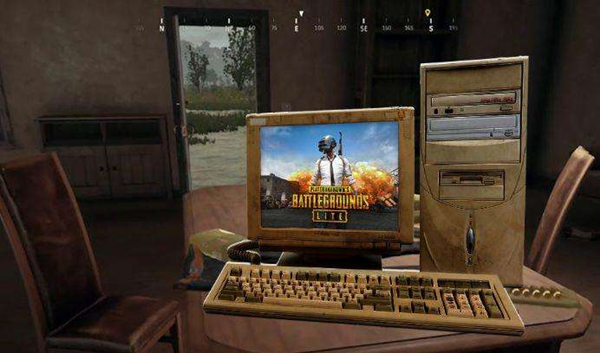
Advantages of pubglite PlayerUnknown's Battlegrounds low configuration version game
1. PUBG LITE
40 players parachute onto a graphically rich 2x2km island for a winner-take-all showdown. Players must scavenge their own weapons, vehicles, and supplies while battling them in an ever-shrinking game area to be the last player standing. Prepare to land, loot, and do whatever it takes to survive. It's a battle royale!
2. High-quality graphics and HD audio
The powerful Unreal Engine 4 creates a stunning visual experience with stunning detail, realistic gameplay effects and massive HD maps, perfect for battle royale. Immerse yourself in the world as you use high-quality audio and rich 3D sound effects.
3. Realistic weapons
Choose from an ever-growing library of deadly firearms, melee weapons, and dice rolls, each with realistic ballistics and travel trajectories, giving you the option to shoot, batter, or incinerate your opponents. Oh, and PUBG’s signature pot? We got the pot.
4. Cooperate with friends
Invite and team up with your friends, coordinate your battle plans via voice chat, and set up the perfect ambush for your enemies.
5. Fair gaming environment
Robust anti-cheating mechanisms ensure a fun and fair environment for all PUBG LITE players. Not just a game. This is a battle royale.
Frequently asked questions about pubglite PUBG low configuration version
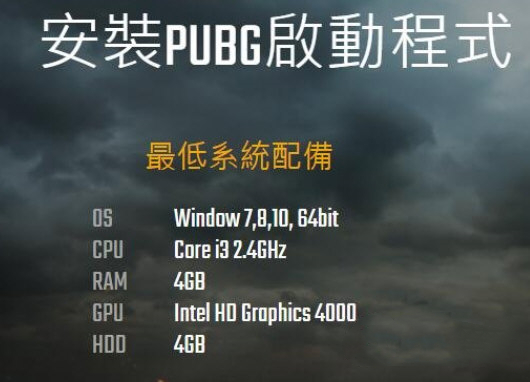
Minimum configuration:
Operating system: Win 7,8,10 64-bit
CPU: Core i3 2, 4GHz
RAM: 4GB
GPU: Intel HD Graphics 4000
HDD: 4GB
Recommended configuration:
Operating system: Win 7,8,10 64-bit
CPU: Core i5 2, 8GHz
RAM: 8GB
GPU: NVIDIA Geforce GTX 660 or AMD Radeon HD 7870
HDD: 4GB
FAQ
Error message while running the game
Prompt "Failed to initialize Steam"
Solution: Click "Settings" in the upper left corner of Steam and change the node to a domestic node. At the same time, you can try running the netsh winsock reset and netsh int ip reset commands in the command prompt (administrator), and then restart the computer.
Prompt "Failed to start BattlEye Service(0)"
Solution: Run the netsh advfirewall reset, netsh int ip reset, netsh int ipv6 reset and netsh winsock reset commands in the command prompt (administrator), and then restart the computer. Start the Steam client again and you can usually enter the game smoothly.
Prompt "DirectX feature level 10.0 is required to run the engine"
Solution: This is usually because the graphics card driver has not been updated to the latest version. It is recommended to download and install the latest graphics card driver.
pubglite PUBG low configuration version update log
The developer of GG said that there are really no bugs this time~
Huajun editor recommends:
Looking around, there are software similar to this software everywhere on the Internet. If you are not used to this software, you might as well give it a try."Doll Hero",60 seconds before the end of the earth,"Medal of Honor: Airborne",Armored Warrior Fierce Fighting Flame Dragon Debuts Invincible Version,Spider-Man Broken DimensionWait for the software, I hope you like it!
























Useful
Useful
Useful