





Silhouette software features
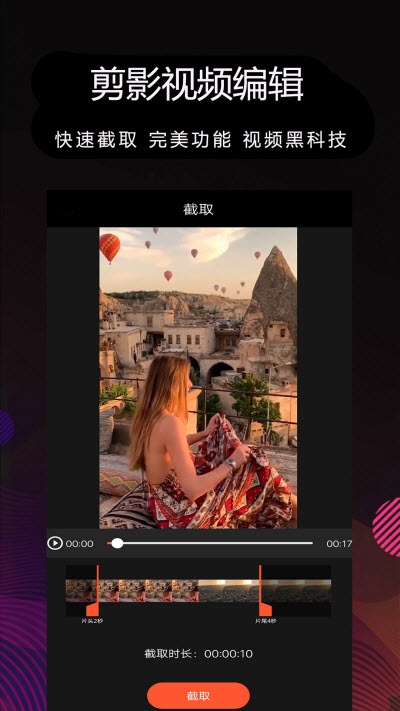
Video clip:
Clip videos, clip both sides/middle/Tik Tok, etc. to a fixed duration
Merge, copy, split multiple videos and add showy transition animations to them
Precise trimming in 0.1 seconds, you can trim wherever you like, anyone can become a video editing master
Photo movies:
It’s so easy to create stuck points in Douyin, and the silhouette will automatically help you get stuck.
There are a wealth of photo and movie special effects templates to choose from, helping you create blockbusters with just one click.
Video dubbing:
You can extract dubbing from album videos and apply it to your created videos
Provides rich music to create dynamic videos
Video puzzle:
Multiple videos can be pasted together like stickers, and a masterpiece is easily born.
Silhouette software features
1. The video editing experience has been fully upgraded, and all operations have been simplified.
2. Video sound effects (effects-dubbing and sound effects), add voice-over to your video!
3. Stroke text as you like: colorful summer, colorful text
4. Scene materials FX and filters are diverse, you can add them as you like.

Silhouette software advantages
1. The video editing experience has been fully upgraded, and all operations have been simplified.
2. Video sound effects (effects-dubbing and sound effects), add voice-over to your video!
3. Stroke text as you like: colorful summer, colorful text
4. Scene material FX and filters are diverse, you can add them as you like.

Installation steps
Special note: The installation package provided by Huajun Software Park contains the Android emulator and software APK files. For the computer version, you need to install the emulator first and then install the APK file.
1. First download the installation package from Huajun Software Park. The software package contains an Android emulator exe installation program and an APK file and unzip it. First click on the exe program to install the lightning simulator.

2. Double-click "Lightning simulator.exe" file to enter the installation interface. Users can click "Quick Installation" to select the system's default installation address for installation, or click "Custom Installation" to choose the installation path. Custom installation is recommended here.

3. WaitingLightning simulatorAfter the installation is complete, click "Try Now" to open the emulator.

4. Enter the main interface of the lightning simulator and clickRight column APK iconSelect the "Local APK Install" button.

5. In the pop-up window, click on the decompressed APK file, and then click to open.

6. After that, the software will enter the installation process. You need to wait for a moment. After the software installation is completed, it will appear in my software list. Click the icon and double-click to open it. 
Silhouette update log
1. Fixed BUG, the new version has a better experience
2. Some pages have been changed
Huajun editor recommends:
Huajun Software Park also has popular software with the same functions as this software, such as:A sweet camera,Photo ScannerWait, you can collect it if you need it!












Useful
Useful
Useful