




 You may like





small box studentSoftware introduction
News related to Xiaohe Student App have been comprehensively upgraded with protection measures, including “eye protection mode”, “parental control” and other functions to protect children from focusing on learning!
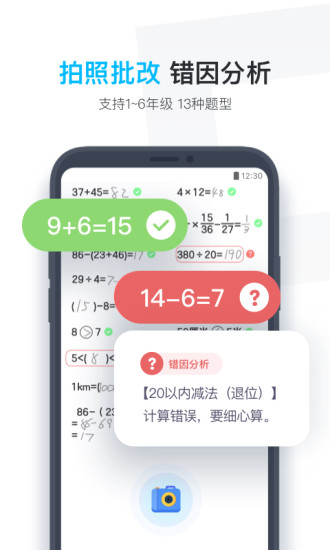
The math subject has a built-in photo correction and practice function, covering 13 types of primary school oral arithmetic questions. Whether it is a paper oral arithmetic book issued by the school or an ordinary paper oral arithmetic practice test with neat writing, you can take a photo and correct it in one second. There is also error analysis to help correct mistakes.
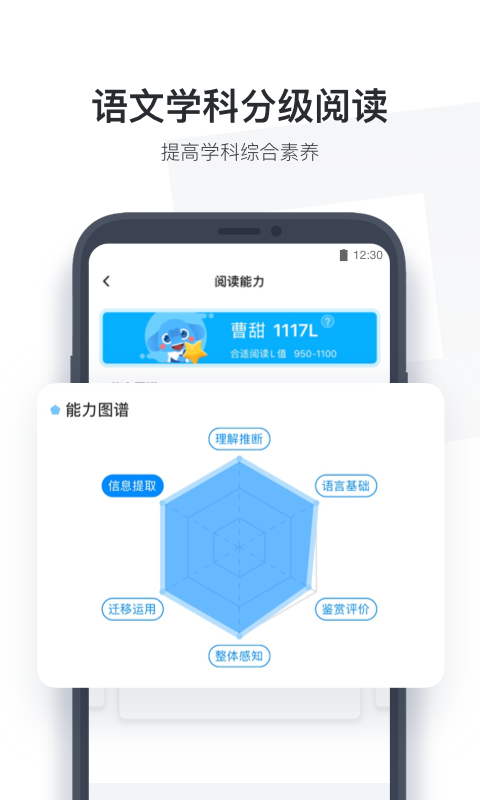
The Chinese subject includes personalized extracurricular reading and a multi-dimensional selection of high-quality world classics to comprehensively improve students' Chinese literacy;
"Situational dialogue" and "interesting dubbing" in English subjects can enable one-on-one practice of fluent speaking and enhance interest in English learning.
small box studentSoftware function
Multi-subject coverage: Chinese, Mathematics and English, three major subject practice tests, all completed with one App
Eye protection mode: Statistical learning time, powerful instructions over time, effective prevention and control of myopia
Close to the classroom: Curriculum construction is in step with the original knowledge points of primary school mathematics classes
Public education assistance: After completing any familiarity, you can provide high-quality courses to rural children
small box studentSoftware features
1. All textbook knowledge used in primary and secondary schools is compiled here, and users can check the required learning resources for free;
2. It is now during the summer vacation. Users can take photos and upload their children’s summer homework here to quickly find out the answers to the homework;
3. It also has an eye protection mode, which will automatically remind the child to take a break after a certain period of time.

small box studentSoftware Highlights
1. You can test your learning level by answering questions over and over again, and the system will intelligently analyze your weak points;
2. Identify the weak points through scientific analysis and prescribe the right medicine to avoid blind learning that results in getting half the result with twice the effort;
3. For students with poor foundation, you can also choose excellent teachers to provide one-on-one tutoring to your children to quickly improve your children's performance.
FAQ
Software crashes or freezes
Possible reasons: insufficient device performance, too low a software version, and too many caches.
Solution: Try to close other applications that occupy resources to improve device performance; update the software to the latest version to fix known errors; clear the software cache to free up storage space.
Function not available
Possible reasons: Unauthorized related permissions, internal software error.
Solution: Check and authorize the permissions required by the software, such as cameras, microphones, etc.; restart the software or device and try to perform the operation again; if the problem persists, contact the software customer service for help.
Learning resources cannot be loaded
Possible reasons: unstable network connection, server failure.
Solution: Make sure the network connection is stable and try to switch the network environment; if you suspect that the server is faulty, you can wait for a while and try again, or contact the software customer service to learn about the server status.
Small box student update log
1. Modify user-submitted bugs
2.Add new features
Huajun editor recommends:
XiaoheStudent is a very good software that can solve a lot of troubles. This site also providesABCmouse,Homework help live class,Homework Help takes photos and solves problems online,Uighur version of Driving Test Guide,sky classroomWaiting for you to download.















Useful
Useful
Useful