





 You may like





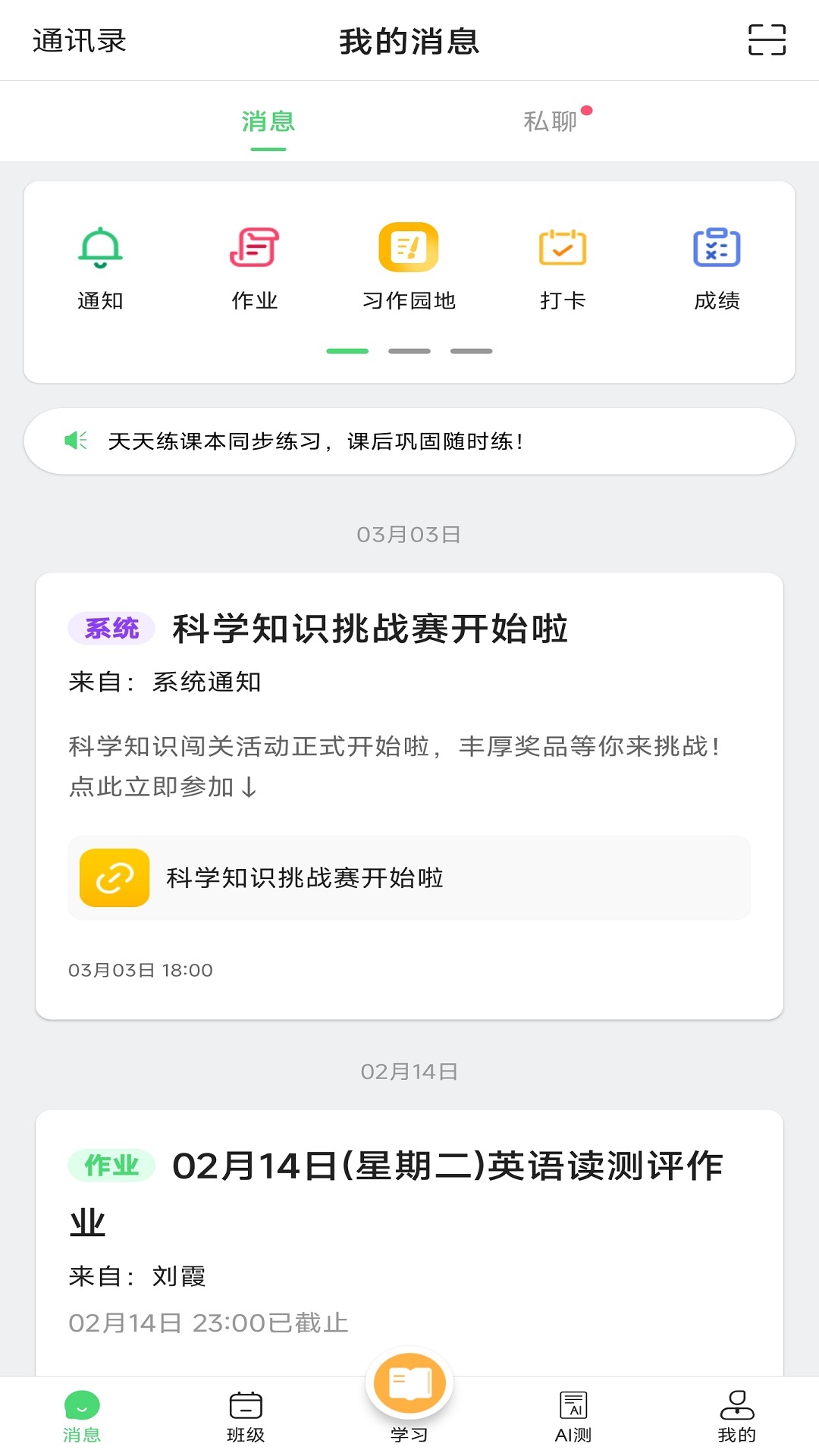
Introduction to Henan School Communication Software
Home-school interaction is just one click away, making home-school contact super convenient;
Online courses, preview, advance, and prepare for exams, you can watch them anytime, anywhere;
Practice every day, automatic correction, analysis of wrong questions, and detailed explanation of test questions to make learning more powerful!

Introduction to the functions of Henan School Newsletter
1. Home-school interaction: Teachers and parents can send text messages or voice messages to each other online anytime and anywhere to communicate about children's learning status. Teachers can also manage class materials online.
2. Online courses: covering subjects such as mathematics, physics, chemistry, English, etc., providing students with various types of video courses such as preview, advance study, and exam preparation, helping students scientifically plan and train systematically, cultivate students' interest in learning, and improve their academic performance.
3. Practice every day: Combined with online courses, a set of test papers is provided every day to test students’ classroom learning effects. Each set of test papers is equipped with test paper analysis, providing detailed problem-solving ideas. Classic question types are provided with detailed explanations (micro videos) to help students better grasp the direction of thinking and problem-solving routines. The website automatically summarizes wrong questions, analyzes the learning weaknesses exposed in the wrong questions, and recommends courses and exercises suitable for students. Tiantianlian also supports screening of desired test questions through chapter knowledge points, making it easier for students to check and fill in gaps in a targeted manner.
FAQ
Incorrect account password:
Problem description: When logging in, it prompts that the account or password is incorrect.
Solution: Confirm whether the account password is correct, and pay attention to distinguishing between uppercase and lowercase letters. If you forget your password, you can click "Get Password" next to login to reset your password. The account number of the user of Campus Communication is usually the mobile phone number that has been used to activate Campus Communication.
Unable to log in to the client:
Problem description: The mobile phone cannot log in to the Henan School News Communication client.
Solution: Make sure the "Henan School News Communication" client is installed on your mobile phone, and check whether the network connection is normal. If the problem persists, try reinstalling the client or contact customer support.
Henan School Communication Update Log
1. Fixed BUG, the new version has a better experience
2. Some pages have been changed
Huajun editor recommends:
The editor of Henan School Information Network personally identified it, and it is clear that children and adults are not deceived! There are similar software on this siteABCmouse,Homework Help takes photos and solves problems online,Researcher,Uighur version of Driving Test Guide,sky classroom, welcome to click to download and experience!














Useful
Useful
Useful