



Software features
Multi-language and cross-platform support
Provides a Chinese interface, covering more than 20 languages, and adapts to the needs of users in more than 40 countries.
Supports Windows systems, and some versions are green versions that can be run directly after decompression without installation.
Rich component library
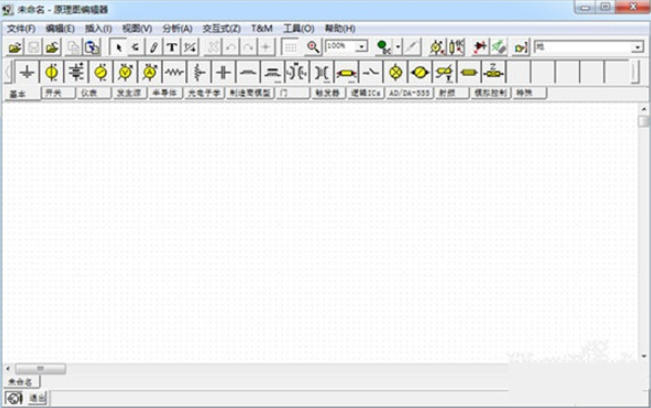
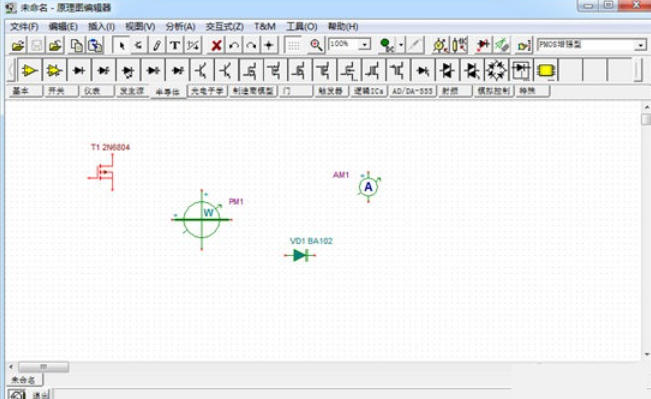
It has more than 20,000 built-in discrete or integrated circuit component models, covering basic components such as resistors, capacitors, inductors, and semiconductor devices, as well as special models from manufacturers such as TI and Analog Devices.
Support user-defined component library and add new devices through macro wizard.
Efficient simulation engine
Based on the SPICE engine, it supports complex circuit design without node restrictions, with fast simulation speed and high stability.
Provides WEBENCH simulation output and PCB design collaboration functions to optimize the design process.
Virtual Instruments and Dynamic Demonstrations
Integrate 8 kinds of virtual measuring instruments (multimeter, oscilloscope, signal analyzer, etc.), support dynamic waveform display, and facilitate teaching and debugging.
Virtual instrument operations are highly similar to actual equipment, reducing learning costs.
Teaching auxiliary function
It has a large number of built-in application circuit examples (such as amplifiers, filters, switching power supplies, etc.) and supports "save as" to modify and save.
Provides symbolic analysis, fault diagnosis and other tools to assist students in understanding circuit principles.
Core functions
Circuit simulation analysis
DC Analysis: Calculate the static operating point and DC small signal transmission characteristics.
AC Analysis: Draw Bode plots, Nyquist plots, and analyze frequency response.
Transient Analysis: simulates the time domain response of the circuit and supports input signals such as pulses and sine waves.
Fourier Analysis: Calculate harmonic distortion and the spectrum of non-periodic signals.
Noise Analysis: Evaluate input/output noise power and signal-to-noise ratio (SNR).
Advanced features
Symbolic Analysis: Provides DC, AC and transient analysis results in formula form.
Parameter optimization (Optimization): Automatically adjust circuit parameters to achieve preset goals (such as minimum distortion, maximum gain).
VHDL/Verilog simulation: supports hardware description language design and verifies digital circuit logic.
PCB design collaboration: Export Gerber files, compatible with OrCAD, PCAD and other tools.
Frequently asked questions and solutions
Software cannot be started
Reason: The Java environment is not installed or the version is incompatible.
Solution: Download and install the latest version of Java Runtime Environment (JRE).
Abnormal simulation results
Reason: Circuit logic error (such as improper component parameter settings, incorrect connection).
Solution: Check component properties to ensure reasonable parameters; use electrical rule checking (ERC) to locate open or short circuit problems.
Tina circuit simulation software update log:
1. Modify user-submitted bugs
2.Add new features
Huajun editor recommends:
Tina circuit simulation software is professional, easy to operate, and powerful. It is one of the leaders in the software industry. You are welcome to download it. This site also providesCruzr,FastCAM automatic programming nesting software,Hanwen production planning and scheduling software,Material weight calculation,Green apple weighing softwareWaiting for you to download.




Your comment needs to be reviewed before it can be displayed