




YY voice software functions
1. Live broadcast nearby, it turns out you are here too
2. National Lianmai, cute goddess, let us get closer to each other
3. With good looks and good looks, celebrities, Internet celebrities and grassroots, everyone has a stage
4. Widescreen main interface, unprecedented visual experience
5. New channel column, exciting live video broadcast
6. Chat anonymously with a changed voice and discover a different version of yourself

Features of YY voice software
Efficient managementDuowanwaiwai Voice has integrated channel information management functions and channel diversion management functions.
Colorful chat
YY voice windows are merged and colorful bubbles are added to make conversations more interesting.
Brand new data card
.
YY life
Complete tasks, show off your exclusive title, send diamonds to each other, and show your high popularity.
Extremely fast experience
多玩歪歪语音全方位性能优化,尽享极速。
YY voice installation steps
① Download the YY Voice official version installation package from this site and double-click to run it

② You can click [Click to Install] or select [Custom Installation]; the editor recommends selecting [Custom Installation] so that you can choose the software installation location.
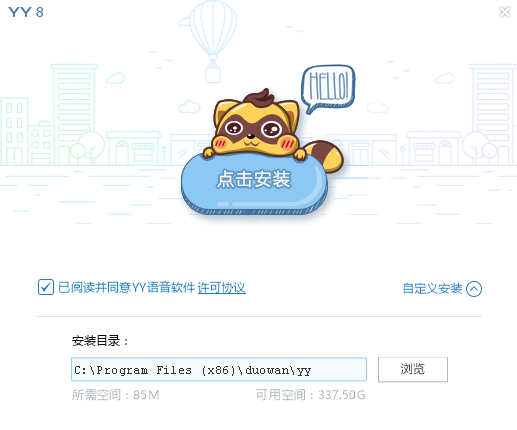
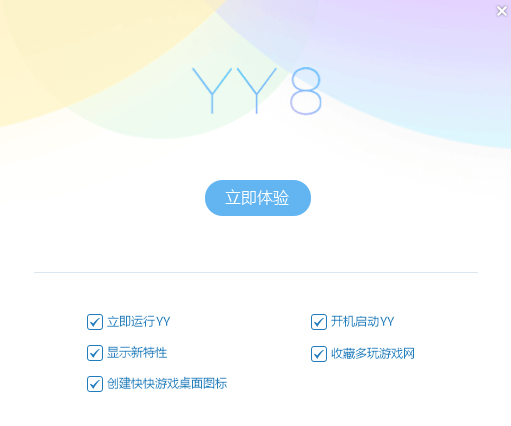
③ Wait patiently for the software to be installed.Unnecessary bundles can be removed, and then click [Try Now] to use the software.
How to use YY voice
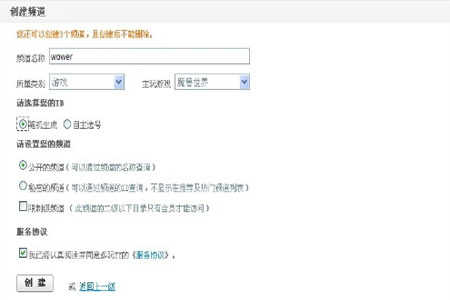
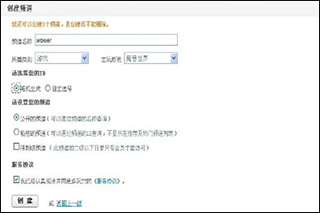
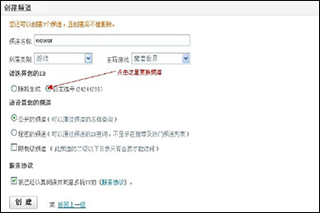
1. Just click the small house-like icon "Create Channel Button" at the bottom of the YY main window, and the Create New Channel dialog box will pop up.

2. Enter the channel name and fill in the channel’s main game. Write a simple channel introduction and select the main network type of users of the channel to be created. Currently, the channels are all dual-line channels, so there is no need to select the channel line.
The channel information should be as complete as possible, making it easier for other users to find your channel when searching. Channel types include:
Public channels: Public channels can be directly queried through the channel name
Private channels: can only be queried by ID. The channel cannot be queried by name.
Restricted channel: Only members of the channel have the right to enter the directory below the second level of the newly created channel.
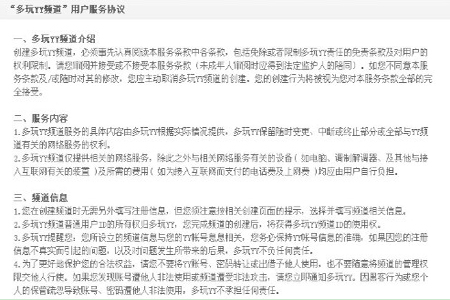
View the terms of service and YY channel usage regulations:
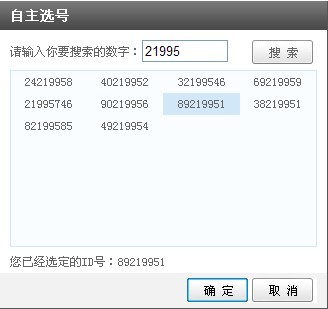
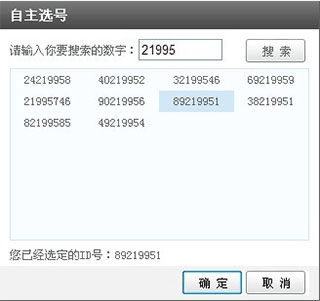
3. Users can also choose their own ID, click on the self-selected number to enter the number selection page, enter the channel you want in the search box, for example 71717, the system will automatically help you select the ID containing 71717, click on the ID you want, and then confirm. If this ID has not been used by others, congratulations, this ID belongs to you.
If you are not satisfied with the selected ID. You can click to choose your own number and choose again.
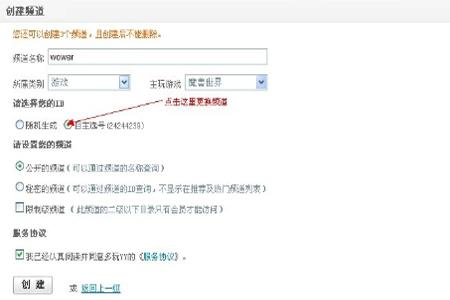
4. Follow the prompts to fill in the relevant information and click "Create". The channel will be created successfully and will automatically appear in "My Favorites".

How to add yy friends?
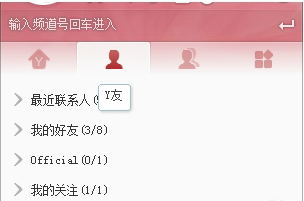
1. Open the main panel of the yy voice client. The second TAB is the friends column. All your yy friends and people you follow will be displayed in this column.
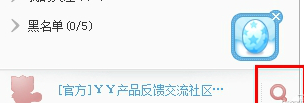
2. Click the "Search" button in the lower right corner of the main panel to find your friend's yy number to add a friend
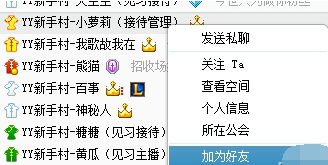
3. In the yy channel, you can also right-click and select the person's nickname to add friends
How can I invite my friends to watch it?
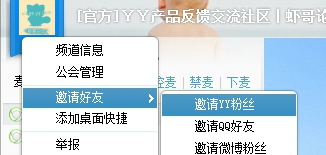
1. The way to invite friends in yy is called "air ticket", and friends can enter by clicking on it
Click on the channel icon to generate a flight ticket
The code to quickly send flight tickets within yy is, yy://xx (channel ID), friends can click to enter.
YY Voice FAQ
How to connect to mic via yy voice?
The steps to invite voice mic connection in the channel are as follows:
"No. 1 Maisu" can invite other people on Maisu to join the Maisu. By clicking the "Invite to Maisu" item in the right-click menu of the invitee, it can send invitations to the invitees to join the Maisu.
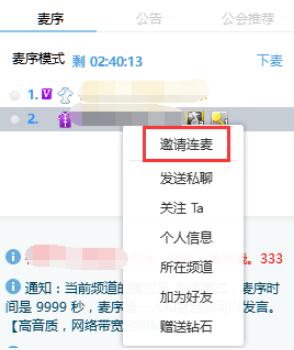
The invitee will receive the invitation from No. 1 Mai Xu. If the invitee clicks "Accept", the invitation will be successful; if the invitee clicks "Reject", the invitation will fail.

How to apply for Lianmai Live Broadcast on Meipai APP?
PK连麦权限。 Currently, it is only open to anchors who have signed a contract with the guild.

纯连麦权限。 If you are level 10 or above, you can obtain the permission and do not need to apply for activation.
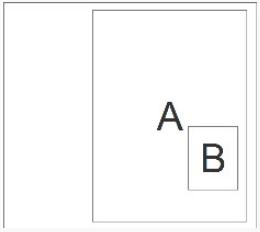
How to create a sub-channel of a channel?
Channel owners (OW purple vest), channel general managers (VP orange vest), and full channel managers (MA yellow vest) can create first-level sub-channels and second-level sub-channels.

Sub-channel administrators (CA1 red vest) can only create second-level sub-channels under first-level sub-channels with administrative rights.
Steps to create a first-level sub-channel: Right-click the name of the top-level channel (parent channel) -> Select "New Sub-channel" -> Enter the channel name -> Click "OK". If the channel is set with a channel security password, you need to enter the channel security password when creating a new sub-channel.
Steps to create a second-level sub-channel: Right-click the first-level sub-channel name -> Select "New Sub-channel" -> Enter the channel name -> Click "OK". If the channel is set with a channel security password, you need to enter the channel security password when creating a new sub-channel.
YY voice vs. Skype voice
Both YY Voice and Skype Voice can implement voice chat functions, but the two softwares target different groups of people.
YY voice is mostly used for entertainment such as gaming and live streaming, while Skype voice is mostly used for video chat, file transfer, multi-person voice conferencing, etc. Skype voice can also support domestic and international calls, which is a feature that YY voice does not have.
YY voice update log
1. The Medal Hall has added a new safety center, Mid-Autumn Festival Friendship, and Happy Gathering Medals.2. Newly revised event poster
3. Optimize the performance of Wonderful World
Huajun editor recommends:
YY Voice official version is a smooth and clear high-quality voice service software. The official version of YY Voice is also a live broadcast platform for national interactive entertainment. It not only provides reliable and stable team voice for users to communicate in games, but also provides a variety of high-quality live broadcast content and interactive communication community platforms for users. The editor also prepares for you360 browserWaiting for software, welcome to download.














Useful
Useful
Useful