



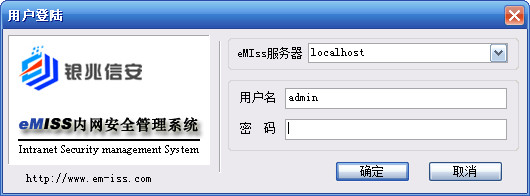
eMIss intranet security management software function introduction:
Internet management functions (website monitoring, email monitoring, QQ chat monitoring, MSN chat monitoring, website black and white list, QQ/MSN ban...);
Intranet management functions (remote desktop management, real-time screen monitoring, U disk/optical drive ban, external access management, device management, IP/MAC binding, program control, process management, asset management, network management, remote maintenance, port management, shared folder management, firewall management, patch distribution, alarm management, log management...);
Print management functions (printing time, title, printed document content, number of pages, number of copies...)
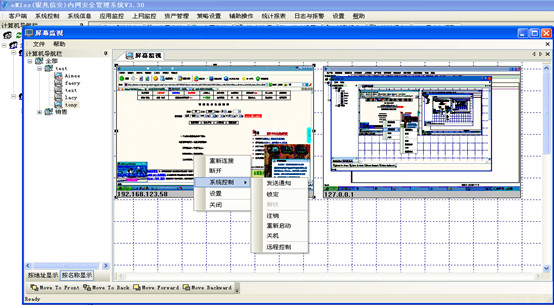
How to use eMIss intranet security management software:
1. Install the server: Run the eMISS setup.exe installation program on the server, and click "Next" according to the prompts to install the software. (Note: The server must have a fixed IP address and cannot be automatically assigned by DHCP)
2. Generate the client installation package: Log in to the eMISS intranet management software on the server, execute the menu "Client - Generate Client Installation Package", and generate the client program (eMISSClient.exe).

Note: "Server IP" in the dialog window is the IP address of the server computer (for example: 192.168.0.100).
If "Silent installation package" is checked when generating the client, there will be no prompt when installing the client in the third step.
3. Install the client: Install the client program (eMISSClient.exe) on each user computer to be managed. [Note 1: The client does not require a fixed IP address. Note 2: If "Silent installation package" is checked when generating the client, there will be no prompt when installing the client. 】
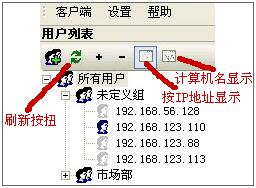
4. Login management: In the eMISS management interface, click the "Refresh" button to expand all users, and you will see that the computers with installed clients appear in the list.
eMIss intranet security management software update log:
1. Rewrite the print monitoring module and simplify the installation package to less than 10M.
2. Optimized IM chat content monitoring.
3. Optimized email monitoring.
4. Optimize the web page monitoring module.








Useful
Useful
Useful