



With Meng Kun Laptop Anti-Theft Guard, your laptop is not afraid of theft!
Because, it has the following functions (after being reported as stolen):
1. Obtain the IP address of your stolen laptop (the police can quickly locate the computer based on the IP address);
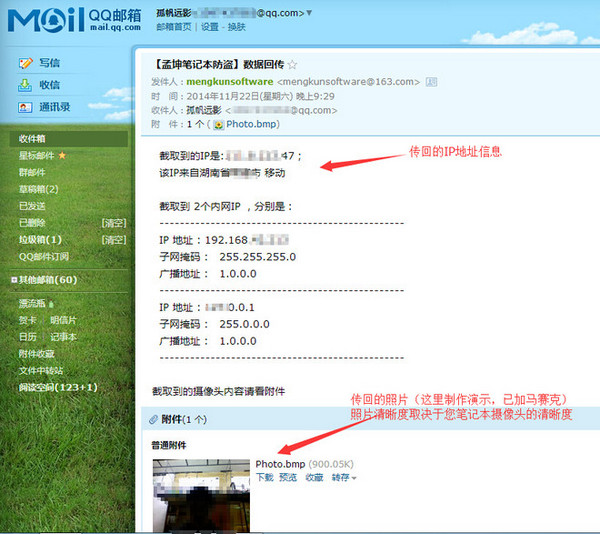
2. Use the camera on your laptop to take photos and send them back, so you can see the thief's "face" at a glance!
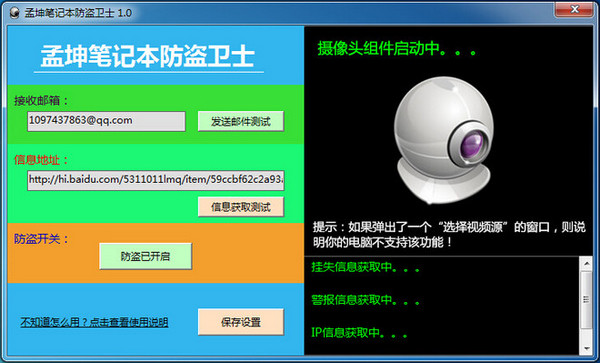
3. You can also turn on the alarm, and the notebook will automatically adjust the sound to the maximum and play the alarm ringtone!
How to use
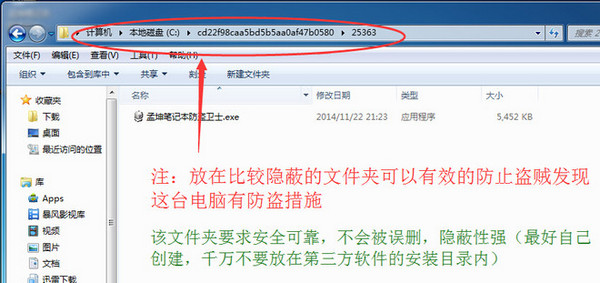
1. Please release Mengkun Laptop Anti-Theft Guard.exe from the compressed package and store it in a more hidden folder;
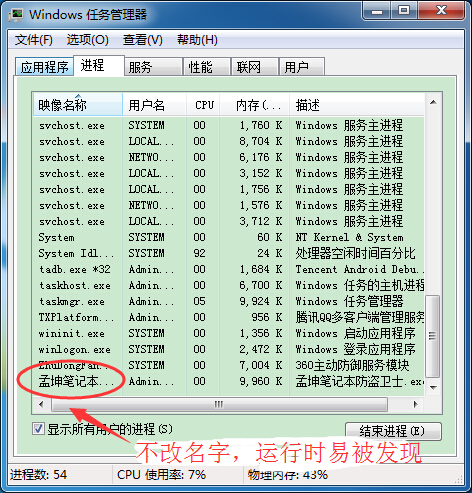
2. Please change the file name of Mengkun Laptop Anti-Theft Guard (for example: change it to Mengkun.exe. Changing the name can make it difficult for thieves to detect, so as to ensure that the program can continue to return data);
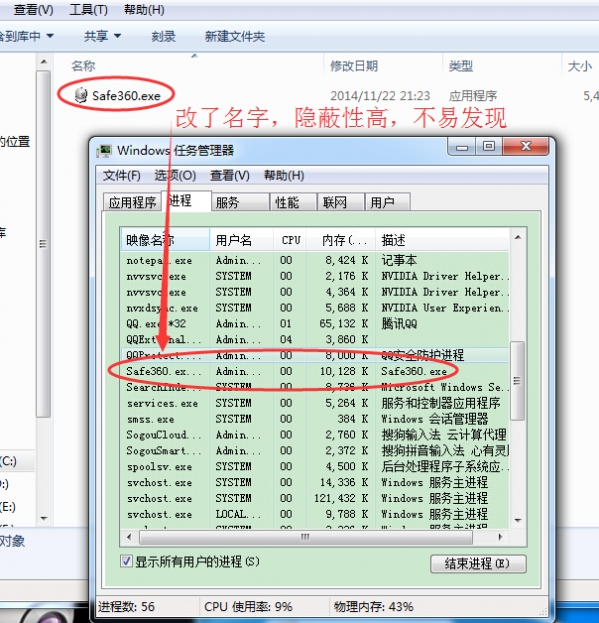
3. Open Meng Kun Laptop Anti-Theft Guard and fill in your email address in the "Receive Email" input box;
4. Publish an article in Baidu Space or Sina Blog titled "Laptop Anti-Theft" with the following content:
********Content begins********
Current status: Not reported as lost (completed)
Anti-theft alarm: not turned on (completed)
From Meng Kun Laptop Anti-Theft Guard
********End of content********
5. After the above content is published, copy the address of the article in the browser and paste it into the "Information Address" input box;
6. Click the "Receive Email Test" button, and the system will automatically send an email to the email address you filled in. If you do not receive the email or the system prompts that the email failed to be sent, please check whether your email address is filled in correctly;
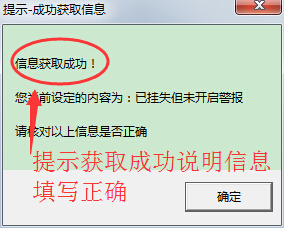
7. Click the "Information Acquisition Test" button. If the content prompted by the pop-up window is consistent with the content you posted on the URL, it means that the information address is filled in correctly. Otherwise, please check whether the content of the article you published is consistent with the requirements or whether the information address is filled in correctly;
8. After all the above settings are completed, click the "Save Settings" button and close the software, and the anti-theft service will start.




Useful
Useful
Useful