





Barcode Generator Official Version
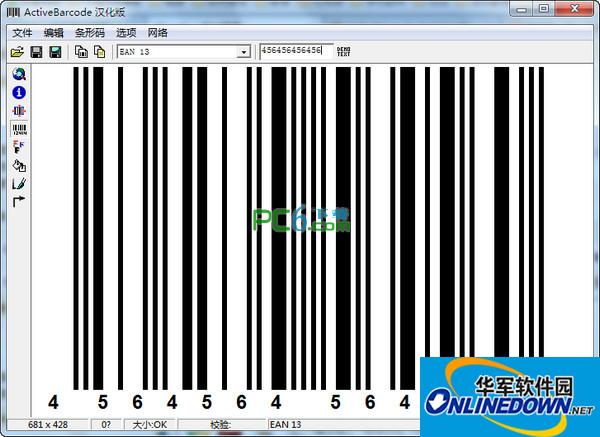
The official version of Barcode Generator is a barcode production tool used in many industries. Common food barcodes can be produced. The barcode generator can import data and then automatically process it into barcodes. You can also set the height, width and code system of the barcode. The barcode generated by the barcode generator will be automatically copied to the clipboard and can be easily pasted into Photoshop, Word and other software for calling. Huajun Software Park provides download services for barcode generator software. To download other versions of barcode generator software, please go to Huajun Software Park!

Barcode Generator Software Features
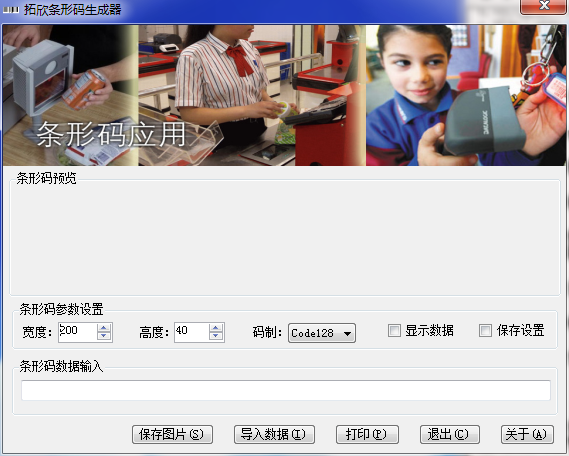
1. Built-in three barcodes: Code128, EAN13 and Code39.
2. The height and width of the barcode can be set.
3. The data used to generate the barcode can be shown or hidden.
4. The barcodes generated by these three code systems can be saved directly as pictures.
5. The generated barcode can be printed directly.
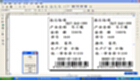
6. Can be added to collect barcode data in batches and print them in batches to achieve barcode management integration with other software (such as ERP).
Barcode Generator Software Features
1. The barcode generator is simple to operate and can generate barcodes in just a few clicks.
2. Supports single tile and multiple automatic paging functions of "barcode data"
3.Supports ordinary printers such as inkjet and laser printers
4.Supports batch compilation of barcode functions
5. Realize the functions of user management, product information management and barcode library query, set management permissions, backup and restore database, print database reports and database fields can be customized and written as needed.
6. Supports scanner gun scanning input and manual input.
7. Supports the generation of four product barcode types: EAN-13, EAN-8, UPC-A, and UPC-E.
8. Supports reading barcode data from text files and writing batch-prepared barcode data to text files.
Barcode generator installation steps
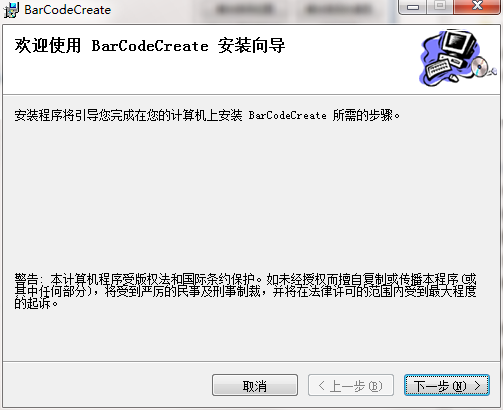
1. Download the barcode generator from Huajun Software Park and unzip it to the current folder. Click on the BarCodeCreate.msi application to enter the installation wizard interface, and then click Next.
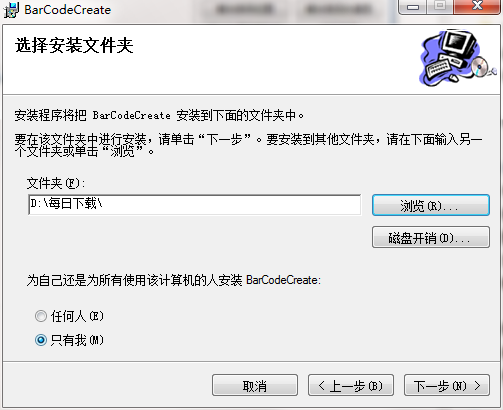
2. Select the software installation location interface. Huajun editor recommends that users install it on the D drive, select the installation location and click Next.

3. The installation of the barcode generator is completed, click Finish.

How to use the barcode generator
1. We first open the downloaded barcode generator.
2. At this time, adjust the width and height according to your needs.
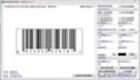
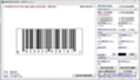
3. Then enter the barcode and you will get the barcode icon. Click to save.

Barcode Generator FAQ
Q: How to uninstall the barcode generator software?
Answer: Method 1: Install and open the computer manager software, select the software management option, click the uninstall option, find the barcode generator software in the list, and click uninstall.
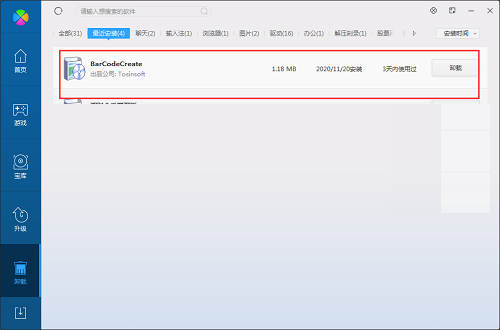
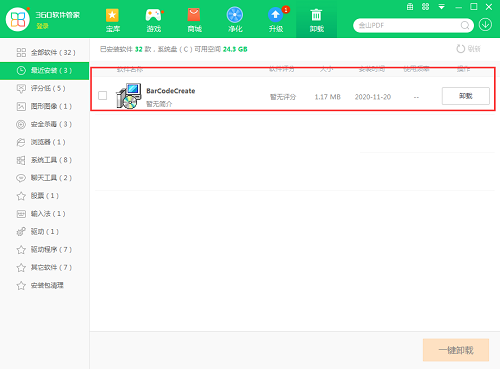
Method 2: Install and open360 software manager, find the barcode generator software in the list of uninstall options, and click Uninstall.
Comparison of similar software
Batch generation of QR codes and barcodesUsed to generate batches of QR codes or barcodes in Excel. Thousands of them can be generated in an instant and automatically typeset. It is efficient and intelligent.
Tuoxin barcode generation systemThe PC version is a barcode generation tool suitable for many printing industries. The official version of Tuoxin barcode generation system can generate barcodes in three formats, namely Code128, EAN13 and Code39. Tuoxin barcode generation system can not only customize the width and height of the barcode, but also set the generated barcode data to be displayed or hidden. In addition to directly printing the generated barcode, it can also be directly saved as a picture.
Barcode Generator update log
1. Batch import and generation processing of new data.
2. Only text file data import is supported.
Huajun editor recommends:
The barcode generator has always been a commonly used .NET source code software for most friends. It has such a dominant position in the minds of netizens. The editor of Huajun Software Park recommends users to download the barcode generator and use it. Come and download it. In addition, there are360 browserAvailable for download.













Useful
Useful
Useful