




- Green versionView
- Green versionView
- Green versionView
- Green versionView
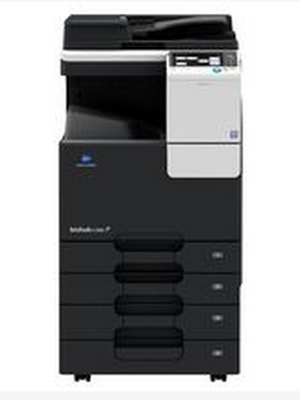
Konica Minolta C226 driverSoftware introduction
Konica Minolta C226 A3 color multi-function printer comes standard with color double-sided printing, supports network printing, copying, USB flash disk scanning, and touch LCD screen.
Product type: Color digital composite machine
Product functions: copy/print/scan
Print resolution: 600×600dpi
Print size: A3
Print speed: 22 pages/minute
Memory: 1GB
Interface: USB2.0; supports wired network printing
Hardware ID: USBPRINTKONICA_MINOLTAC266Se3A46
Konica Minolta C226 driver software functions
This driver is Konica Minolta bizhub The latest version of the C226 all-in-one driver package includes print driver and scan driver. It is suitable for Windows operating systems and is recommended for users to download and use. Please follow the steps prompted by the installer. To avoid driver installation failure, do not perform any operations on the printer other than those required during the driver installation process.
Applicable to: Win XP/2003/VISTA/7/2008/Win7/Win 8/Win 10 32/64-bit operating system.
Applicable models: Konica Minolta bizhub C226 all-in-one machine
Konica Minolta C226 driver software features
High-value product performance: efficient output speed, fast job startup, USB printing/scanning, red head spot color output, one-click card copying Advanced product design: INFO-Palette design concept, humane operation panel, multi-touch, removable paper box Intelligent solution: complete system authentication method, support Open API platform supports multi-dimensional network connection for account management: rapid docking of smart terminals and flexible use of PageScope Mobile, wireless LAN access point mode (AP mode*), supports a variety of industry-standard mobile connection technologies and comprehensive environmental protection technologies: optimized TEC value, low-energy sleep mode, one-click energy saving, suppressing ozone emissions, and Eco function to achieve multi-dimensional energy saving
Konica Minolta C226 driver installation steps
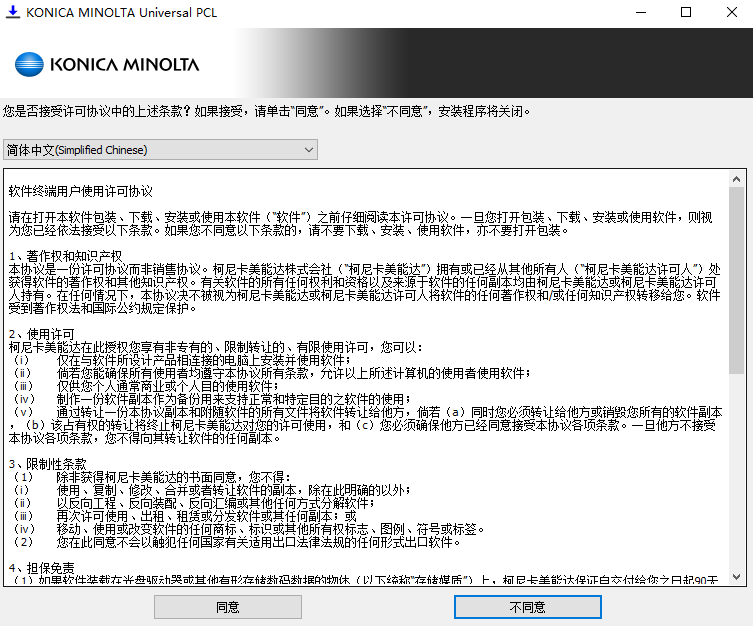
1. Download the latest installation package from this site, unzip it, double-click to run the installation package, and install according to the prompts (to ensure a smooth installation, please connect the printer first and then install the driver)
2. The installation is in progress and can be used after completion.
Konica Minolta C226 driver FAQ
Installation problem solutions:
Check compatibility: Make sure the downloaded driver is compatible with your operating system (such as Windows 7, 8, 10, etc.).
Turn off security software: Temporarily turn off antivirus software or firewalls during the installation process to prevent them from interfering with the installation process.
Run as administrator: Right-click the installer and select "Run as administrator".
Check the installation log: If the installation fails, check the installation log for an error code or description, which can help diagnose the problem.
Konica Minolta C226 driver update log
1. Optimize content
2. The details are more outstanding and bugs are gone.
Huajun editor recommends:
Konica Minolta C226 compound machine driver is a good printing tool software. If you are interested, please download it and use it. I believe you will like it.Office batch printing wizard,Lightning PDF Virtual Printer,Lodop print control,Kaibo delivery note printing software,Easy to mark barcode label design and printing softwareIt is also a good software and is recommended for students to download and use.




Useful
Useful
Useful