





Introduction to JD software functions
Core shopping functions:
Product search and browsing: Supports keywords, barcodes, photos, and voice searches to quickly locate products.
Order placement and payment: Multiple payment methods (including IOU installments), supporting combined payments to meet funding needs.
Order management: View order status and logistics tracks in real time, and support order filtering and search.
Special features:
Barcode shopping/Photo shopping: Scan the barcode or take a photo to identify the product and compare prices with other platforms.
Handheld flash sales: low-priced products exclusive to mobile phone users, updated daily.
Group purchase and recharge: Group purchase of life services (takeaway, hotel, air tickets), support for phone bill recharge.
Virtual fitting room: try on trendy clothes with one click to assist in matching decisions.
Life services:
Jingdong Takeout: High-quality takeout service, delivered in as fast as 9 minutes.
Hotel/air ticket booking: First stay special, up to 130 yuan off.
JD Daojia: instant retail services, covering fresh food, daily necessities, etc.
Personalized recommendations:
Intelligent recommendations: Based on shopping history and browsing history, push products that meet your needs.
Membership system: Points can be used to deduct cash and exclusive coupons to increase user stickiness.
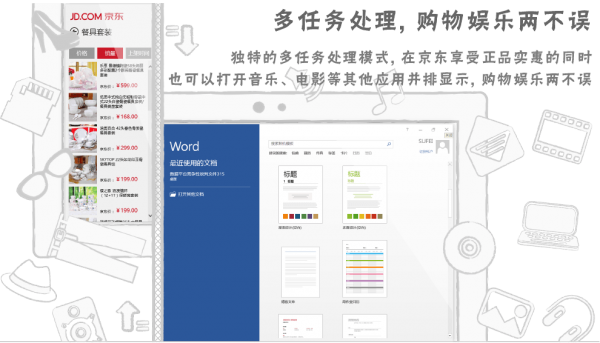
JD SoftwareFeatures
Authenticity guarantee:
All products are 100% authentic, the qualifications of merchants are strictly reviewed, and the entire process of self-operated products is controlled to ensure quality.
Extremely fast logistics:
The nationwide logistics network covers the country, providing "211 limited-time delivery" (orders placed before 11 a.m. will be delivered on the same day, orders placed before 11 p.m. will be delivered on the next day), and drone delivery and smart warehousing are supported.
Full category coverage:
The product range is rich, covering electronic products, household items, clothing, food, beauty, maternal and infant products, etc. to meet diverse needs.
Rich promotion activities:
Jingdong flash sales, tens of billions of subsidies, coupons, full discount activities, etc., combined with major promotions such as 618 and Double 11, provide low-price discounts.
Member privileges:
PLUS members enjoy 7 major life services, exclusive discounts, free shipping and other benefits to improve the cost-effectiveness of shopping.
Excellent after-sales service:
The professional customer service team is online 24 hours a day, has a loose return and exchange policy, and supports free door-to-door pickup to protect the rights and interests of users.
FAQ
Q: Payment failed?
A: Check whether the payment method is correct, or try other payment methods (such as bank card, WeChat, Alipay).
Q: Didn’t the account arrive after payment?
A: Contact customer service to check the payment status and provide payment voucher. The payment usually arrives within 1-7 working days.
Installation steps
Special note: The installation package provided by Huajun Software Park contains the Android emulator and software APK files. For the computer version, you need to install the emulator first and then install the APK file.
1. First download the installation package from Huajun Software Park. The software package contains an Android emulator exe installation program and an APK file and unzip it. First click on the exe program to install the lightning simulator.

2. Double-click "Lightning simulator.exe" file to enter the installation interface. Users can click "Quick Installation" to select the system's default installation address for installation, or click "Custom Installation" to choose the installation path. Custom installation is recommended here.

3. WaitingLightning simulatorAfter the installation is complete, click "Try Now" to open the emulator.

4. Enter the main interface of the lightning simulator and clickRight column APK iconSelect the "Local APK Install" button.

5. In the pop-up window, click on the decompressed APK file, and then click to open.

6. After that, the software will enter the installation process. You need to wait for a moment. After the software installation is completed, it will appear in my software list. Click the icon and double-click to open it. 
JD SoftwareChange log
1.Sweep the bug out and carry it out to the end
2. Optimize user feedback issues and improve detailed experience
Huajun editor recommends:
Jingdong is professional, easy to operate and powerful. It is one of the leaders in the software industry. You are welcome to download it. This site also providesDangdang.com,Enjoy Tesco,Ali Auction,TaobaoWaiting for you to download.



















Useful
Useful
Useful