



Game features
1. Cyberpunk style, creating a fantasy world;
2. The perfect combination of tradition and innovation gives you a completely different parkour experience;
3. Challenging level settings to keep you fresh at all times;
4. Diversified playability, autonomous flight enhances your game understanding.
Game play
1. In terms of operation, we have made certain innovations. The player's operation rhythm will be stronger than the traditional mode, and the difficulty will also increase.
2. The game abandons the strict division of runways in traditional cool running games and replaces it with free displacement.
3. The autonomous flight mode is set in the game, which will give players greater room for autonomous operation, allowing players to obtain as rich a diversity of gameplay as possible with high efficiency.
4. It avoids the aesthetic fatigue of the core gameplay of traditional cool running games, and at the same time strengthens the game's accurate judgment of displacement, improving player participation and tension during the game.
Game review
Since the beginning of the mobile game market, parkour games have been full of players' attention, and many excellent works have appeared in recent years. However, Running to Freedom still opens up a new understanding for players in this category. The official broke the limitations and designed free displacement to enrich the operational possibilities and bring us more tension and excitement. There are also innovative elements waiting for you to discover and explore.
Installation steps
The Towards Freedom computer version game compressed package provided by Huajun Software Park contains the Android emulator and game APK files. The computer version of the mobile game needs to install the emulator first, and then install the APK file.
1. First download and unzip the Toward Free PC version software compressed package in Huajun Software Park and get an emulator exe installation program and an APK file. We first click on the exe program to install the emulator.
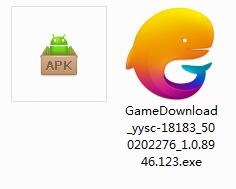
2. Double-click the "GameDownload_yysc-18183_500202276_1.0.8946.123.exe" installation program, then enter the software installation wizard interface and click "Custom Installation"

3. Click "Browse" to customize the installation location of the software. It is recommended that you place it in a location other than the C drive.
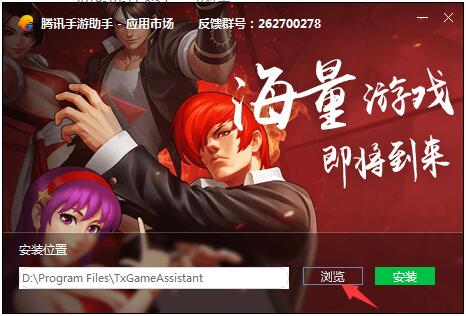
4.Tencent Mobile Game AssistantInstallation is in progress, please wait patiently.
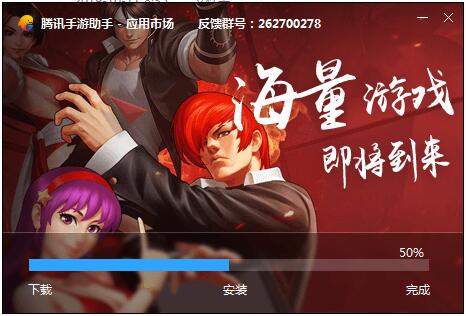
5. The simulator is installed. Here, the editor of Huajun recommends checking Add desktop icon to generate a desktop shortcut so that it can be quickly opened on the desktop the next time you open the simulator. Then we click "Try Now".

6. Run the emulator, then click "My Games" in the upper left corner, and then click the "+ Local Install" button in the upper right corner.
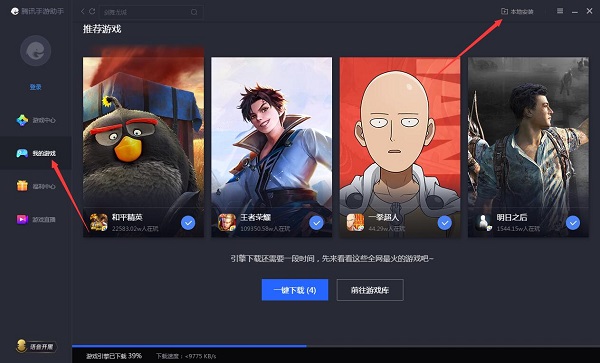
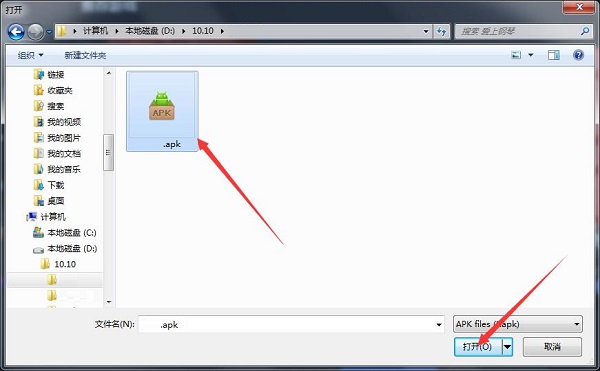
7. Then find the APK file extracted from the software package downloaded from Huajun Software Park and double-click to open it.
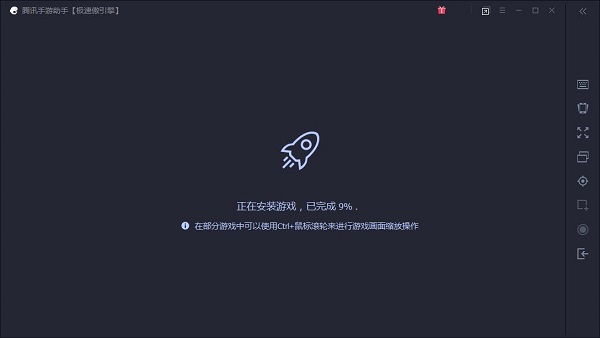
8. The game is being installed. Here we only need to wait for a moment. After the game is installed, it will appear in my game list. Click the icon to open and play.




Your comment needs to be reviewed before it can be displayed