



If you are looking for software to use, go to Huajun Software Park! software release AI product list

Hello, if there is a need for software inclusion, please package the software and attach the software name, software introduction, software-related screenshots, software icon, soft copy, business license (if you do not have a business license, please provide the front and back of the corresponding developer ID card and a photo of yourself holding the ID card), and send it to email http://softwaredownload4.com/sbdm/user/login

Close >>

Send to email:news@onlinedown.net

Close >>

Location: Home pageMobile PC versionGame PC versionparkour racing cat and mouse
cat and mouse

Tom and Jerry PC version

QR code
  • Software licensing: free software
  • Software size: 13.2MB
  • Software rating:
  • Software type: Domestic software
  • Update time: 2025-07-03
  • Application platform: WinAll
  • Software language: Simplified Chinese
  • Software classification: parkour racing
  • Edition: PC version
  • Software vendor: Hangzhou NetEase Leihuo Technology Co., Ltd.

Download the service agreement at the bottom of the page

Software introduction Related topics FAQ Other versions Download address

Basic introduction
Tom and Jerry paragraph first LOGO
Tom and Jerry PC versionIt is a 2D side-scrolling parkour game authorized by Warner Bros. Interactive Entertainment’s genuine IP and represented by NetEase. The PC version of Tom and Jerry uses an anime prototype. In the game, players can control multiple cute mouse characters such as Jerry and Taffy to escape Tom's pursuit. During the escape process, they can collect as much cheese as possible and make holes to escape. Huajun Software Park provides you with the download of the computer version of Tom and Jerry.

Tom and Jerry screenshots

Tom and Jerry game features

   2nd anniversary event is coming

      超多福利登录免费送,新皮肤、新皮肤、新活动

New skin is online

Swordsman Jerry’s third S-level skin “Swordsman Jerry Uncrowned God of War”, and a new Rocket Mechanical Mouse skin are now available in the mall

Treasure Pavilion is officially launched

Treasure Pavilion is the official character trading platform of Tom and Jerry. Players can freely trade characters under their own accounts.
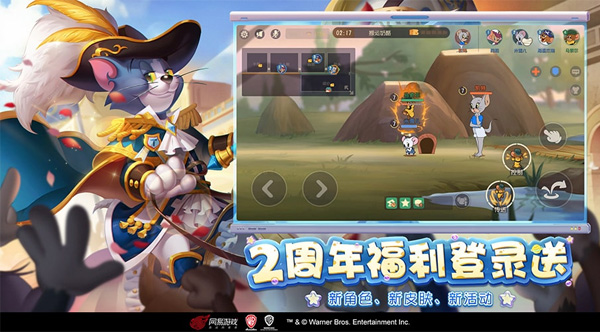
Tom and Jerry screenshots

Tom and Jerry installation method

1. For the computer version of Tom and Jerry downloaded from Huajun Software Park, double-click with the left mouse button to open the exe program installation program.
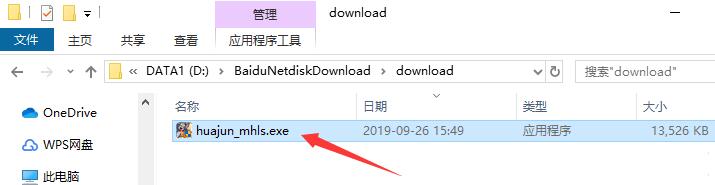
Tom and Jerry screenshots

2. Enter the installation interface, you can click "Install Now" to use the system's default installation address to install, or you can click "Custom Install" to choose the installation path yourself. Custom installation is recommended here.

Tom and Jerry screenshots

3. Click the "Select Path" button to customize the installation location. It is recommended to install it on the D drive. After selecting, click "Install Now".

Tom and Jerry screenshots

4. Installation is in progress, please wait.

Tom and Jerry screenshots

5. After the emulator installation is completed, Tom and Jerry will automatically start downloading and installing.
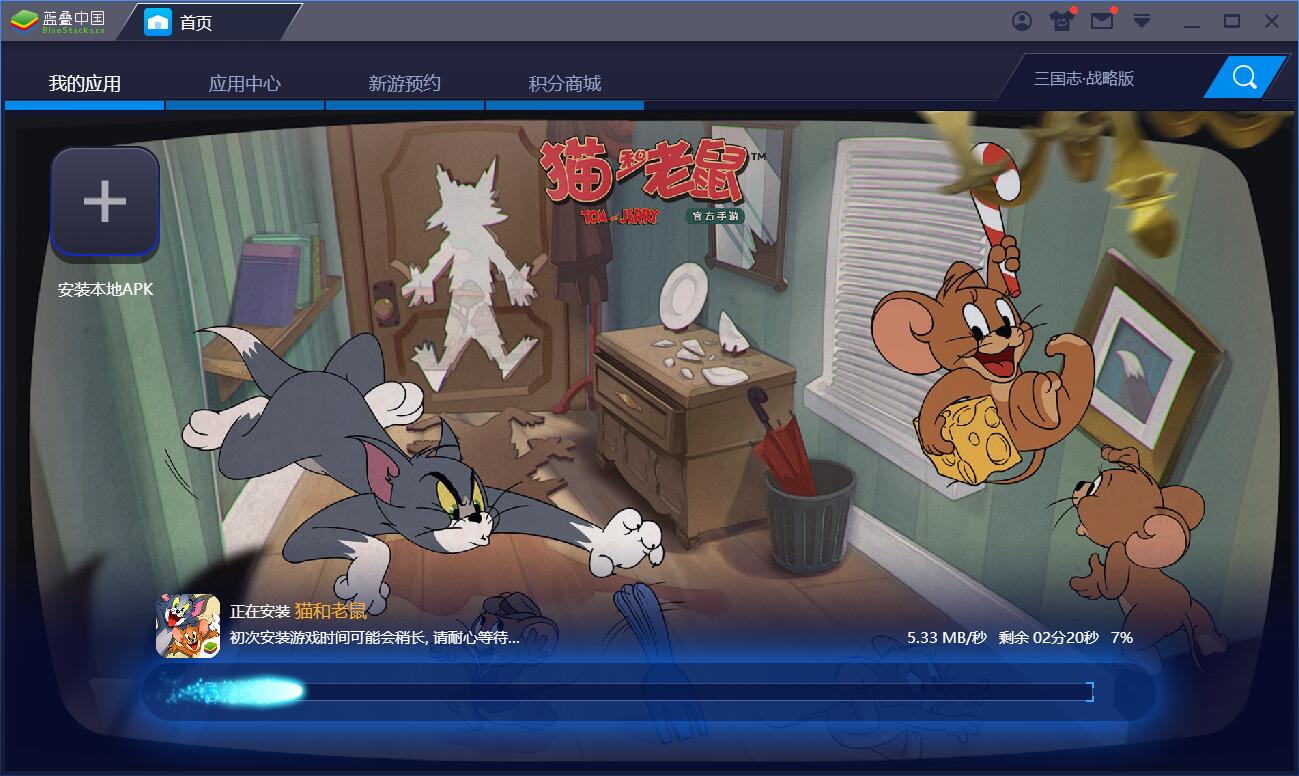
Tom and Jerry screenshots

6. After a moment, Tom and Jerry will be installed. Let’s start the game.
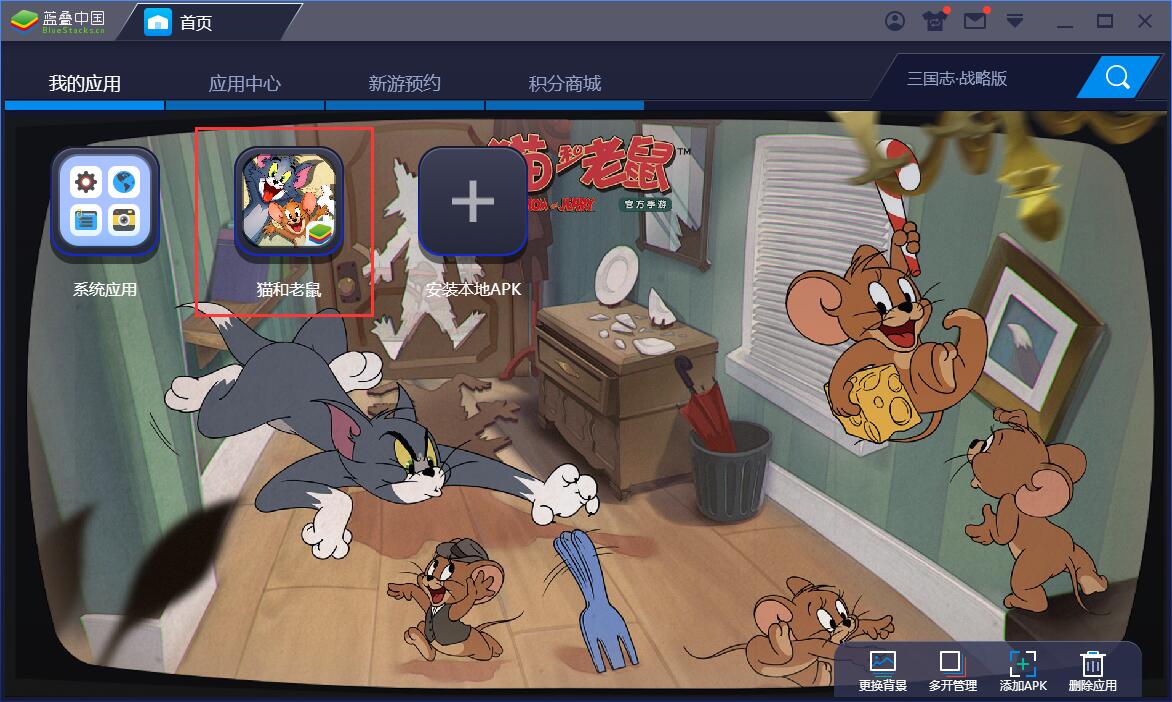
Tom and Jerry screenshots
Tom and Jerry PC version update log

Optimize the experience when entering ladder mode from Cat and Mouse Square

                   Optimize the lighting effects of the character stage in the gameplay of "Who is the Alien" so that the lighting no longer blocks the character?


Related topics

  • cat and mouse

    cat and mouse

  • Tom and Jerry 5 special topics

    Tom and Jerry 5 special topics

  • java mini games area

    java mini games area

FAQ

Associated version