




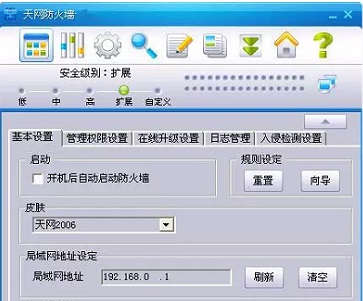
Introduction to Skynet Firewall Functions
1. Strict real-time monitoring
Skynet Firewall (Personal Edition) filters all access requests from external machines and immediately rejects unauthorized access requests upon discovery, protecting the information security of the user system at any time.
2. Flexible safety rules
Skynet Firewall (Personal Edition) sets up a series of security rules to allow corresponding services of specific hosts and deny access requests from other hosts. Users can also add, delete, and modify security rules according to their actual situation to protect the security of the machine.
3. Application rule settings
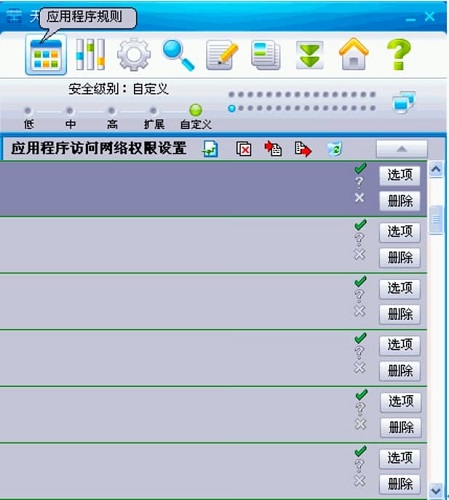
The new version of Skynet firewall adds a low-level analysis and interception function for application data packets. It can control the type and communication port of data packets sent and received by applications, and decide whether to intercept or pass. This is a function that many other software firewalls currently do not have.
4. Detailed access records and complete alarm system
Skynet Firewall (Personal Edition) can display all intercepted access records, including the time, source, type, code, etc. of access, which are recorded in detail. You can clearly see whether there are intruders who want to connect to your machine, thereby formulating more effective protection rules. Compared with previous versions, Skynet Firewall (Personal Edition) is equipped with a complete sound alarm system. When an abnormality occurs, the system will send out an early warning signal to allow users to take defensive measures.
5. Instant chat protection function
Skynet firewall software features
1. Self-developed excellent firewall kernel
2. Packet filtering function based on state detection
3. Virtual bridge function with packet filtering function
4. With TCP flag detection function
5. Has bidirectional network address translation function
6. With traffic statistics and traffic restriction functions
7. Upgrade through the interface, easy to operate
8. It has the world’s first DoS defense gateway technology, which can effectively prevent various types of DoS attacks.
9. Supports binding multiple IP addresses to one network port, thereby supporting multiple subnets and multiple IP applications.
10. Support IP and mac address binding to effectively manage IP address resources
11. It has real-time system monitoring function and can observe the operating status of the system and the network connection status.
12. With real-time alarm function, alarm can be sent by making phone calls and emails.
13. Have system operation records, which can record all operations of the system administrator
Skynet firewall installation steps
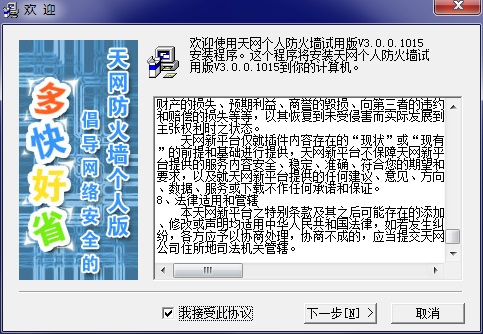
1. Download the installation package of Skynet firewall software from Huajun Software Park, and extract it to the current folder. Click on the EXE application to enter the license agreement interface. We need to check to accept, and then click Next.
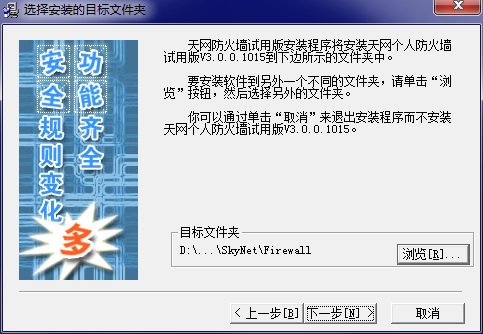
2. Select the software installation location interface. Huajun editor recommends that users install it on the D drive, select the installation location and click Next.
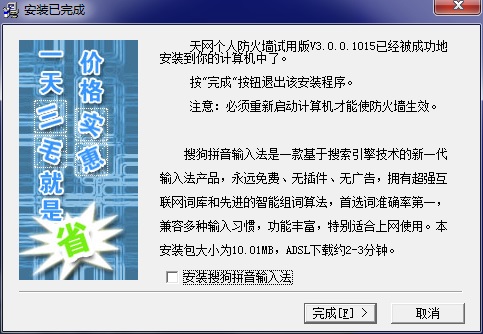
3. The installation of Skynet firewall is completed, click Finish.
Skynet Firewall Instructions
Registration of the software is completely free. We only need to log in to the official website of Skynet, fill in the necessary information such as user name, password, real name, email, etc., and after receiving the corresponding registration code, we can complete the registration of the software.
During the login process, you can also use Skynet's online detection function to check the security of your computer. Before you complete the registration, you only need to minimize the Skynet Firewall, and it will not bother you again.
The interface design of Tianwang Firewall Personal Edition is simple and consists of six main functional sections, namely general settings, advanced settings, security records, detection, about, and please register.
In addition to these six selection pages, Skynet Firewall also provides a "stop" shortcut button for users to quickly disconnect from the network. However, it should be noted that the disconnection mentioned here is not the disconnection in the dial-up network, which means cutting off the connection between you and the ISP. It does not allow any external data flow to enter your machine, nor does it allow your machine to send data flow to the outside world. Don't press "Stop" and then think that you have disconnected from your ISP. The bill sent by the end of the month will be astronomical.
Skynet firewall update log
1. Modify user-submitted bugs
2.Add new features
Special instructions:
Hello, the software you are about to use is an auxiliary tool and may be intercepted and checked by major anti-virus software. This software may have risks, please pay attention to avoid it. If you want to continue using it, it is recommended to close various anti-virus software before use.
Attached is the software package decompression password: softwaredownload4.com
Huajun editor recommends:
In addition to Skynet Firewall, a very convenient firewall class, there are alsoAd Blocking Expert,Anti-ARP Sniffers,Fair Personal Firewall,Ewido security suite,PC Tools Firewall PlusRelated software is available for download. If you need it, please click to download and use it.







Useful
Useful
Useful